
When will my order ship? How long do I have to wait before my order ships? Can I still order a new Model F or beam spring keyboard from the current stock and have it arrive soon?
Yes, there is still time now to join in this month on the project and get a keyboard from the current stock, as I have ordered extras. The shipping backlog is typically about a month or two for in stock items, sometimes longer. In other words, everyone has to wait in line for their order to ship; there is no way to have an order ship immediately. In terms of the timeline from here, I cannot estimate the timeline for any specific order, so please do not email me asking for a personalized update on when your order will ship. You will receive an email with a tracking number once your order is all done. All keyboard models are in stock, except for the second batch of F122 and all of the Round 2 beam spring keyboards (see below for details). The compact F50 and split ortho are out of stock with no current plans to make more, though you can still order one of the remaining the NOS IBM classic style F50 keyboards.
As always, please see the geekhack or DT forum thread for the latest updates (see the About page for the link) including production status. The updates on the forum threads are far more frequent and recent than the periodic updates posted several times per year on this blog page. Just because this post is dated from a while back does not mean there have been no updates!
All variations are available. The current discounted pricing is not guaranteed for the future and some keyboards have already started going up in price compared to the earlier discount as those keyboards are running out of stock, so I recommend joining the project this month and not waiting since you may be paying double or your favorite color or layout may no longer be available to order. If you are interested in skipping the line feel free to order the skip the line option mentioned below; otherwise you have to wait with everyone else in line! The project always has an order backlog, so please do not email me asking when your order will ship.
Read the manual fully before touching your keyboard, even if you have experience with these old style keyboards: After your new Model F keyboard arrives, I strongly recommend starting from the beginning of the setup video and the written manual, to minimize the time you need to figure things out. Do not only watch the hour-long setup video, as there have been many changes and other required steps not shown in the video. Since so many keyboards have shipped in a short timespan, there have been a higher-than-usual number of questions from folks, and almost all of the questioners show that they did not read the manual, and the solution to their issue is in the manual. Don’t be one of those people and spend hours more than you need to set things up! A fix for every potential Model F issue is described in the written manual. Part of the manual discusses an issue with transposed keys. The manual has been updated recently. The main thing to fix is removing and reinstalling the affected springs with the proper process described there and also shown in the hour-long setup video. Reports posted on the forums and messages sent to me indicate that this almost always fixes the issue. If that step does not fix the issue, the manual also notes the next steps in the diagnostic process.
The most common questions I get are directly answered in the manual, so I know who hasn’t read the manual at all when I get these questions! “A few keys do not work, my spacebar gets stuck, my shift or enter key is hard to press, how do I flash firmware, how do I adjust key mapping”
Here are all the models that are now being offered
There is still time to order the original project’s F62/F77 and other keyboards, but they are on a “while supplies last” basis.
- Currently in stock: All F104 and FSSK, F122 first batch, All F62 and F77, F15 Split Ergonomic, IBM NOS F50 macro pad (very limited quantity, see below for details)
- Currently completed and at the factory, waiting to be shipped: F122 second batch (expected shipping later this year)
- Currently in production and assembly: the Round 2 classic style Beam Spring keyboards (expected to ship from China at the end of July or early August 2025)
- Currently out of stock: Model F Split Ortho, Ultra Compact F50, Classic Case style Beige F62
REQUEST: this week please share your photos, reviews, and postings on the Model F and Beam Spring Projects!
Please spend a few minutes this week to help the project: For those of you who have been using your Brand New Model F and Brand New Beam Spring keyboards, please do post a quick video on YouTube if you don’t mind! How do you like using your keyboard, how does it compare to your other keyboards, how was the setup experience, any recommendations and/or custom modifications, etc. A lot of folks find out about the project through YouTube nowadays. If you post a review please do set the title to something like “Brand New Model F Keyboards by Model F Labs review” or “Brand New Beam Spring Keyboards by Model F Labs review” – and let me know once you post as I want to share the various reviews, postings, and videos. Is there any feedback on the Model F ergo boards from folks who have been using them?
Current updates: This update post covers updates from the first half of 2025
Reviews continue to come in!
Wendell from Level1Techs has just posted a video on the Brand New Model M Style FSSK!
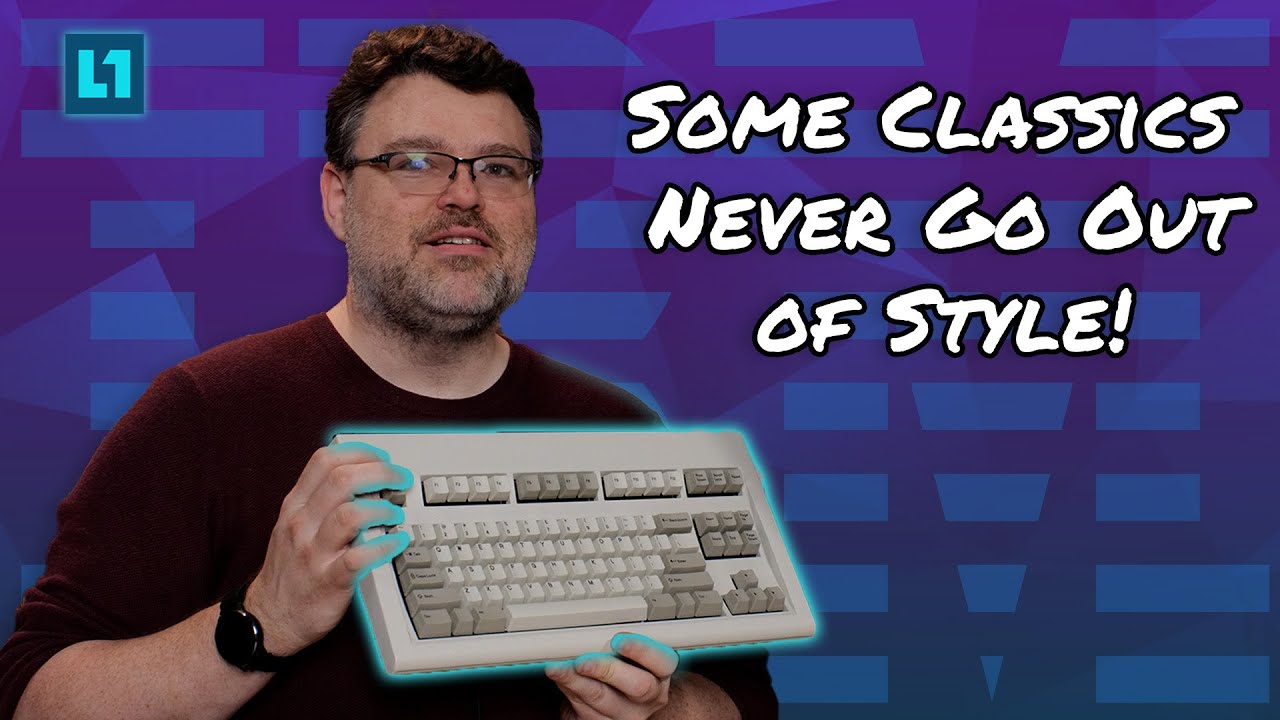
Here was the video comment I posted:
Thanks Wendell for a great video on the Brand New Model F keyboard! I especially liked your explanation of the solenoid and what it does. A number of folks have told me that they didn’t really understand what the solenoid did for these old style keyboards and why it was such a popular add on. At a recent keyboard meetup I had the keyboard with installed solenoid connected to my laptop so that folks could see the solenoid in action as they tested the new reproduction keyboards – there was a lot of attention on the solenoid specifically!
Here we have a great video review of the new Model M style F104 keyboard from YouTube channel Tech Bytes!
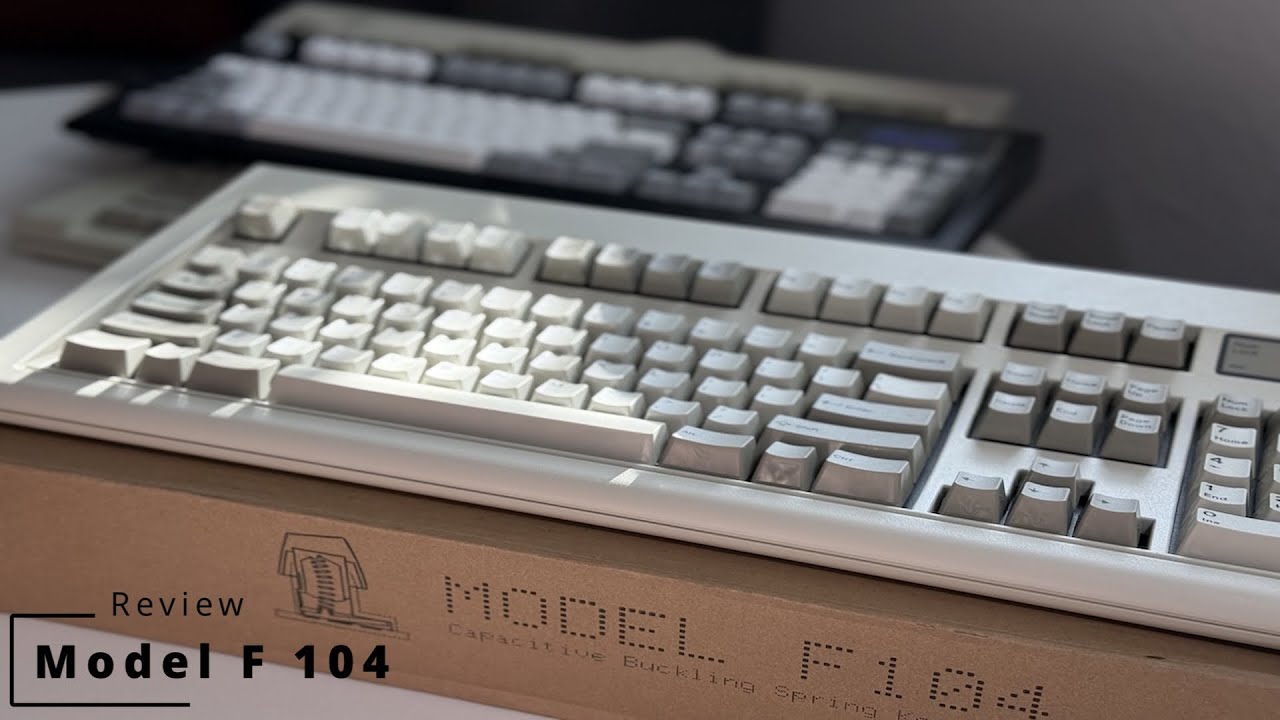
My comments on the video are below:
I like that you focused on a comparison with the Model M, which I think will be most helpful for folks who come across your review and who may have heard about the M but have not heard about its predecessor, the Model F.
Regarding the label, the labels were designed to reproduce the original Model F 4704 which had the same silver label style. I agree that I do like the larger Model F and Model M labels with the plastic laminate overlay. I have thought about changing it to the better style label.
Regarding keycaps, most IBM Model F originals had one-piece keys, though some had two piece keys. The opposite was the case with Model M keyboards: most have two piece keys, though a few came with one piece keys. That is a great observation about the extra movement with two piece keys compared to one-piece keys.
A terrific in-depth review of the new Model M style Model F keyboards
https://nerdlypleasures.blogspot.com/20 … style.html
I like how everything is explained so well. You really do need an extended length article to explain things sufficiently, which has been done well in this article. I think this article could serve as an excellent reference for those who are new to the keyboard hobby as well as those who have some experience with buckling springs.
My feedback to the author is copied below:
F62 and F77 keyboards started shipping in 2019, not 2021.
Some Model F’s used two piece keys like some of the F122’s other than 6110344, while some Model M’s used once piece keys such as some of the terminal models like my 1392980 terminal SSK. Generally your point is accurate about one piece being more common for F and two piece being more common for M.
This note is only correct for the XT and AT style Model F keyboards with the extra long spacebars; the rest do not use that huge spacebar that requires taking apart the plates: “Cleaning Model Fs is a time-consuming process. You can remove every key except the spacebar, which has stabilizers that are connected underneath the top steel plate. To remove the spacebar, you must separate the two steel plates. Every barrel and spring/hammer combination will have to be set properly when the plates are put back together. People have broken the stabilizer retention clips on the spacebar by trying to remove it without removing the stabilizer wire beforehand.”
We have a great and helpful new Model F keyboard review below

This is a great video to help folks make a decision if they are considering various keyboards and why the Model F is so special and unique. It also explains the difference between QMK and Vial, and how powerful and easy to use the software customizations are for these Vial-powered Model F keyboards.
The review also discusses the pros and cons of the new Model F keyboards, and an analysis of the pricing and value compared to other offerings on the market.
The Silver Gray powdercoated classic style F62 keyboard was delivered to this user more than 2.5 years ago so you can also see how the paint has held up with little to no wear.
My video comment continues below:
You have a good way of explaining the different sounds that the keyboard makes, differentiating between the sound of the flipper contacting the large capacitive PCB when a key is pressed, the vibration of the spring after the key is released, and the less-desirable buzzing of a spring against the keycap, which can be quickly fixed as you mentioned.
Just a note – the F62 and F77 boards usually come with QMK but can be flashed to Vial, but you can now add an order note for me to flash the board to Vial for you, before it ships to you. No boards shipped with Via firmware, though it was offered for a short time as an alternative firmware. Flashing the keyboard to Vial allows everyone to adjust the keymapping and other settings without needing to reflash the firmware.
And so as not to scare anyone, the part of the video about pressing the f key as a shift is due to a custom mod of the keyboard, not the factory default behavior. The keyboard does not ship this way; the keyboard ships with normal keys without mods so that hitting the f key sends the f signal to the keyboard as with any other key.
With permission I am posting a nice review and photos of the classic style F104 keyboard from March 2025
“First of all, I cannot thank you enough for the time and effort you’ve put into designing and developing the Classic Style Model F keyboards. It’s truly a blessing for IBM and keyboard enthusiasts alike.
Here’s my experience with the Classic Style F104 Model F Keyboard after using it for a few months:
I’ve been a long-time IBM Model M enthusiast, user, and screw-and-bolt modder, so I have a deep appreciation for these keyboards. When I first tried the Classic Style F104 Model F Keyboard, it was an entirely new experience, unlike anything I had encountered before. The keystroke, touch, feel, and overall typing experience completely blew me away. This keyboard is on another level, and I never realized just how incredible the Model F typing feel truly is. The metal case is the icing on the cake, it’s like a dream come true. Once again, I can’t thank you enough for making this possible.
I also decided to keep my original Model M keycaps, as I prefer the smoother feel over the newer, rougher texture. The solenoid was successfully installed, but despite the detailed instructions, I couldn’t find an option to control the power/intensity. Ideally, I’d like a slightly softer solenoid actuation. If there’s a way to adjust this, I’d love some guidance.
Your hard work is truly appreciated. I am very pleased with the product.
P.S. I also bought a third-party silver label, I think it’s a nice touch!
Best regards”
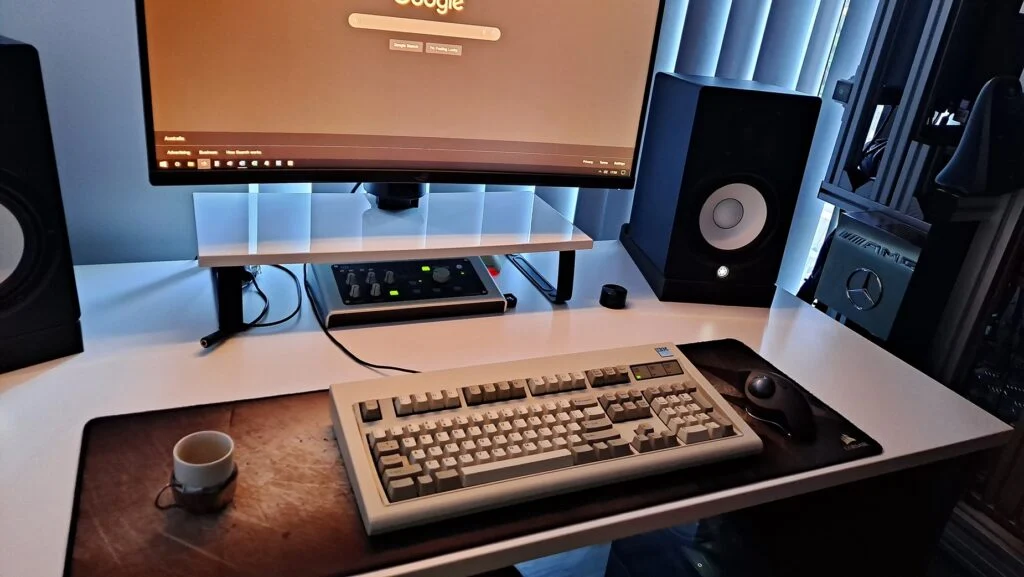

A review from Deskthority forum member tinydarkness
“First time posting on here, so forgive me if I don’t quite get the formatting right. I got my brand new F122 recently, and here’s some pictures of it fully set up! Going through the manual Ellipse wrote took a couple of days but everything was very clearly explained and well written. I’ve used a lot of keyboards in my life including several I’ve built on my own, and this is the best keyboard that I’ve ever used. I just can’t get over how amazing it sounds.”
Please see the review and photos of the completed keyboard: https://deskthority.net/viewtopic.php?p=524414#p524414
A quick review from Deskthority forum member acfrazier
“Got mine today and set it up/flashed the updated firmware. This was worth the 2 year wait, imo. So far, no issues.”
Please see the review and photos of the completed keyboard: https://deskthority.net/viewtopic.php?p=524428#p524428
A detailed review from Deskthority forum member ClickNClack
Posting (with permission) photos of another nice F122 setup, customized with keys from various key groups on the Extra Keys store page. https://deskthority.net/viewtopic.php?p=524473#p524473
This one features one of those third party IBM new production badges (I believe from eBay) that I do not offer. The spot on the keyboard is designed to fit the IBM F122 style badges (the PC AT badges won’t fit since they are bigger).
For reference, the review has been copied here: “I just wanted to provide a quick review.
I have been using PCs since the early 90s, got started on old IBM AT/XT stuff I found cheap at garage sales and such, loved systems from the 80s. 20 years in IT doing everything from programming to networks to sysadmin to cybersecurity. Run my own business now.
About a year ago I decided to look into mechanical keyboards after years of using whatever was sitting around and discovered there were buckling spring keyboards available. I had many fond memories of these growing up on my early collection of PCs. Ordered an F122 and a couple Unicomps new Model Ms about a year ago to use for work and hobby. The Unicomps were a big improvement over the cheap junk I had been using, but I was very surprised how much better this F122 is than the Unicomps. Have been using the Unicomps for a year, just got my F122 today.
The setup is going to take you some time, but I was able to get mine from in the box to assembled, tested and mapped with Vial within a few hours. Had to replace a spring on the 10 key + with a spare I had in the repair kit I ordered with the unit, also had to do the spring reseat on F8.
The feel of this keyboard is amazing. I was not expecting there to be such a jump from the Unicomp to these. Less torque required for each keystroke by what feels like 10-20% at least and the action is so smooth. The sound is very different, higher pitch with more of a ping than the Unicomps/Model M. The keyboards I remember getting started on so many years ago were loud and so that does not bother me, I like it. Been happy with the Unicomps but this Model F is just a whole different experience and quite a bit nicer to type on. Also Vial is awesome, and with the macros feature you can do pretty much anything you want with these.
This project is quite an accomplishment. I’ve done custom hardware and software with commercial sales and I know that is hard to get right, and honestly the fact that I can go order a new condition Model F of any sort in the 2020s is a little crazy. I know from following posts here there have been teething issues to work through but this is a Herculean effort on the part of Ellipse to be able to deliver the product I am typing this on. Well done.”


“I’m so mad at Ellipse”
Thanks to Deskthority forum member robo for sharing a personal journey back to the Model F
I always like hearing these kinds of stories about how folks use these keyboards. Some people tell me they prefer to rotate around different types of keyboards, and many folks do only notice a big improvement when they compare something new with what they currently have. This is also applicable for other hobby areas like audiophile equipment, custom built computers, cameras, sports cars, etc.
I do agree that for folks who have not tried the Model F, when they switch to something else temporarily, they notice what is missing or different!
Project milestone
Last month the 6,500th keyboard shipped, for the new Model F and Beam Spring keyboard projects! Who would have known that we would reach that when the project started and I was getting quotes to make 50 F62 and 50 F77 keyboards!
F122 update
F122 keyboards started shipping in April, after departing the factory and being loaded onto the shipping container in January. See the note in this section about how everyone should be checking the manual and updating their F122 firmware.
As noted on the forum updates, not all variations shipped in the first container shipment, so if you are still waiting and ordered more than a few months ago, your keyboard is likely part of the second of two F122 batches. Please do not email me to confirm this. The rest of the F122’s should go out in the next container shipment later this year. 210 F122 keyboards have arrived and the balance of 190 boards will be part of the second half.
These are the first keyboards ever to ship with Rico’s new Leyden Jar controller! As of now more than 130 F122 keyboards have shipped and all is well.
If you are not picky with the case colors, please order a color other than Off-White/Beige or Industrial Gray. Those colors were more popular than expected and I want to make sure some are still available in the future for those who are not flexible.
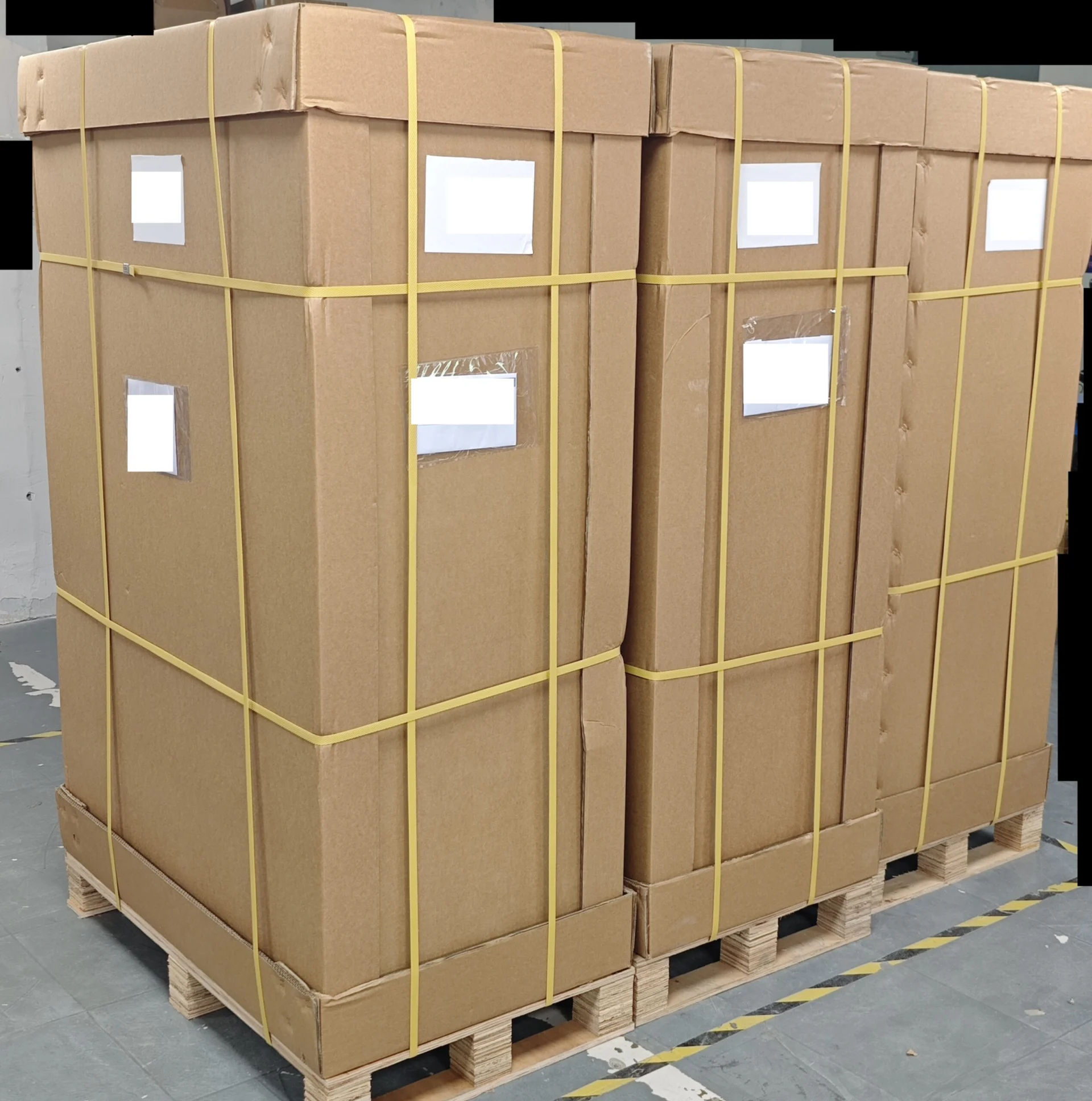
On 1/20/25 the pallets were picked up by the freight forwarder and were getting ready to be loaded into the shipping container. Since this shipment was only a few pallets the shipping container is being shared with other shipments (known as LCL or less than container load).
These F122’s are shipping with the upgraded extra thick double walled Regular Slotted Container cardboard boxes which also arrived in this container shipment.
As a reminder, please do not email me asking which batch your F122 is in or where you are in the queue as I am unable to provide specifics as to where each order is in the queue or which container shipment each order is on for everyone. My focus now is to work on continuing to move through the backlog. The next update for your F122 order will be a shipping confirmation email with the tracking number.
The below writing referred to the status at the start of the F122 shipping in late April. All is well now and over 130 keyboards are now out all around the world. The initial batch did have a firmware bug; I emailed everyone affected to update their firmware. Since then the firmware has had several updates; I recommend checking the manual every now and then to make sure you have the latest firmware. For example, one firmware update made the function layers match those of the xwhatsit-based keyboards.
I have been working on the first batch of F122 orders, with priority towards the low/custom serials (it is still OK to add a custom/low serial upgrade to your F122). I want to make sure everything is good so as to avoid the need for folks to do a firmware update. This process only started near the end of April; it did not start as soon as the keyboards arrived in March. The goal was to get out that shipment out of China as quickly as possible (even if I was not ready to ship them soon after they were expected to arrive), and the shipment ended up leaving the port only days before the first tariffs went into effect.
As always for each board I do the final QC, including making sure each key pad registers in the signal level monitor. In addition to creating the entire Leyden Jar controller hardware, firmware, and diagnostic utility (!), Rico has been very helpful in fine-tuning the firmware for the production units. Extra attention needs to be paid to the calibration bins and the threshold offset values, so I’ve been trying various firmwares that vary these settings so I can put the best one on the boards.
The factory had to remake a small number of individual parts that were damaged or defective – I’ve asked them to make extras for future orders so that we won’t have to wait to remake parts to complete a current order. I won’t be confirming everyone’s order to see which batch they are in as my focus is to get these orders out as quickly as possible. The low serial upgrades are definitely appreciated to help cover project cost overruns, but it doesn’t mean your board is prioritized during factory production; it means that your board is prioritized for shipping once it is in stock. The factory makes these keyboards by variation number, doing all boards of a particular variation at one time; they did not do 50% of each variation or prioritize making just the keyboards that were already ordered as that is not a feasible production process. Currently there are several hundred variations of the Model F keyboards that the factory has made.
It’s always slower for a new product as I physically set up and test a sample of the first keyboards going out, with different variations (this does not mean that all the single digit serials get set up, for example). This is a slow process. I do a good amount of testing to measure the signal output of each key, as well as doing typing tests. I am definitely taking my time with extra caution for the F122’s since this is the very first Leyden Jar RP2040 powered keyboards.
Beam Spring Round 2 project update: expected delivery to me in September or early October 2025
Production and assembly continue at full speed. Almost all of the several hundred thousand parts have been completed; we are just waiting on the cases, inner assembly plates, and a small number of modules to be completed. The factory is finishing up production of the B104 this month (June 2025), with assembly finishing up later this month. They are going to check that everything is good with the B104, and then they will make the remaining 3 models, with assembly finishing up around the end of July or early August, assuming no issues that require remaking parts. They don’t want to make a mistake and have to throw out all the costly aluminum sheets used to make these parts.
That would mean that the keyboards will be shipping from the factory all at the same time in August (not split in two shipments). An early August shipment would mean that the keyboards would arrive to me around the end of September or early October.
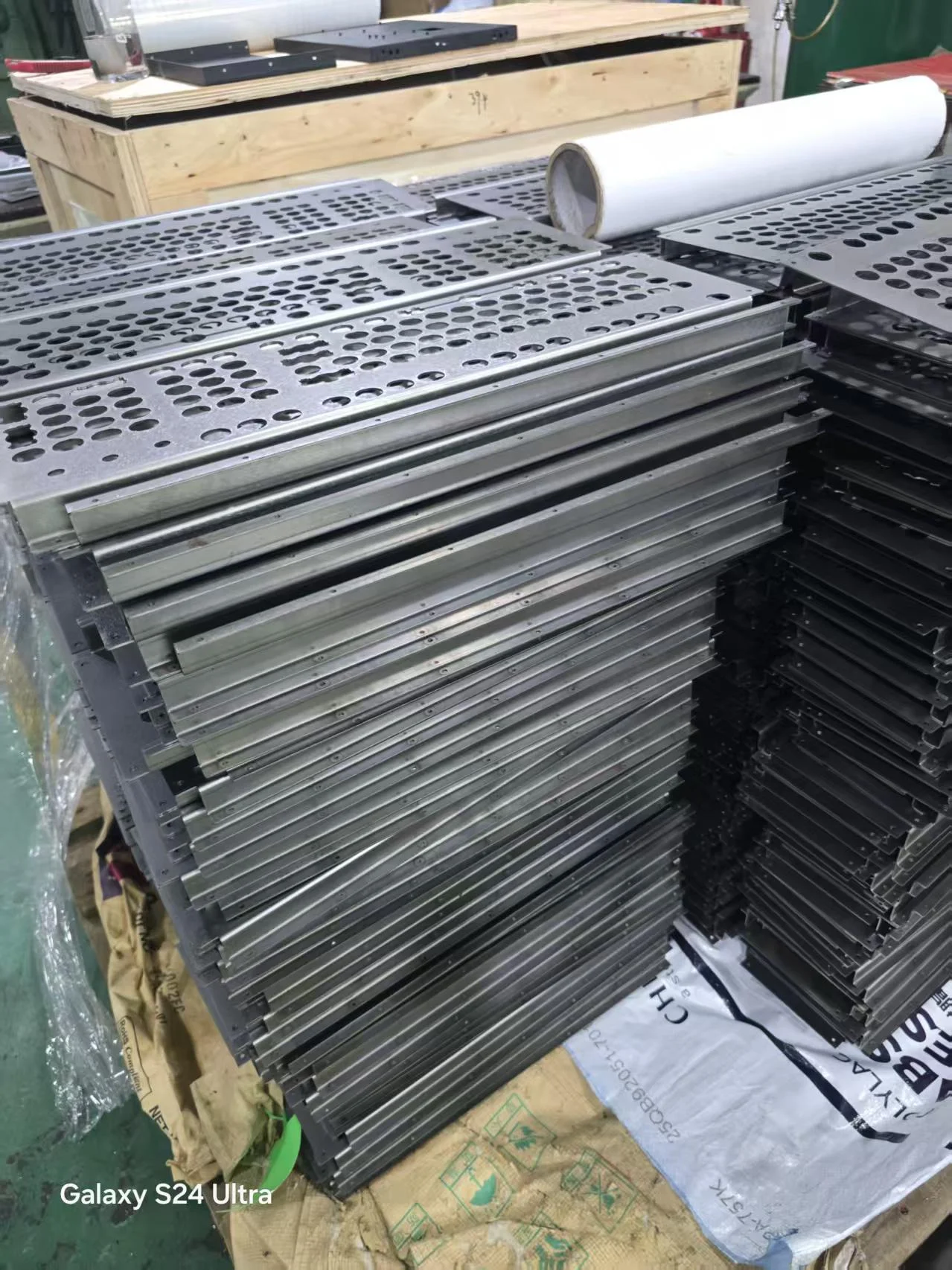
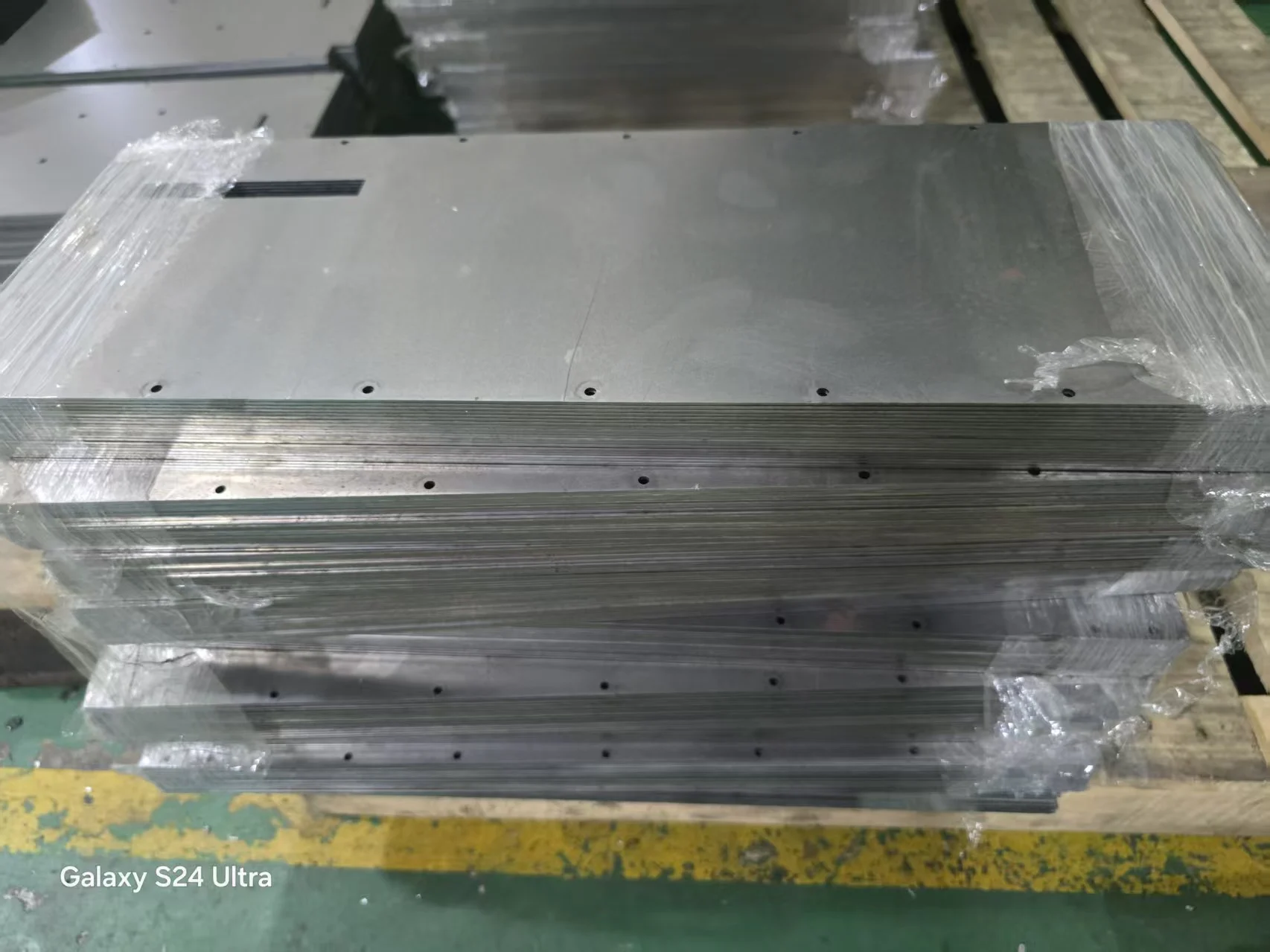
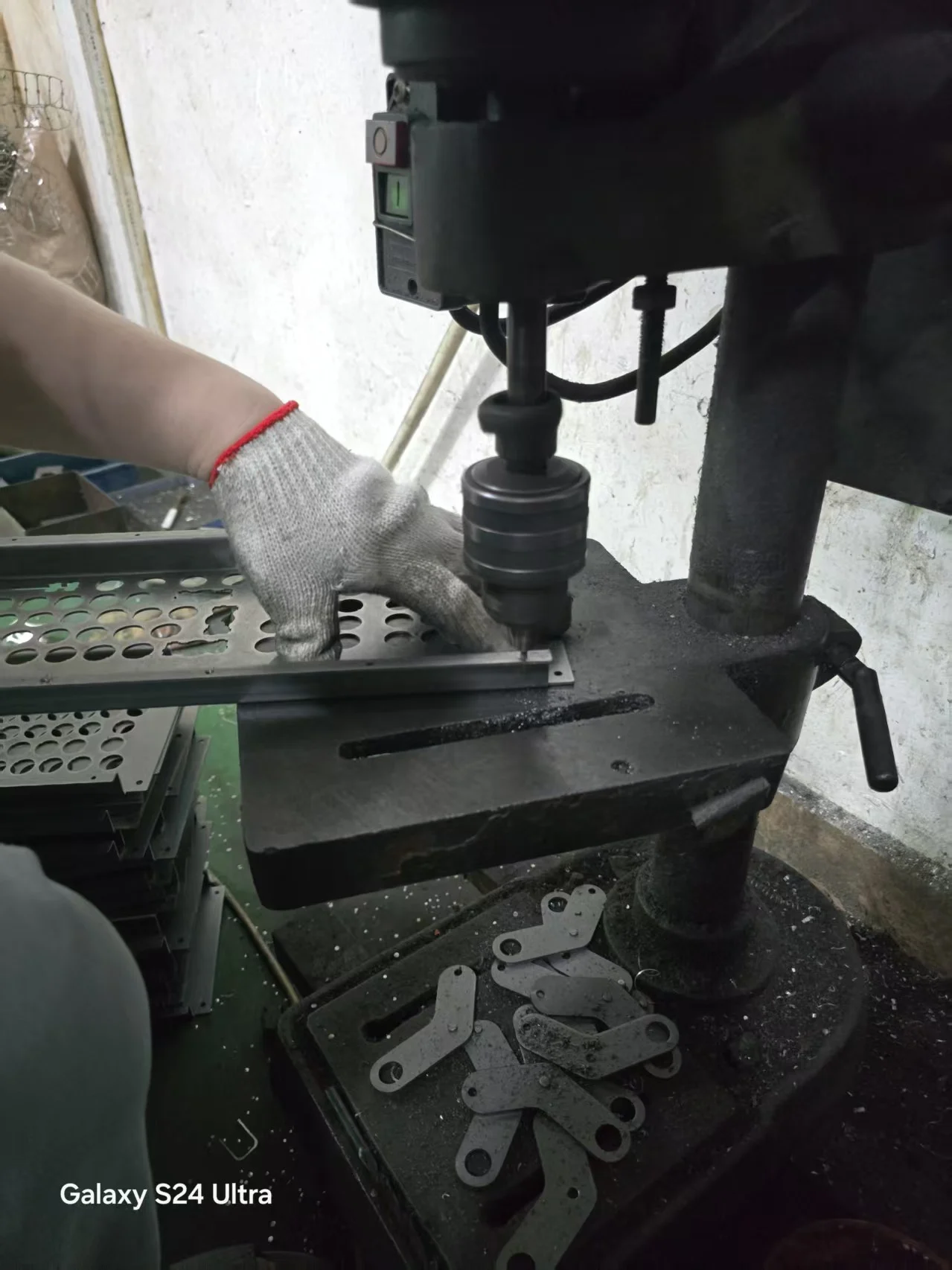
Several weeks ago, the factory completed the lasering and bending of the B104 top and bottom inner assembly plates (shown below); the next step is the coatings to finish these parts.
After they are coated they expect to start assembly, as early as the next week or so. During the time of assembly they will be making the cases, which is a quick process now that they have all of the laser and bending settings worked out. This is done to optimize warehouse space (another reason they order the boxes and protective foam as late as possible before shipping).
As I mentioned before, after the B104, they will work on the remaining 3 keyboard types (B62/BSSK/B122) and hope to finish up as planned.
It is great to finally see the beam spring keyboards coming together!

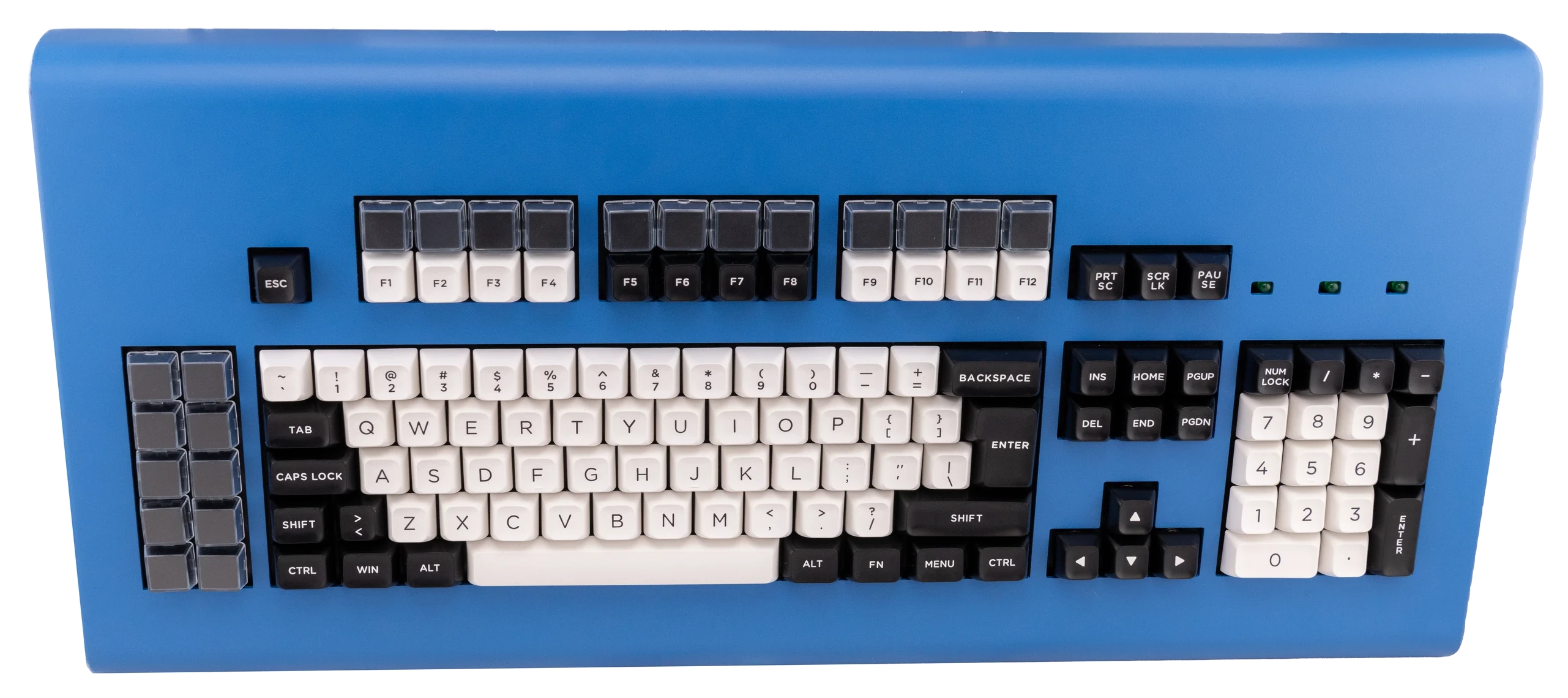
Here are the first professional style photos of the Round 2 classic style beam spring keyboards and F122 keyboard:
To see the high res photos, please go to the bottom of the post of all the newer F and Beam models: https://imgur.com/a/brand-new-model-f-beam-spring-keyboards-new-models-EIebi75
The photos show each available layout with the factory keys: ANSI, ISO, Split Shift and 2U Backspace, and Split Shift and Split Backspace. Only the pictured layouts are available for each keyboard size; see each product page for details.
Here is one photo of each available layout. The keyboards are shown in the dark blue case color, but various colors will be available, matching the Model F case color offerings.
At the beginning of March, the factory reported that they completed another 20,000 modules in the past few weeks, bringing the total to 100,000 out of the ~160,000 for the current production batch, but they still needed to finish the case and the top/bottom inner assembly plates.
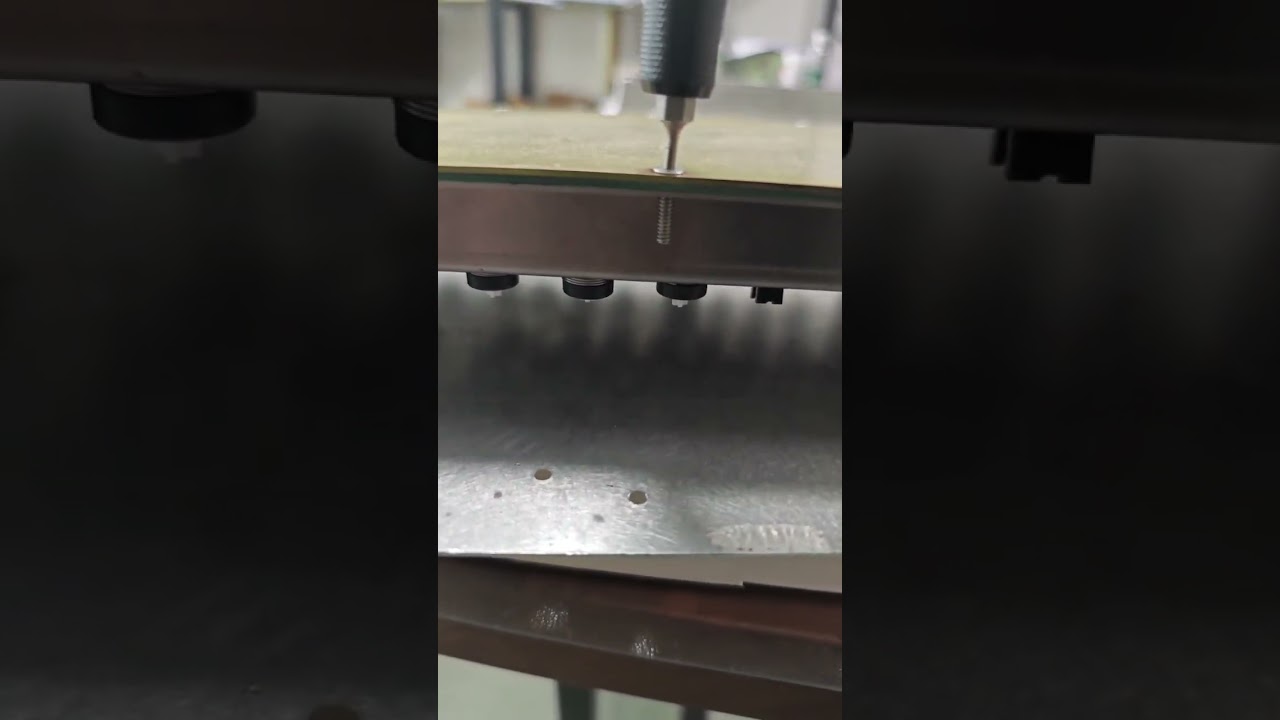
We have not had a factory video post in a while. This above video shows how the factory adjusts the torque of each bolt for the beam spring keyboard inner assembly. The tool they are using is a torque screwdriver, which allows you to specify the torque and it will let you know if the torque is too high and if the screws are too tight. The purpose of this process is to optimize how tightly the bottom and top inner assemblies are attached to each other. In our research over the past few years to get these keyboards to be in line with IBM’s standards, we have found that having a slight looseness to the assembly, as shown in this video, results in a far nicer sound and typing experience. You don’t need a torque screwdriver for your own maintenance of these keyboards; you can just back off the tightness a few turns by eyeing it and keep things loose for optimal sound and performance! In general, it should be looser than the point where the plates would start to bend unevenly around the areas of the bolt, where you would see some unevenness of the flat bottom plate.
Here’s a video posted a while back on how the cases are made:

Given the low volume of the beam spring project (about 1,500 keyboards for what may be the only production batch), all of these modules have to be assembled by hand, including the attachment of the thin metal part to the white part of the module. Buying and setting up automation machines would far exceed the size of the project, for such a relatively small project. Even the Model F barrels are installed by hand on the plates. There still are many machines that help the factory workers, but these keyboards take quite a bit of labor to make.
I know things have taken longer than expected but the factory and I want to make sure everything is as good as possible. The latest examples from early 2025 are excellent and they used modules from this completed production batch. The modules are the most important part of the beam spring keyboard to get right and I’m glad that I did not approve mass production and assembly until they met my requirements.
Update on beam spring inner foam
Everyone can now order an extra beam spring inner foam set at the below link, which has been updated today to add this item. Same as with the Round 1 beam spring first aid kit, extra inner foam was not a part of the kit as it was with Model F First Aid Kits, so it would have to be ordered separately.
If you are just ordering some extras, please feel free to place a new order and choose free/other shipping at checkout, right before clicking Place Order, to add to an existing shipment.
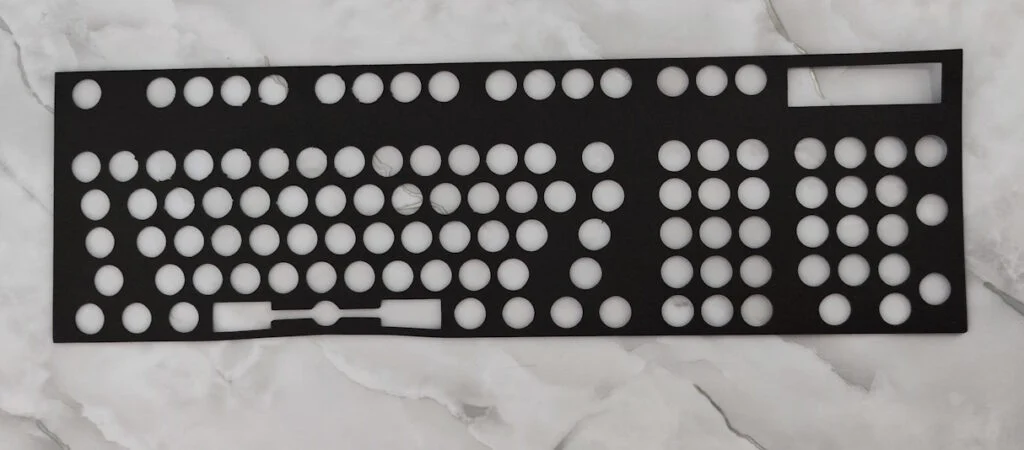
These are for the Round 2 classic style beam spring keyboards. The cut out one goes below the inner assembly plate and on top of the beam modules (just like with the IBM originals) and the bottom one goes below the PCB. Both are made of the same custom material as the newer batch of XT (non-crumbly style) Model F inner foam.
I also have some Round 1 beam spring foam sheets; these are just for the bottom one that goes below the PCB; feel free to email me if you want to order one.
Here’s a photo of one of the first samples of the foam from a couple years ago – obviously it is a little rough compared to the production version.
New Model F designs (Split Ortho, Planck, Preonic, 6×12, F20, Kinesis Advantage, Unsaver, etc.) under consideration; please send feedback!
Please fill out the Google form linked below to reserve or request one of the possible new Model F designs (Split Ortho, Planck, Preonic, 6×12, F20, Kinesis Advantage, Unsaver, etc.). All of these designs may not be made, so in the Google form, please do feel free to request second choices and third choices should your first choice not be made, but clearly indicate whether you want all of the designs or if you will order only one of the designs you indicated interest in.
Hello everyone – I am the project coordinator for the Brand New Model F and Beam Spring Keyboards projects, which offers Model F and beam spring keyboards in various layouts (122 104 SSK 77 62 50 and split ergonomic) and styles (Compact and Classic styles). Currently everything is in stock except the balance of F122 keyboards and the Round 2 Beam Spring boards, and and more than 6,000 new capacitive keyboards have shipped since 2019.
I have been requesting feedback that folks may have regarding additional Model F keyboard designs that will have enough orders to cover the production costs. One-off designs that only you and a few others would buy are unfortunately cost-prohibitive due to the setup/tooling costs to make each unique design, so unless you want to spend tens of thousands of dollars please suggest boards that will likely have at least 25-50 keyboards’ worth of interest at the expected $399 pricing.
Besides those listed below and the ones that have already been made for the new Model F project, which board styles and layouts are most popular?
For each design below, please let me know the quantity you are interested in at the expected pricing of $399, and provide any feedback regarding design / style / layout and any other aspects. So far I have made no designs so we are only limited by the physical specifications of the Model F and beam spring design parameters. Do folks want LED lock lights (Num/Caps/Scroll) on these smaller boards?
The biggest new advances for these boards will be:
(1) Rico’s RP2040-based Leyden Jar controller, which has much more memory than the ATMEGA chips powering the previous projects (more room for the increased number of layers that may be more important on smaller and ergonomic style boards) and its plans for communication between controllers, so as to allow one USB cable to the computer and direct communication between halves of a split keyboard. These controllers are currently being used in the B104, B122, and F122 keyboards. The previous Split Ergo Model F used two usb cables and the QTY 50 units produced sold out quite quickly.
(2) The possibility to use a 4 layer board to make as compact a Model F design as possible, thus avoiding the need for extra area on the sides. The credit for this idea goes to wcass, who is also the designer of all the new Model F and beam spring project boards and compact xwhatsit controllers.
So far we have requests for the following which can be made with compact cases, probably 25 to 50 minimum order quantity at a $399 price:
Ergodox Style Split Ortho with Leyden Jar controller (one USB cable and second keyboard half connected to the first half).
4×12 ortho Model F (Planck style)
5×12 ortho Model F (Preonic style)
6×12 ortho Model F
F20 num pad
Kinesis Advantage2 and/or Advantage 360 Pro style
Beam Spring models – we can make compact beam spring ortholinear and other models as well, but the demand is quite low so far.
palm rests?
There was also some discussion about making a new Model F Unsaver. The thing is that you’d need a new top case mold for each additional design that cannot be easily CNC milled, which is quite costly. The bottom can be stamped like with the F104/FSSK/F122, which would not require a mold. The alternative is a flat case like for the compact models, which may not work for such a tall model as the unsaver.
Requests for die cast only cases (needs around 150-200 minimum order quantity for a $399 keyboard cost, unless some folks chip in for the tooling):
Unsaver
To save some time in your survey responses, here are some previous requests and mods that are not likely to be factory options:
Transparent keys (would require a different mold since the type of plastic would be different)
LED lighting for each key (does not make much sense when the keys have no transparent or translucent areas and the steel plate blocks visibility of the large capacitive PCB underneath each key)
Flip out Model M style feet (would require several very expensive injection molds)
Bluetooth wireless – this is possible, see discussion here, but someone would need to help: https://www.modelfkeyboards.com/questio … nectivity/
Mods to reduce or eliminate pinging / ringing and Trackpoint mod – adding a trackpoint to your New Model F keyboard, flush mount USB-C connector – already done, see the manual on the project web site for details
PS/2 communication – unnecessary given the presence of reverse adapters, but Rico is looking into adding a PS/2 port for those who want a built-in solution. PS/2 offers no benefits in terms of responsiveness or speed for the Model F keyboard, and it has several disadvantages including power limitations (can’t run a solenoid). Also full NKRO is available for all current new Model F and new beam spring keyboards – PS/2 is not necessary to have NKRO with a Model F or beam spring keyboard.
Updated manual for 2025, with updated video clips on the project’s YouTube channel
Everyone please do check out the manual on the project web site as I did a major update earlier this year; it has reorganized the setup process under more manageable steps which encourage folks to take one step at a time and review just the contents of that step before going through that step, instead of the previous suggestion to go over everything before starting. As always, if you can email me to suggest some specific feedback on what to update or if something is out of place, it would be much appreciated.
Please subscribe to the project’s YouTube channel: https://www.youtube.com/@Brand_New_Model_F_Keyboards
A new video below shows the process to open and close the inner assembly for the larger keyboard models (F104, F122, FSSK). This was just added to the manual as well.

New as of June 2025: Mac Icons+Text 6 key set
By popular request – a set combining the Mac Icons and Mac Text key sets. This is a special order set that will arrive later this year, so you’d need to wait for delivery if combining shipping with a current order, or order separate shipping.
Feel free to head over to the Extra Keys page to see more details and order the set.

Additional transparent relegendable template
With permission I am reposting a very nice transparent relegendable template. credit to geekhack member Cyber_engineer – Twitter @Mates_ENGINEER
The recommendation is to print out the templates on paper and cut out each one to fit the key. That way the legends can all have the same paper color, the key stem is no longer visible after the template is installed, and one can change the legend in the future.
Pad print and additional key mold projects
Later this year I hope to resume the projects for the 3 additional keys (Big Enter, ISO Enter non-stepped, Code) and for the pad printed keys now that the backlog is wrapping up. Please sign the interest forms below to reserve one or more for yourself:
Pad print interest form: https://forms.gle/qvX4pR27a9Sr7fSN6
Interest form for PC AT big enter, ISO enter non-stepped, and Code key: https://forms.gle/XNmsgnwKfbwYMfci8
As a reminder, I had to cancel factory work on both these items in the past couple years due to subpar quality (see prior forum and blog postings for details); I hope to resume work later this year with new factories.
Currently I am in talks with a new pad print factory; they are one of the factories that makes the mass-produced pad printed keyboards for HP and Acer, so they know what they are doing!
Email issues in March 2025
Please note that the project has had some email issues around the time of March 2025 and some folks have reported that I have not received their message. If I have not replied to your email please re-send it.
Wireless Model F Keyboards (Bluetooth etc.)
A few folks periodically ask about making their Model F or Beam Spring keyboard wireless.
Has anyone tested with Model F or beam spring keyboards any products that make USB keyboards wireless?
Here’s one I recently came across: https://handheldsci.com/kb/
Leyden Jar feature update success – split communication between two keyboard halves!
Great news from Rico – split communication is now working on the Leyden Jar controllers!
Please see Rico’s update post here and head over to the github pages linked below. This means that we can now have Model F keyboards with communication between halves, with only one USB cable going to the computer and one half powering the other half.
https://www.keebtalk.com/t/the-leyden-jar-a-tentative-pcb-replacement-for-the-brand-new-model-f-keyboards/17489/45
https://github.com/mymakercorner/vial-qmk/tree/leyden_jar
https://github.com/mymakercorner/Leyden_Jar_Diagnostic_Tool
https://github.com/mymakercorner/Leyden_Jar
Leyden Jar F122 firmware update; request for help to update the binning algorithm
As mentioned in the F122 post, everyone please check the manual and update to the latest F122 Leyden Jar firmware, which fixed some bugs and updated the function layers to match those of the xwhatsit controller keyboards.
The various firmware files are all located in the QMK-layout-files.zip file in the manual (you can do a ctrl F search for QMK-layout-files.zip); this file is updated with new firmware.
The debounce was not working at all on the original firmware because the debounce time in was set too low for the higher number of bins used in the default firmware (more bins requires a few thousandths of a second more debounce time). More details are below if you are interested.
You have to manually set the debounce time as it is a constant. Setting this time too low results in debounce not running at all, so a setting of 10 ms is recommended as an initial test. Rico notes “What needs to be done for the F122 keyboard is to increase debouncing time so that it is higher than the matrix scan time + additional qmk logic. Total latency is approximately max(debounce_time, matrix_scanning_time) + qmk logic. This means that if the matrix scanning takes more time than the debounce time, no debouncing will be done. With 6 bins we have ~4.3ms scanning time, this is not a huge number. Sure QMK USB polling rate take an additional 1ms and debouncing takes 5ms on top of that, we still end at ~10ms latency which is more than adequate for normal typing sessions and casual gaming (below this value only the very best players can see the difference, and they are more probably inclined to use a hall effect gaming keyboard). To reduce latencies maybe it would be easier to reduce the debouncing values (and check that it does not introduce double press issues), or even better select another debouncing algorithm (there is one that introduces no delay when detecting key presses, only one when detecting key releases). To change the debounce time, the following line has to be added in the info.json file of the f122 board:”
“debounce”: 10
The only downside to longer debounce times is a couple thousandths of a second additional input delay. Many mechanical keyboards are about 10ms anyways, about the same as Leyden Jar-powered keyboards.
A technical discussion on flashing Leyden Jar firmware – can use Windows, Mac, and Linux (same instructions):
For keyboards with the Raspberry Pi RP2040-based Leyden Jar controller (F122, B104, B122, and others in the future)
Open the Leyden Jar diagnostic tool, which is in a folder inside the comprehensive QMK-layout-files.zip file linked above, click Refresh Device List, and click Enter Bootloader. After clicking Enter Bootloader, an empty hard drive named “RPI-RP2” will appear in your computer’s Explorer. All you have to do is copy to this drive the .uf2 file inside one of the leyden_jar_firmware_package folders which can be found in the QMK-layout-files.zip file linked above. There are several firmware variants with different numbers of calibration bins and activation offsets.
I recommend the one with 5 calibration bins and an activation offset of 7. A higher number of calibration bins allows for a margin of safety around keys with different unpressed capacitance levels (for example, if there were only 1 bin then all keys would activate at the same value, but some keys may have an unpressed value close to or higher than the activation level, meaning a key would send a signal to the computer without being pressed. I like to see the pressed value at least 3 higher than the DAC Threshold for that key’s bin, and an unpressed value at least 3 less than the DAC Threshold for that key’s bin (with capacitive PCBs, a pressed key may change the capacitance of other keys).
Calibration bins allow for different activation levels based on the initial unpressed level of each key when the keyboard is first plugged in. More bins is safer but there is a performance penalty that is infinitesimally small, several thousandths of a second. Rico notes that matrix scans are 3 times faster on the Leyden Jar compared to the xwhatsit controller (720us to scan 18 columns compared to xwhatsit’s around 2ms). In other words, 5 bins would be 5 x 720us = about 3.5ms total scan time for 5 bins on the Leyden Jar compared to 5 x 2ms = 10ms for 5 bins on the xwhatsit. The xwhatsit Vial firmware uses 5 bins, so the RP2040 could even use 15 bins and still have approximately the same scan rate performance as the xwhatsit controller.
The default Leyden Jar firmware is expected to have 7 bins and an activation offset of 7 to be more foolproof, but this can be adjusted (for folks who want theoretically the best performance that they can never actually notice in real-world usage!). Firmwares with 2 bins may be more likely to have issues with one or two keys sending a signal without being pressed, so I do not recommend them. Be sure to close the Leyden Jar diagnostic tool before using Vial.rocks or the Vial software.
While in the xwhatsit NathanA firmware you can split and unsplit keys in Vial, for the Leyden Jar firmware you would have to flash the generic firmware for your keyboard (for example, leyden_jar_f122_vial.uf2) to switch additional pads on and off. This firmware is useful for using the shorter spacebar and for using the 5 keys above the cursor keys for those who are adding barrels, flippers, and keys to those spots.
Deskthority forum member Arkku has created an excellent update for xwhatsit controller-based Model F keyboards, described here. And here is the code. Arkku set the number of bins based on the number of keys with different bins, and turned off / not use more bins than necessary. Would this be implementable in the new Leyden Jar Vial firmware? For example, it could set each bin for all keys with a resting value of a certain value plus/minus 1, 2, or 3 values either higher or lower (not both higher and lower; easily user-adjustable by a variable. Should each bin’s reference level be the highest level of keys in that bin, or the lowest?).
This would allow a lower offset to be used, which could be helpful to keep keyboards running even if they have some dust or debris that enter under the flipper at some point in time (these flippers would produce a weaker signal so the offset / value change when the key is pressed would be smaller). So for example it could put 378 and 379 resting values for one bin, 380 and 381 for another, one key with a 386 value on its own bin, and one key with 393 on another bin.
Sometimes with the F122 keyboards (they use the Leyden Jar controller), there are some keys that have a much higher resting value, and these values differ among these few keys. The current firmware hard-codes some of these keys to have their own custom bin, but sometimes the resting levels vary even between those keys so they shouldn’t both be in one bin.
A request for future Leyden Jar controllers – update the binning to match Arkku; the bins should not be divided equally but should be based on the resting value only. Each resting value should have its own bin and unused bins should be turned off to optimize performance (for example if there are only 5 unique resting values then the remaining 10 bins can be shut off if the number of maximum bins was set to 15). If anyone can help Rico with this, please let me know.
Having manually analyzed many production F122 keyboards, including their unpressed and pressed values for each key, I believe that an offset of 6-7 (difference between pressed and unpressed values for a particular key) is acceptable for virtually all F122 keys. So I think an updated Leyden Jar firmware could start with those figures as an initial version. To keep things simple I would like each bin’s reference level to stay the same as what Rico has set. I like that Arkku’s firmware plans for future deviance requiring more bins, without needing to recompile firmware in the future.
Since the Round 2 B104 and B122 beam spring boards (and eventually all Model F and beam spring keyboards) will be using the Leyden Jar controller, it would be great to combine what is great about all of the various firmwares out there!
I think the more adaptable the firmware is to potential hardware issues in the future (including varying capacitance and dust/debris levels in the keyboards), the more these keyboards are likely to survive over the coming decades with folks who are less likely to maintain and repair their boards.
I’m hoping to see more custom layouts like yours for Model F keyboards. The gray and blue are a nice combination.
I was reading about key rollover on your github project page linked below – a great read on the subject. I am aware that there are different ways to implement KRO over USB. Someone noted that certain old games do not allow some 3 key combinations even though NKRO on the same new Model F using an xwhatsit tests and works fine on this user’s computer for other games and programs, while their Logitech mechanical keyboard works beyond 2KRO for this particular game (Street Fighter II for example, which the below example neither worked in the MAME Emulator nor a Steam download according to the person messaging me).
“Pressing 3 keys down like U+O+P will not execute my move in game.”
Is there an alternative implementation that would be more compatible with a program that doesn’t like the default NKRO in QMK?
Customizing Vial to improve your productivity
I posted a request for everyone to share photos of how they have customized the transparent relegendable Model F / M keys, whether new or original, and other keys by using Vial, as I have not seen too many such photos. Any advice for how to use these keys?
A setup example from Deskthority user KeyboardPony: “I have used M122s for quite some time now. So I’m quite used to the 22 extra keys.
For me, the left 10-key-block is where I put things I use very often for me that’s
- Escape. It’s there, because M122s don’t have a key where the Esc key is on standard keyboards. So on my M, I mapped the most left upper key to Esc which is that one. I have become so used to this position, that I also mapped it there on my F. I’ll have to see how fast I can retrain my muscle memory to use the standard Esc position.
- MS Teams raise hand
- Print (= Screenshot) Window
- Print (= Screenshot) Area
- Output Volume Up
- Output Volume Down
- MS Teams mute mic
- Hardware mute mic
- Stop (On my M I used to have LCtrl there)
- Play/Pause (On my M I used to have LGui there)
F13-F19 map to command sequences of text editors and ticket systems etc.
F20-F24 map to hardware control (turn on/off touchpad etc.)”
Solenoid mod
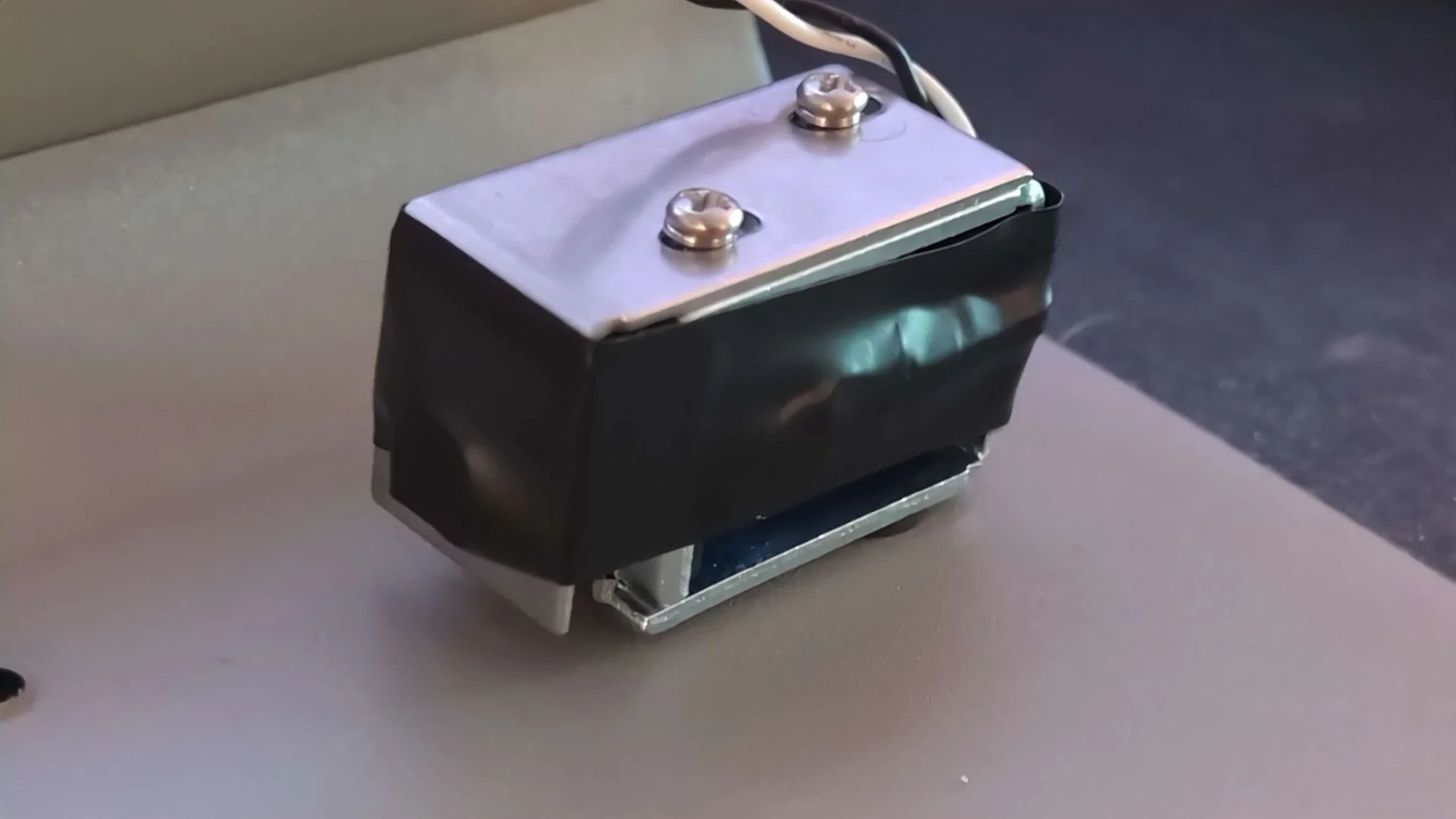
Here is an interesting solenoid mod, along with a description. I do not know the long-term effects of this, so I cannot recommend it, but it is something to think about! This new F122 user wanted a much lower impact for the solenoid, even beyond the sound from the minimum throw length.
“I also restricted my solenoid a little bit further with some electrical tape. I applied it and stretched it a bit further out using the top bracket. I would say the sound without it has a bit of a harsh/high frequency impact — metal on metal kinda sound that reverberates through the backplate. Adding the tape sorta rounded it out, making it work much much better with the keys to my ears. Much more subtle and typewriter-y.”
Stolen/missing keyboard alert
A Model M classic case style Industrial Gray F104 keyboard was reported stolen or missing. Serial number 354
Everyone please keep an eye out for a True Red Model M style case F104, serial number 680 which was stolen earlier this month.
Please watch out for any such keyboards appearing for sale online or elsewhere and let me know right away. If you see an industrial gray keyboard without the serial label shown, or with the label removed, that could be this board. Check out the comprehensive list in a prior update on this page.
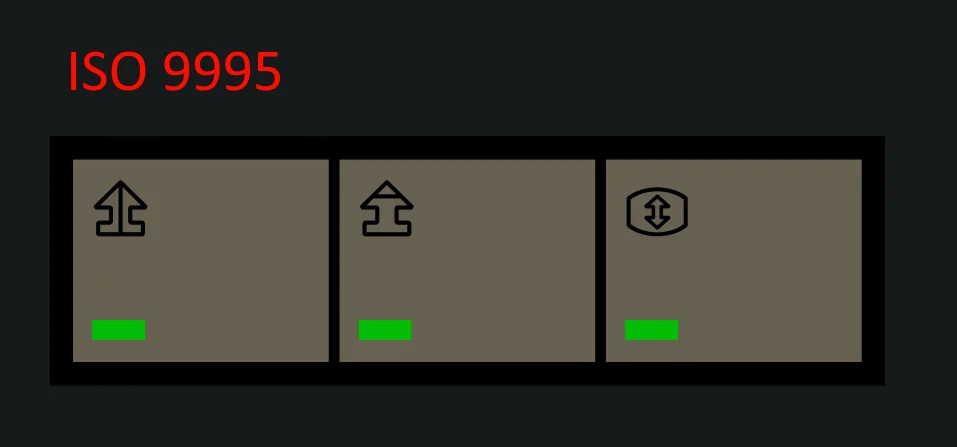
There is now an additional LED overlay option: ISO 9995
This was a special order from a while back but now it is open to the public for orders. There are about 30 remaining of this design.
According to AlexB555, “Quebec CSA and French BÉPO are based on ISO 9995 (Part 7), the led overlay is compatible with these two layouts.
Idea : Num Lock, Caps Lock and Scroll Lock could be offered in a bundle with the led overlay iso-9995-7, if a demand is there. The pictograms are explained here: https://www.tresor.gouv.qc.ca/fileadmin/PDF/ressources_informationnelles/standard_clavier_quebecois/ISO_9995-7.pdf “
Gray USB-C Cables
By popular request, they are back in stock and are able to be ordered once more on the USB cable page.
Photos of nice new Model F keyboard setups
Everyone please share your new Model F photos, or send them to me if you prefer me to share them.
With permission I am sharing another unique setup – the F104 in Industrial Gray with a Big Enter key and a mix of other Wheelwriter and other keys. The user notes that the big enter key can be installed regularly without having to remove the spring of the | key below the backspace (just disable the key in Vial).
The same person who sent me the below photo has also posted a video detailing mods they were looking to do for their new F104.
They actually designed 3d printed feet for the keyboard after considering XT style flip out feet for the F104.

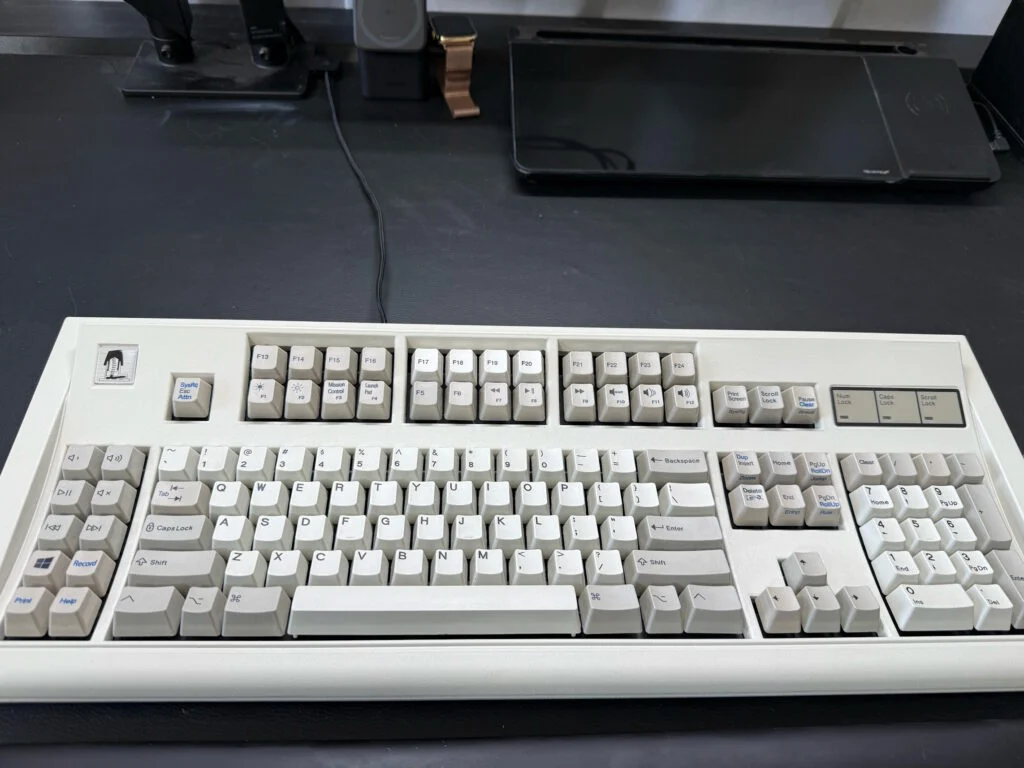
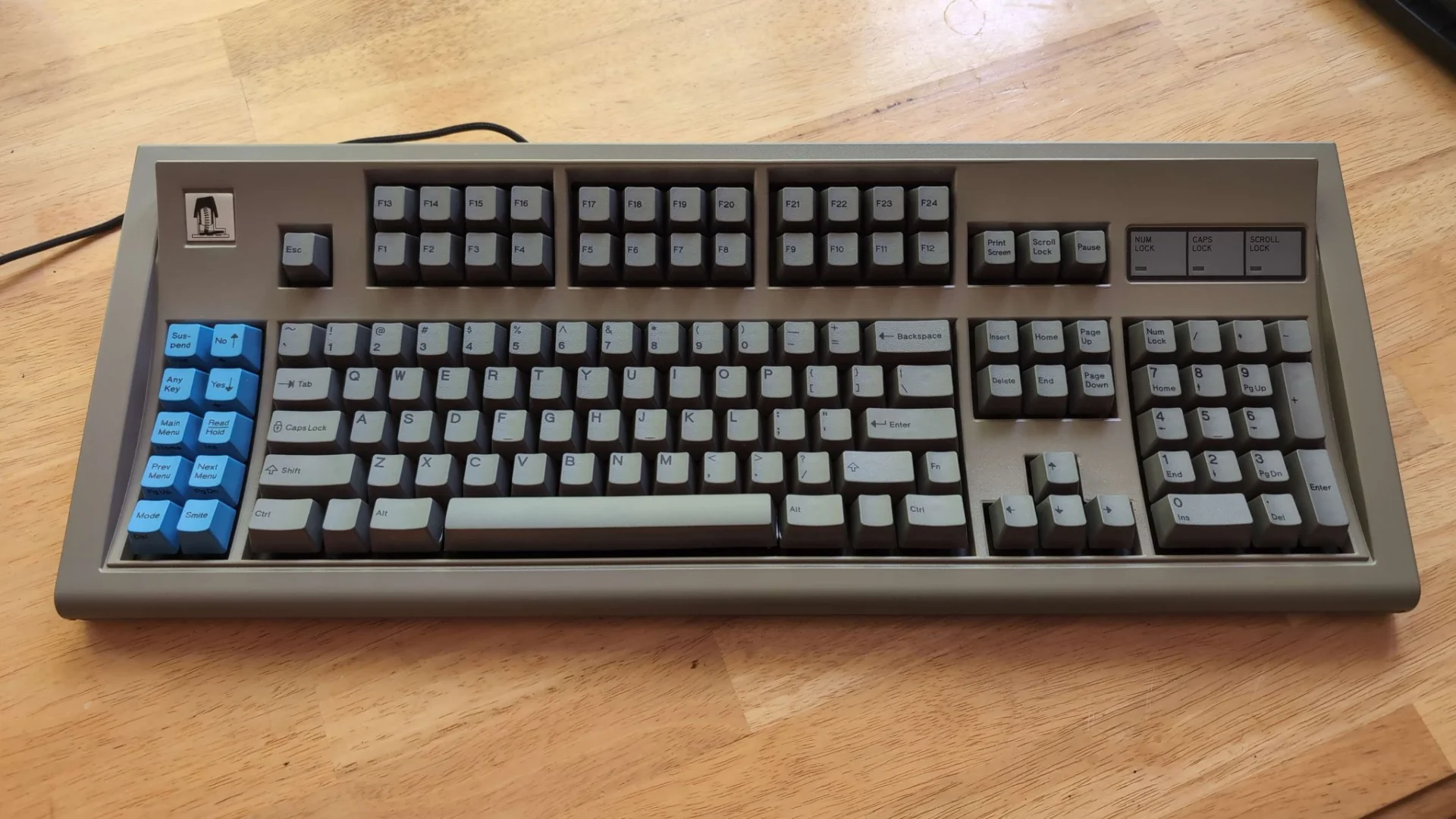
With permission I am sharing the first user image of the new F122 keyboards! This one has the F13-F24, transparent relegendables, and blue cursor keys.

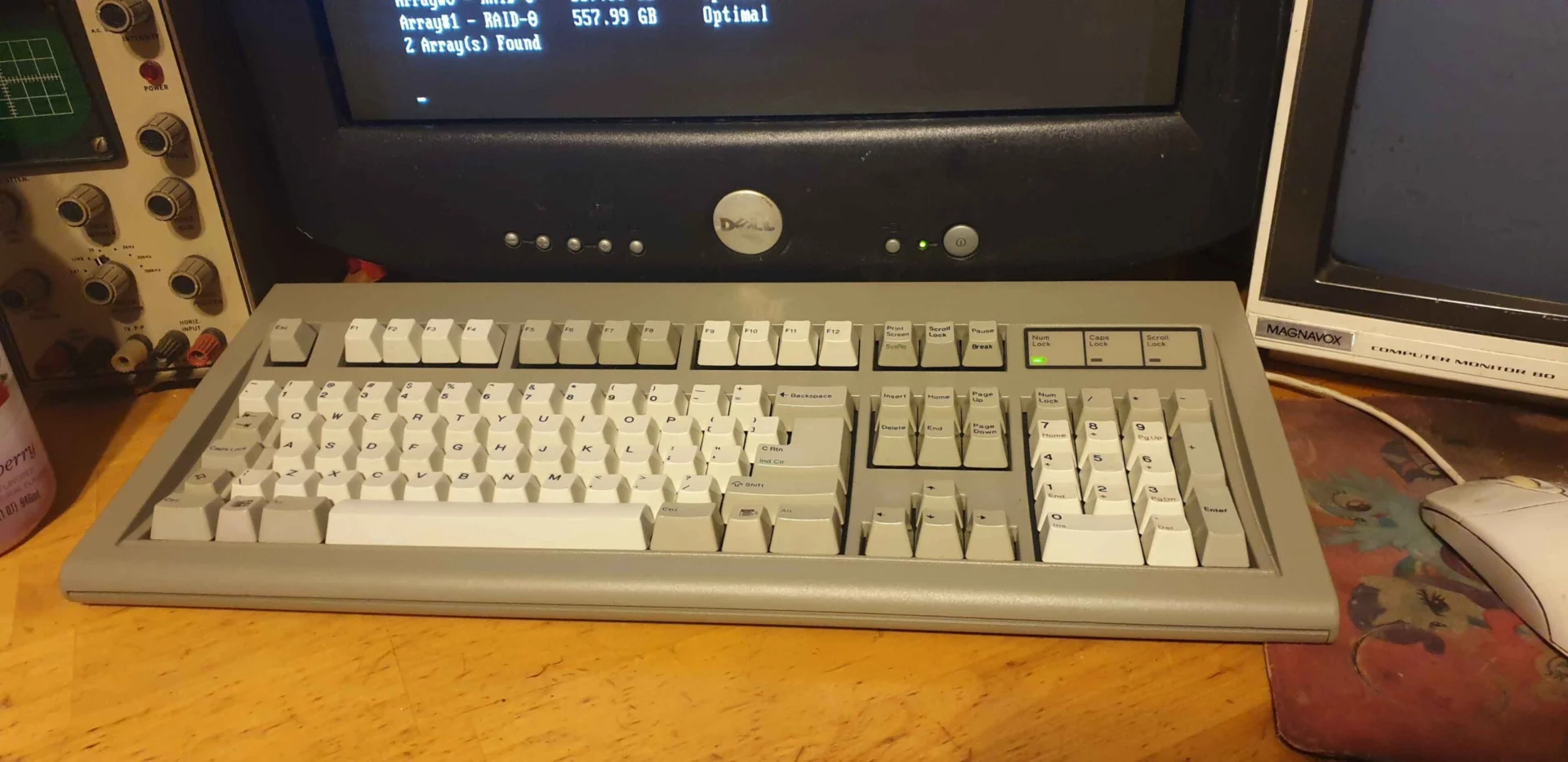
With permission I am sharing the second user image of the new F122 keyboards! This one includes some interesting keys from Unicomp, with legends I have not seen before.
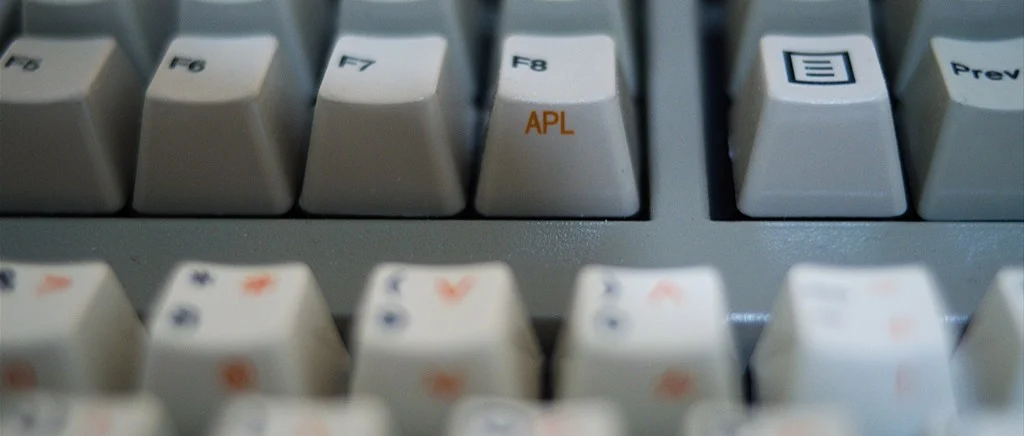
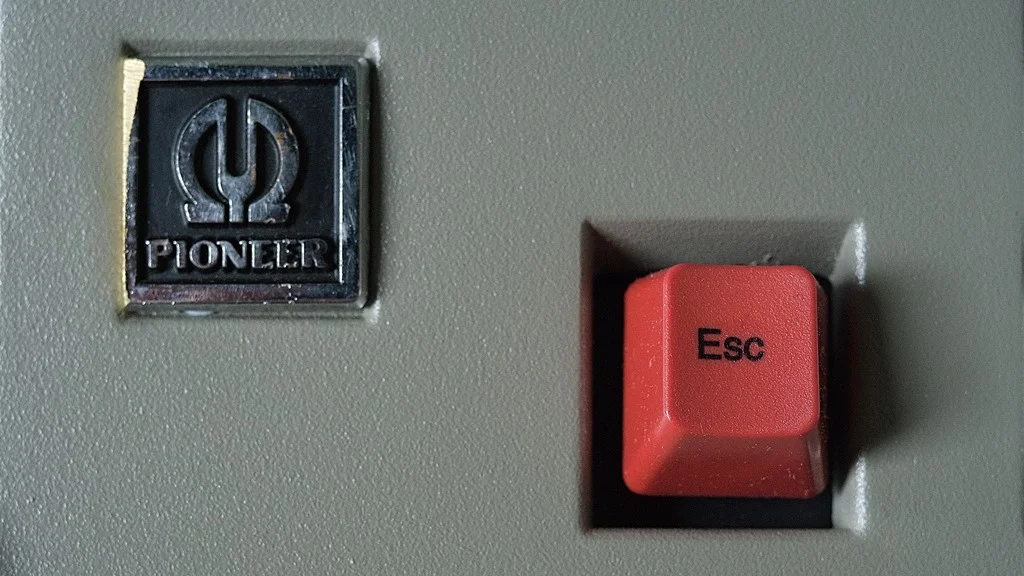
Posting (with permission) another great F122 setup. This one is special as it has an old hi-fi Pioneer badge (for a cool retro styling) and Unicomp Esc and APL keys.
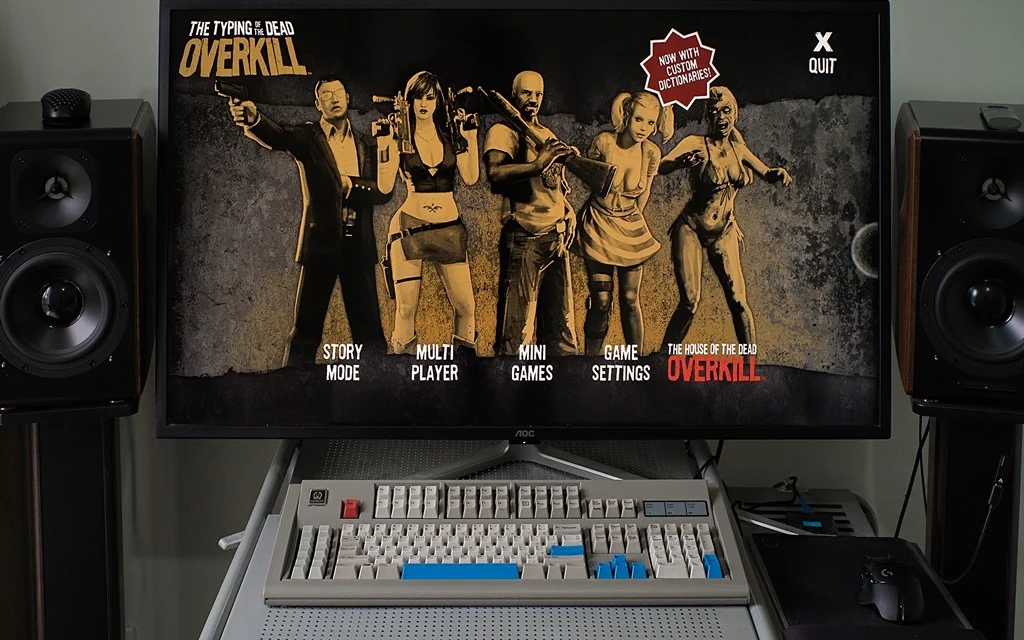
And here is another one! This one is a dark gray F122. Posting with permission as per usual.
With permission I am sharing what may be one of the only photos of the Italian key set installed on an F77. A nice setup with Nixie tubes and a custom-built PC!


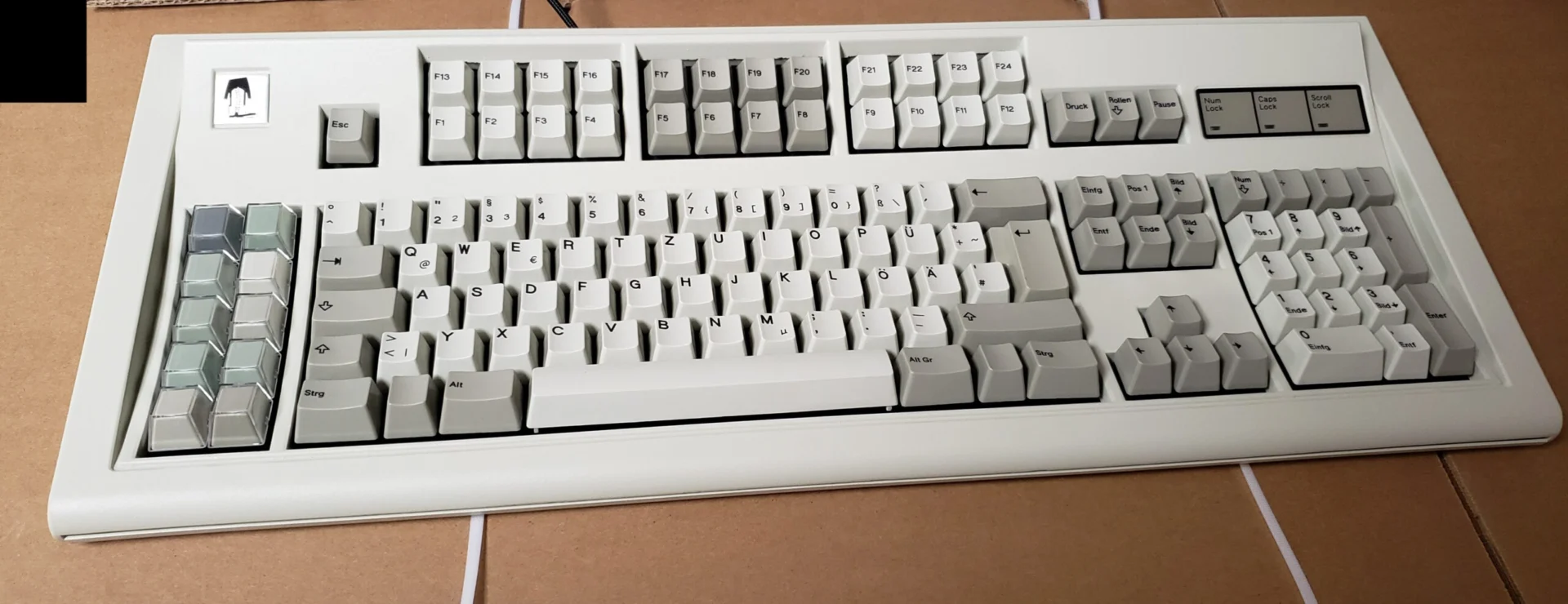
Also below is a photo of one of the aforementioned keyboards that I have been testing and optimizing firmware with; it will be going to a user of the German layout (pardon the cell phone quality)
Posting (with permission) a nice F77 setup. The photo was just sent to me today and was taken after a year of usage by a writer who is working on a novel! This F77 has one of the most popular add-ons, the solenoid, which is installed inside the case.

Arkku has created a nice looking new Model F F50 running a customized QMK firmware – see photos at the below link
With permission I am sharing another nice customized F122
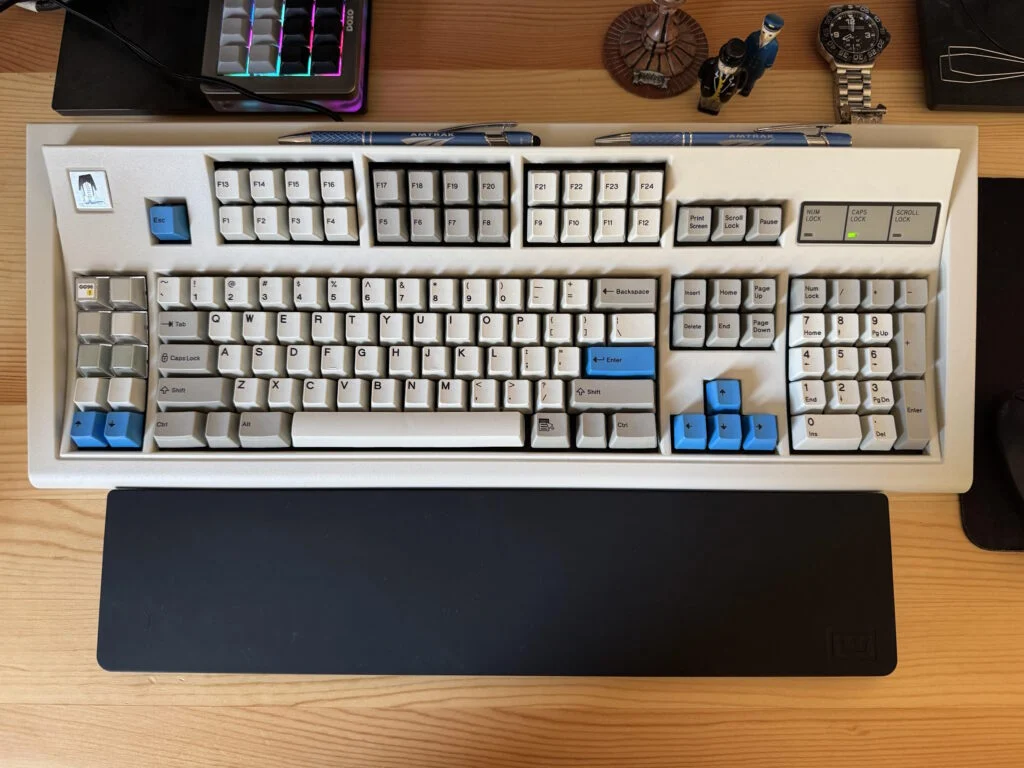
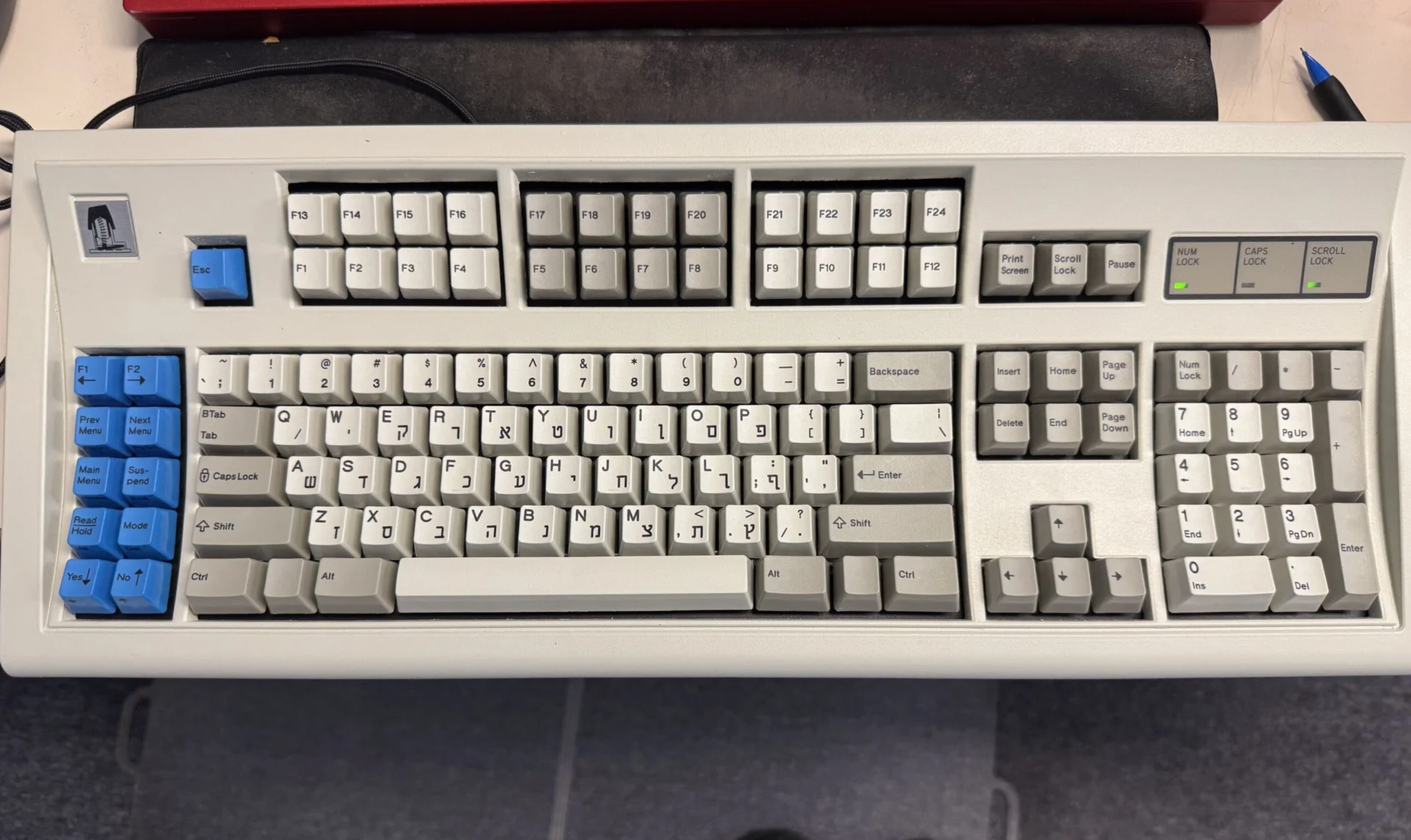
With permission I am sharing the first photo of the Hebrew English key set on the new F122!
There are a couple dozen available key sets and it is nice to see photos of some of the rarer key sets.
A timeline of IBM keyboard history
Deskthority forum member sharktastica continues to update a terrific resource on all the original IBM Model F and various other keyboards, with a new timeline feature.