
The First Modern Beam Spring Mechanical Keyboard
We’ll send you the perfect end game keyboard for life, so you can look forward to decades of dependable productivity and pure typing pleasure.
This project brings back the legendary beam spring keyboards, built up to a standard, not down to a price point. Originally costing over $1,000 in today’s dollars, they are now available for a fraction of that cost through a short production run!
- Engineered originally by IBM for mainframe terminals as a successor to the Selectric typewriter
- Modernized with an open-source USB-C controller, full QMK/Vial customizability, and Cherry MX keycap compatibility
- Offered in 4 main layouts (B104, B122, BSSK, and B62); ANSI/ISO/HHKB-style Split Shift
- Choice of powder-coated metal case designs: classic style or ultra compact modern style
$4,437,000+ in new Model F and Beam Spring orders; 7,000+ shipped
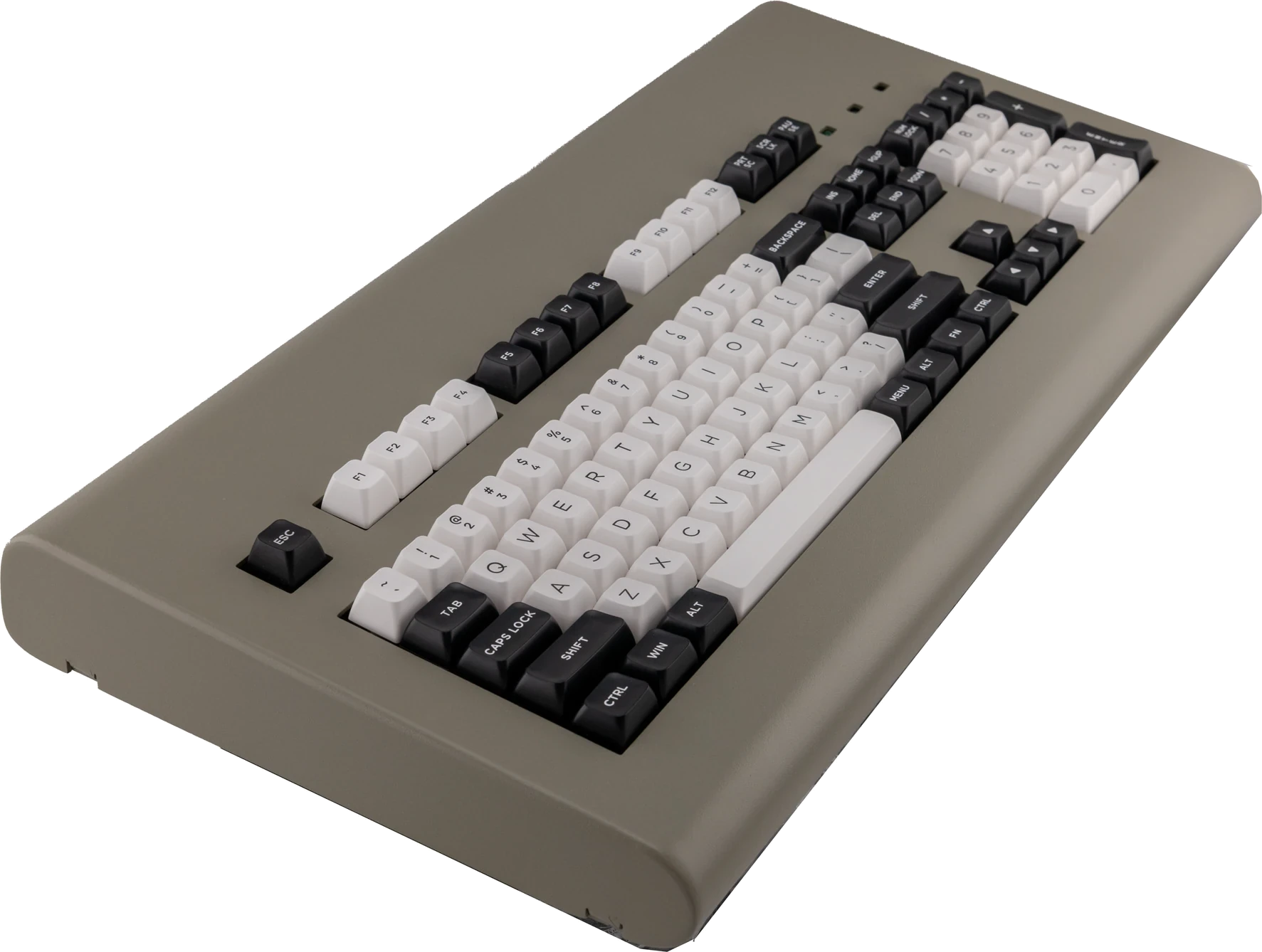
The daily driver choice for productivity-focused professionals and typing purists.
The First Modern Beam Spring Mechanical Keyboard
The daily driver choice for productivity-focused professionals and typing purists.
We’ll send you the perfect end game keyboard for life, so you can look forward to decades of dependable productivity and pure typing pleasure.
This project brings back the legendary beam spring keyboards, built up to a standard, not down to a price point. Originally costing over $1,000 in today’s dollars, they are now available for a fraction of that cost through a short production run!
- Engineered originally by IBM for mainframe terminals as a successor to the Selectric typewriter
- Modernized with an open-source USB-C controller, full QMK/Vial customizability, and Cherry MX keycap compatibility
- Offered in 4 main layouts (B104, B122, BSSK, and B62); ANSI/ISO/HHKB-style Split Shift
- Choice of powder-coated metal case designs: classic style or ultra compact modern style
$4,437,000+ in new Model F and Beam Spring orders; 7,000+ shipped
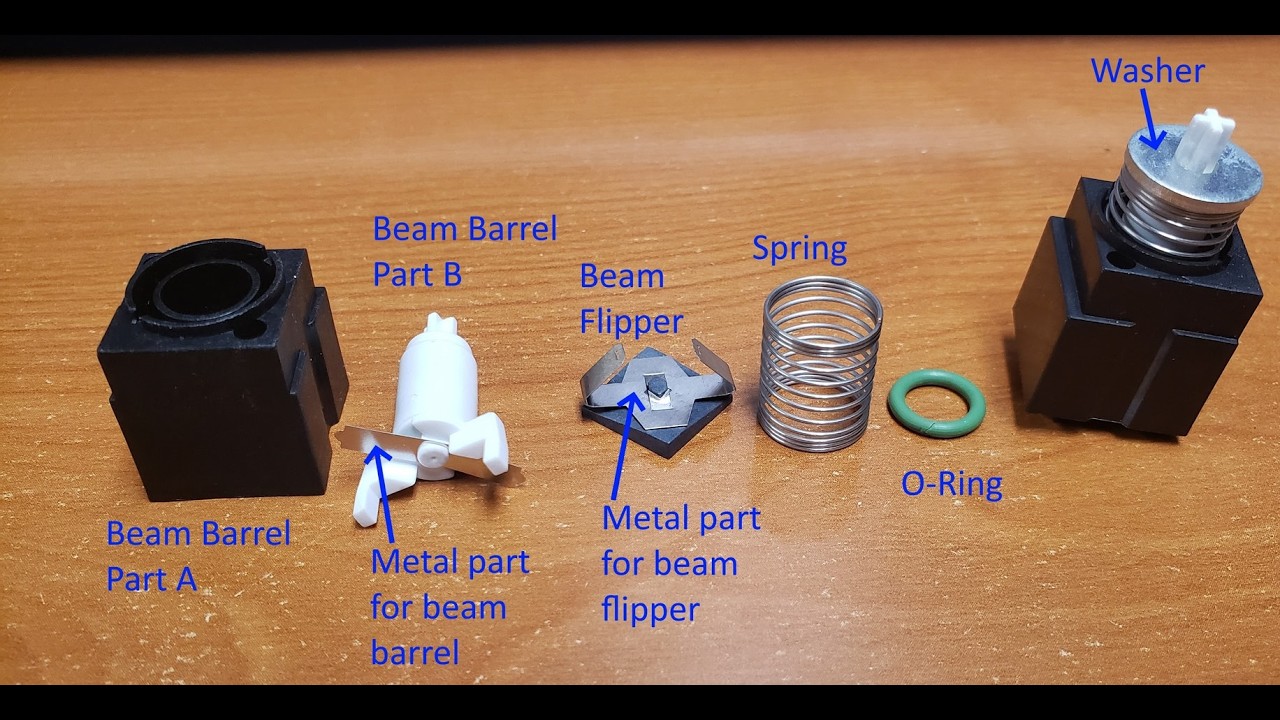
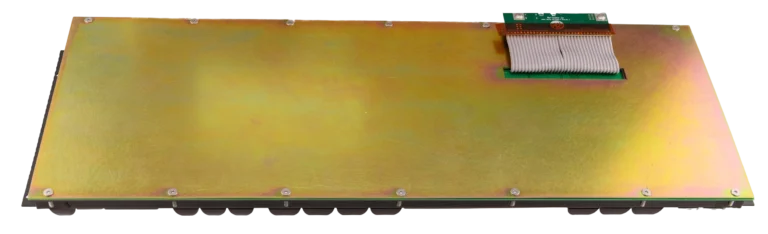
Beam Spring module teardown
Beam Spring Keyboards: Built to Last for Decades, Not Years
The Best Switch for Typing: Before the Model F came the Beam Spring, widely considered the best feeling switch ever made. Designed to mimic the feel of an IBM Selectric typewriter, these keyboards use pounds of solid metal. They are practically indestructible with normal use, meaning they will be working as good as new when it’s time to pass them on to your grandchildren. The problem…original Beam Springs cost over $1,000 today and are incredibly rare.
You may be frustrated that most things made today simply aren’t built to last. It is incredibly annoying when a new laptop or a $200+ mechanical keyboard develops issues or broken keys just after the one-year warranty expires. Today’s keyboards are compromised:
- Planned obsolescence is the norm: Most modern mechanical keyboards use cheap plastics and FPC flex cables guaranteed to oxidize and fail.
- Cost-cutting materials: The market pushes disposable plastic keyboards, completely abandoning the heavy metal, capacitive sensing assemblies of the 1970s.
Thanks to support from a passionate community of thousands of keyboard enthusiasts, we brought these masterpieces back to life. We’ve shipped over 7,000 new Model F and Beam Spring keyboards to people who want “Buy It For Life” and refuse to settle for less.
Enhance Your Productivity
Experience the characteristic clicky sound and unique fly-plate sensation. Enjoy immediate, crisp, accurate feedback with every single keystroke.
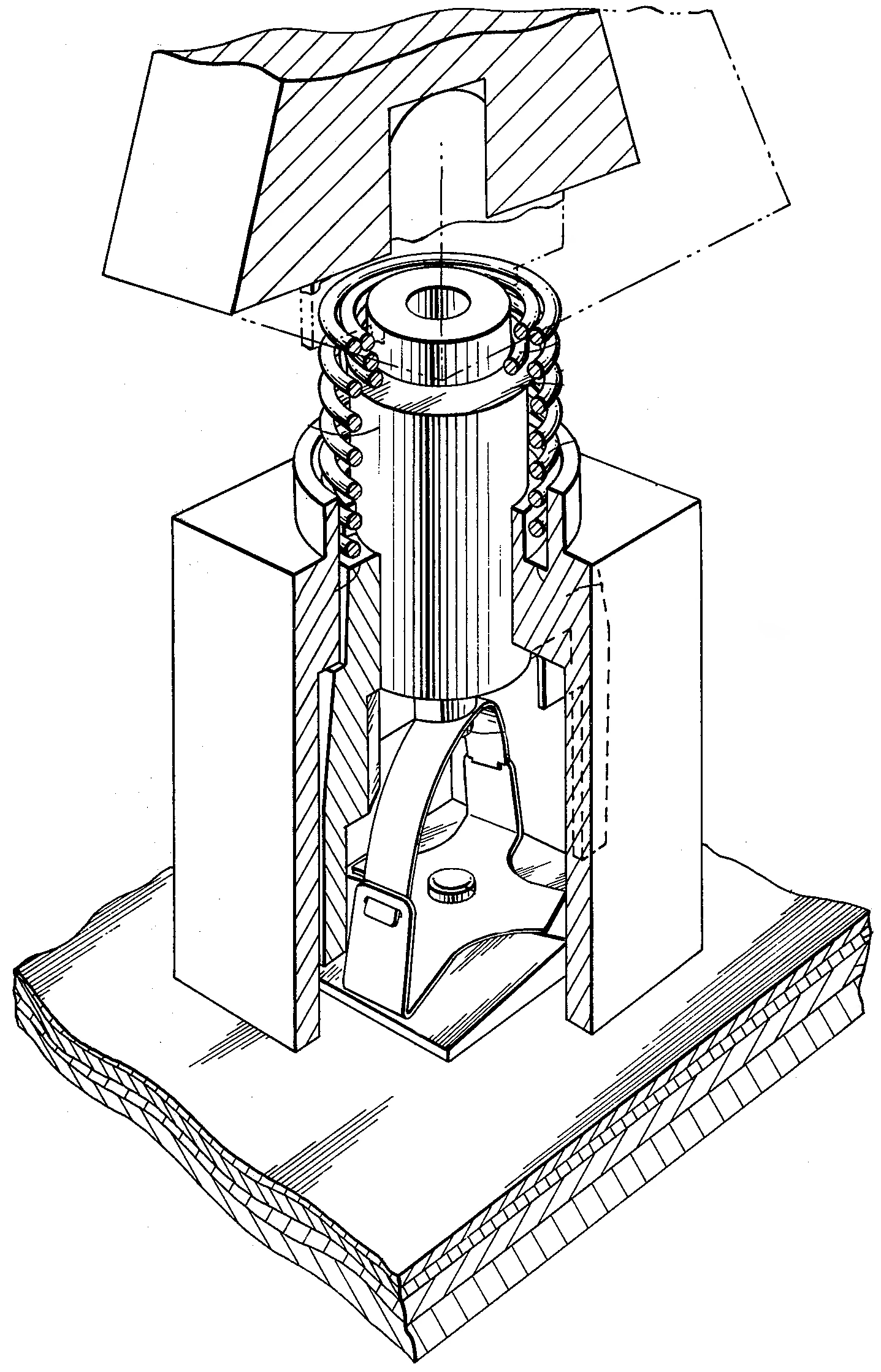
At the heart of this masterpiece is IBM’s venerated beam spring switch technology. Developed in the early 1970s for their mainframe terminals, it was meticulously engineered to provide the tactile feel of the previous generation of business machines: the IBM Selectric typewriter.
Like the Model F, this retro keyboard switch has a delicate yet incredibly tactile response that makes typing a pure pleasure. If you are new to mechanical keyboards, the beam spring is the holy grail that enthusiasts consider a massive upgrade even over the famous buckling springs, though many can’t choose between them and have to have both!
Durable & User-Serviceable
Your keyboard features heavy-duty metal components and is designed to maximize comfort in long typing sessions. Fully repairable, every board comes with a free mini First Aid kit (4 spare modules) and a detailed manual is available so you can maintain your keyboard yourself with spare parts and basic tools like a screwdriver and $12 soldering iron kit.
Modern Connectivity
Effortless USB plug-and-play connection with a detachable cable for modern devices.
The legendary beam spring mechanism, considered the absolute pinnacle of typing switches by enthusiasts worldwide.
What Happens Next
Step 1: Choose Your Keyboard
Click the Available Models button above to explore our fully explained options, including a compact (“Round 1” B104 or BSSK) or classic (“Round 2” B104, BSSK, B122, or B62) case style. Round 2 options include ANSI/ISO/HHKB and and various powder-coated case colors.
Step 2: Quality Control
Your keyboard is customized to order and goes through a rigorous QC process. I will be hand inspecting each keyboard to make sure each one is up to my quality standards before they ship to you.
Step 3: Delivery & Setup
Your keyboard arrives at your door. You will follow the setup manual, install your MX keycaps, and enjoy the ultimate end game keyboard for life.
What Makes the Beam Spring Great
Typing Test (original and new models). Now you can save over 50% from what an original IBM beam spring keyboard sells for nowadays.
Ultimate Responsiveness
Made to closely mimic the original IBM Selectric design philosophy. The capacitive fly-plate mechanism registers precisely when the flyplate and capacitive flipper forcefully lift up as the key is pressed down, creating a stunningly crisp typing experience.
The beam spring design offers unparalleled smoothness and a completely unique sound profile, with many reviewers rating the new Beam Spring keyboards as a smoother typing experience than even the Model F!
The extremely rare, high-quality predecessor to the famous Model F and M keyboards
Originally exclusive to IBM terminals on mainframes like the $2,000,000+ System/370, IBM’s capacitive beam spring mechanical keyboards just got a new lease on life.
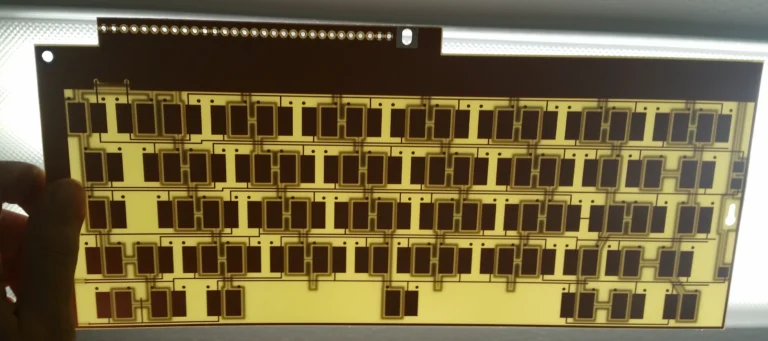
Full NKRO Switch Sensing
Capacitive technology combined with open-source USB-C xwhatsit and Leyden Jar controllers provides Full NKRO for fast typing without missed inputs.
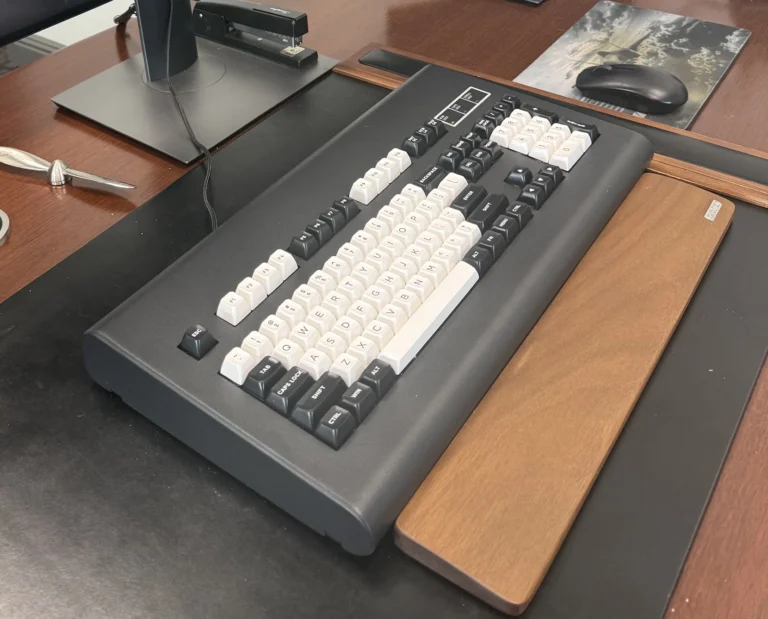
IBM Beam Spring Case Styling
Manufactured to strict tolerances to help these unique beam spring modules attain decades of reliable service. Various key set and case colors available.
Aerospace-Grade Springs
Manufactured to strict tolerances to help these unique beam spring modules attain decades of reliable service.

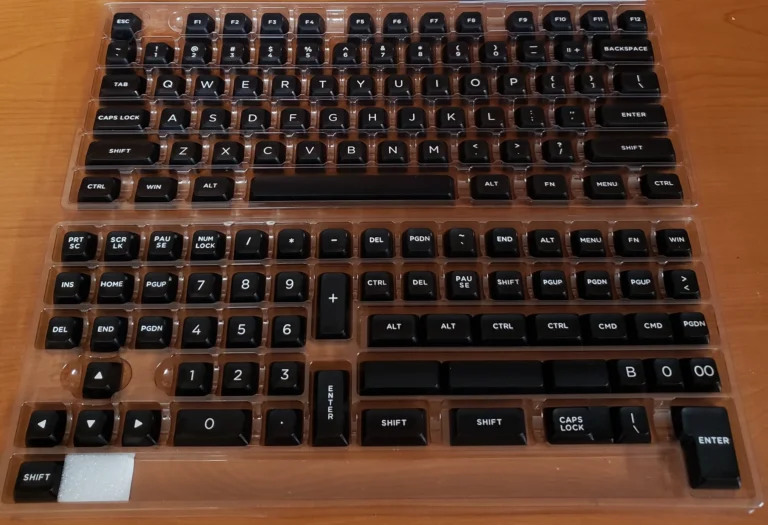
Double-Shot PBT Keycaps
(MX-Compatible Modules)
Choose between all-black keys with white text, or black modifiers with white alpha keys. Or use your own MX key sets. These are premium, MX-compatible PBT double-shot key sets custom ordered specifically for this project.
Enhance Tactility through an Extra-Hefty Solenoid
Beam Springs were famous for their massive solenoid that fired with every keypress to recreate a typewriter’s loud impact. Add this optional add-on for a physical tap you can feel while typing. Adjustable strength. Turn on and off through a key combination.
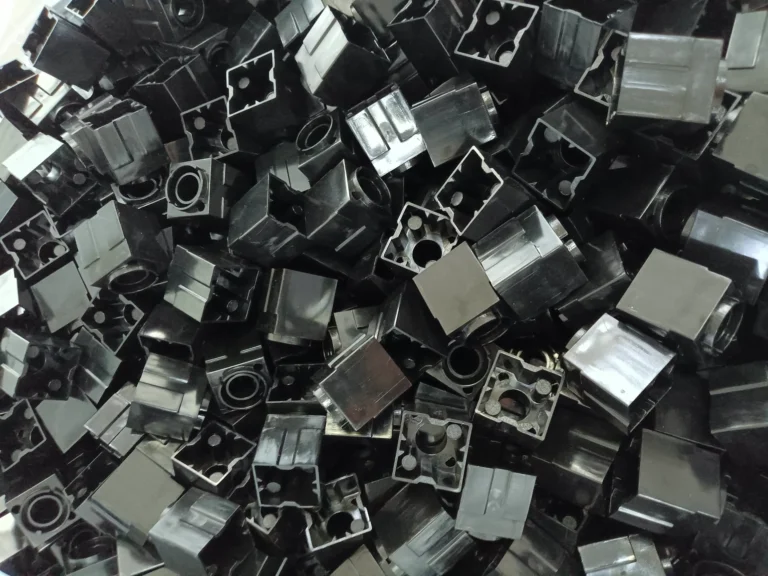
Individual Beam Modules
The magic is in the discrete beam spring modules, which are the same footprint and key travel as many of the originals (this varied a bit over time).
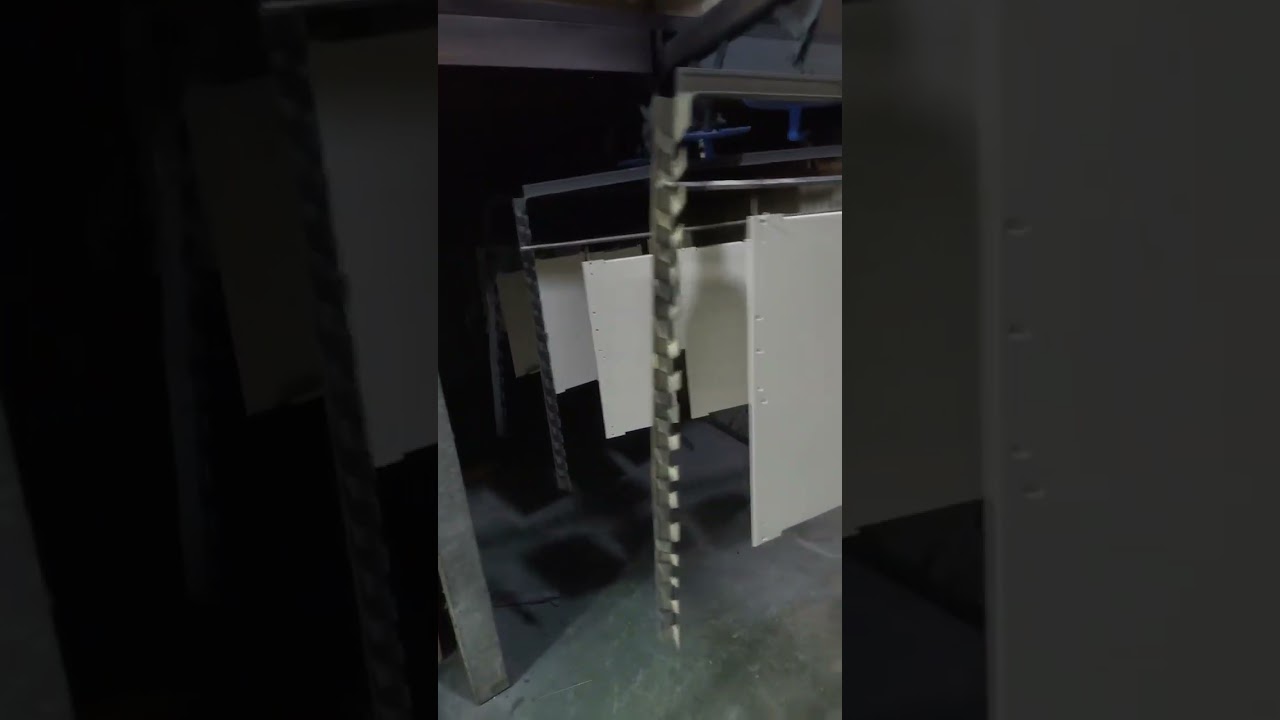
Metal Cases Made from New Tooling
Classic cases powder-coated to match your choice of 7 colors: Dark Blue, Light Blue, Off-White/Beige, Regular Gray, True Red, Black, and Industrial Gray. Same exact colors as the new Model F keyboards. Enjoy these great factory production videos, including a factory tour.
Heavy-Duty Industrial Design
Puts your effort into typing and not flexing the case (contributing to these keyboards weighing up to 10.5 lbs / 4.8kg!)
Metal Inner “Sandwich” Plates
Thick steel top and metal bottom inner plates with a sound dampening foam sheet on top of the modules, below the steel top inner assembly plate (classic/Round 2 only; Round 1 boards maximize compactness and do not have a separate inner assembly).

Great Case Color Matching to the IBM Originals
The factory did an outstanding job with the color matching. Note the new Beam Spring cases do not match the design of the particular IBM board below; it is just shown to highlight the color matching.
Can you tell which cases below are original vs. new?
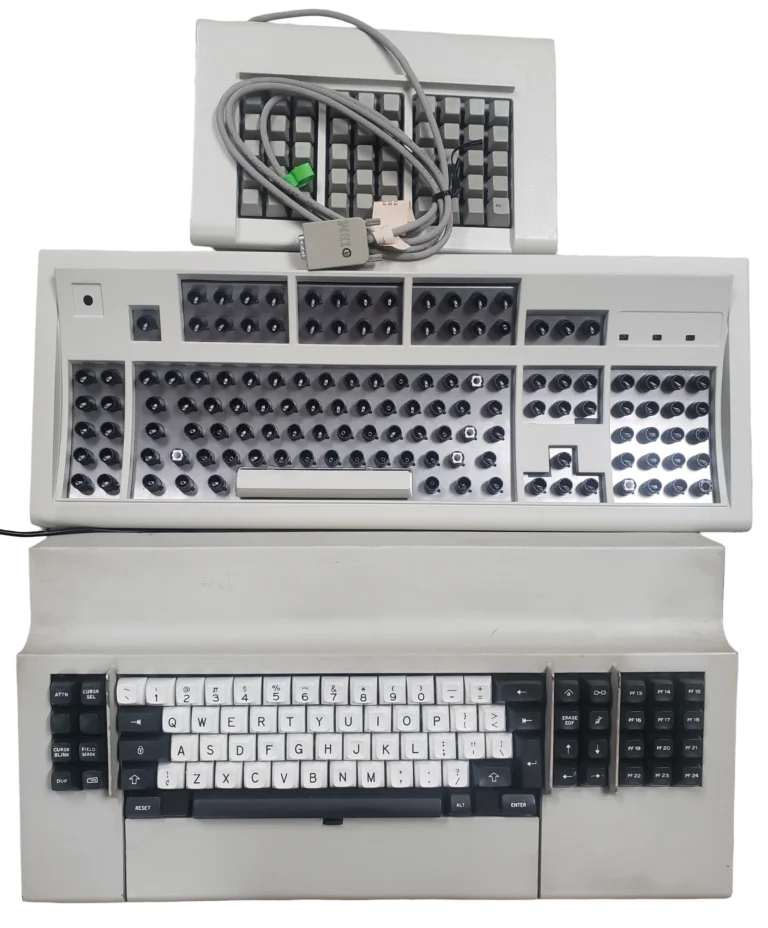
Customizable Layout Through Open-Source QMK/Vial GUI
- ANSI / US, ISO layouts supported for all round 2 B104, BSSK, B122 models. BSSK also available in Split Right Shift and Split Backspace
- B62 exclusively available in HHKB layout, with split or regular backspace options.
- Special factory mods available for the B104, B122, and BSSK for 3×5 right side block cut out area around the cursor keys (so you get 5 extra keys)
You can easily remap keys and adjust the layout using the powerful QMK/Vial open-source firmware.
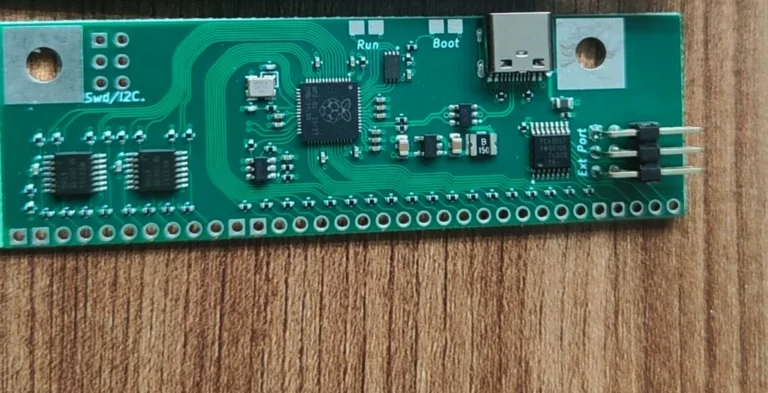
Open Source USB-C Controller
The Beam Spring keyboards use the same trusted xwhatsit and Leyden Jar controllers as the new Model F project.
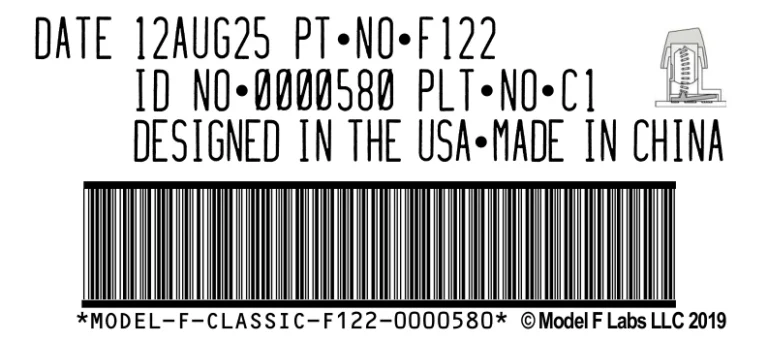
Birth Certificate Label
Label includes your keyboard’s birthday and serial number in a style re-creating the mid-1980s IBM labels. Personalized birthdates and serials are available.
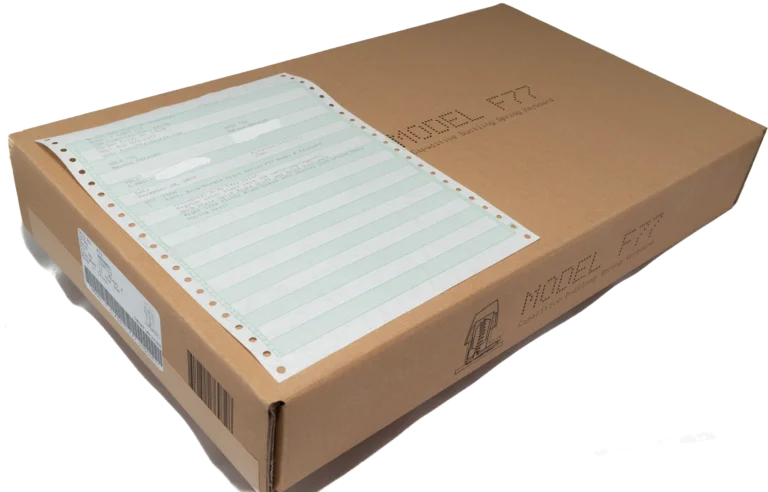
Vintage Invoicing
Your keyboard packing slip is printed with a real dot matrix printer on old 1980s style green bar continuous form paper
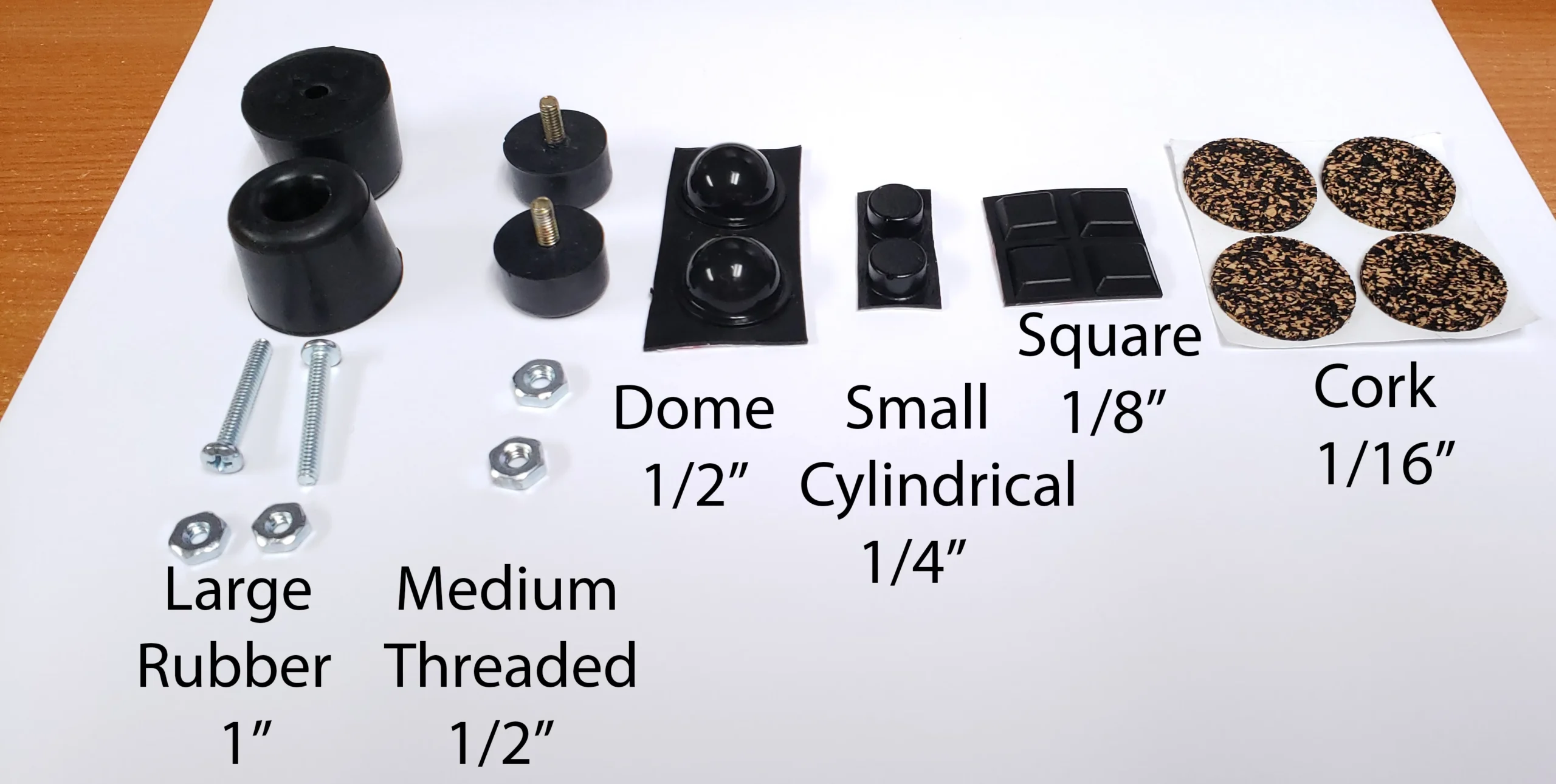
Precise Tilting and Height Adjustment
Customize your keyboard tenting angle with bumpers ranging from 1/16” through 1” and choose original-style cork or modern rubber.

Mini First Aid Kit Included
Every beam spring keyboard includes a free mini First Aid kit (4 spare, fully assembled modules) to empower you to repair any shipping damage or issues yourself.
Strongly recommended: Get a Deluxe First Aid Kit or two to hopefully secure enough modules to last you the life of the keyboard.
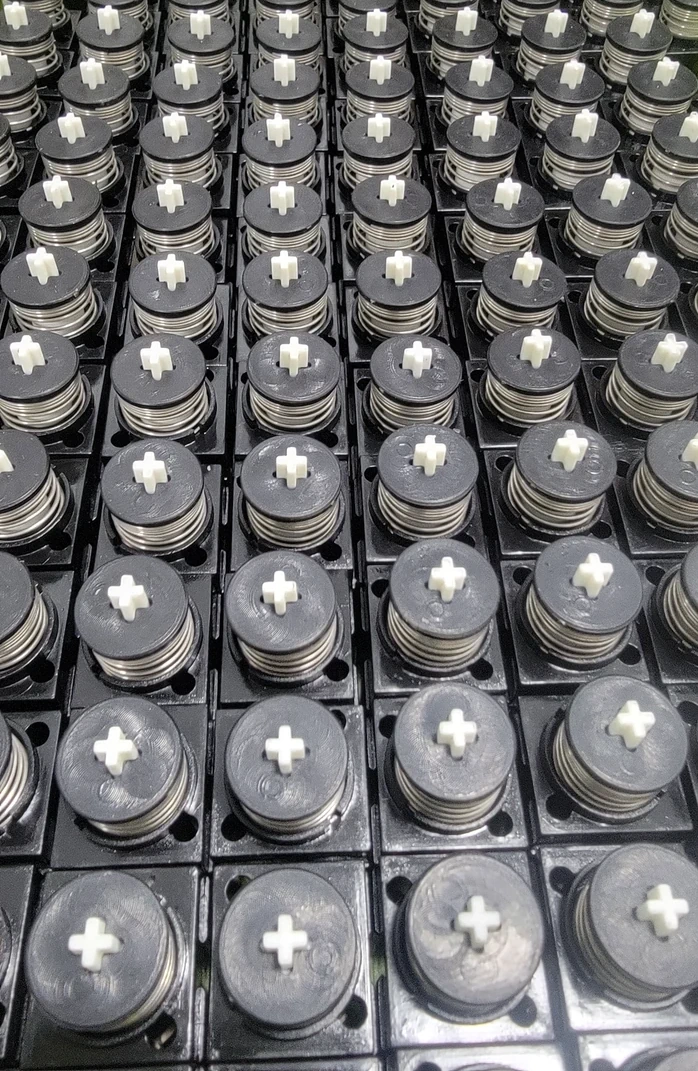
Press-Fit Washer for Tool-Free Module Disassembly
Modules can be taken apart and put back together by hand. All modules are MX compatible so you can use your own MX key set.
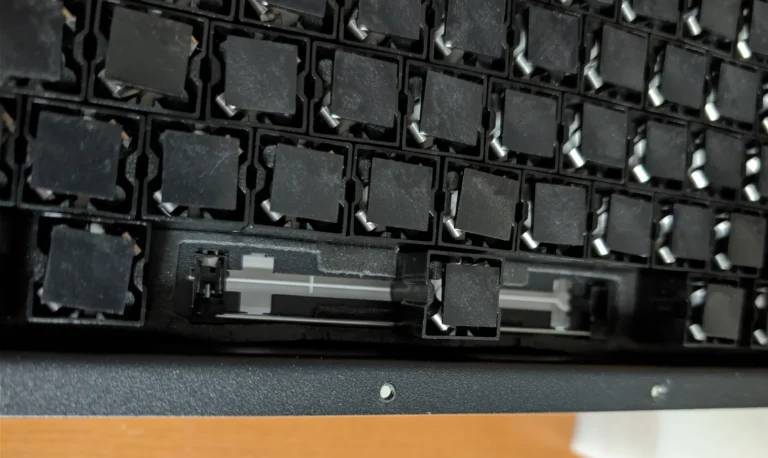
Same Interior Design Principles
Module specifications and inner assembly design are just about the same as IBM, but with some modernizations (slightly less tall module design) for MX compatibility. Top inner assembly is now powder-coated for additional rust protection.
In Closing
Why choose a new production IBM design over other premium keyboards?
When you join thousands of others who have discovered the IBM classic boards, you are getting the most capable, functional keyboard in existence based on decades of IBM research. You are buying an up to 10-pound, mostly metal keyboard designed to last for decades, rather than a 1- to 2-pound plastic keyboard whose cheap electronics will fail in a few years.
The beam spring and buckling spring are widely considered the very best switches for typing. While mechanical keyboards are popular today, modern switches cannot compare to the heavy, satisfying strike of a true capacitive beam spring and fly-plate mechanism. Previously, if you wanted this experience, your only option was to spend a thousand dollars on a heavily used, 40-year-old original.
Through the tireless effort, expertise, and support from countless mechanical keyboard forum members, the IBM Beam Spring design is resurrected. Now available in compact (B104, BSSK) and classic (B104, B122, B62, BSSK) case stylings, you can finally own the peak of typing technology in brand new condition.
Why is this a limited run ending soon?
To get the cost down to less than 50% of what IBM originally charged (adjusted for inflation), these keyboards are made in large batches that require high minimum order quantities. Once this production window closes, that’s it.
Are these keyboards difficult to set up?
Beam spring keyboards are new to most people, and you must expect to spend an hour or so setting it up. Everything will not work 100% out of the box. You will need a Torx T8 screwdriver and must carefully follow the setup video to install your keys, fix any shifted modules, and make the board your own. It is well worth the time to use the greatest keyboard ever made.
Are you ready to secure your Beam Spring keyboard before the production run ends?
Free US Keyboard Shipping + Discounted International Shipping Storewide!
What is the meaning of each keyboard name?
104: The 104 model is the standard ~104-key layout that you have seen for decades with every desktop computer, similar to the classic Model M but with Win keys.
SSK: The SSK model is similar to the IBM Space Saving Keyboard / 87-key / TKL (tenkeyless) style keyboards. It removes the rightmost 4×5 block found on the standard 104 keyboards.
122: The 122 model is similar to the 122-key terminal keyboards (adding 10 keys on the left side and 12 keys on top of F1-F12; all keys can be used as function keys or set to any other key).
62: The 62 model is similar to the 60% layout keyboards (function keys and HHKB functionality is integrated as function layers for maximum efficiency and minimal finger movement. No separate F1-F12, Ins/Del/etc., or 4×5 number block).
77: The 77 model takes the 62 and adds a right side block of 15 keys which can be set to Ins/Del/Home/End/etc., a number pad, or your own custom setting.
Many layouts, key sets, and case and keycap colors are available; click on each photo below to learn more and see photos.
To see all available items and order key sets, individual parts, and other add-ons please click the Shop button above.
Shipping Rates — US: Free. Canada: $48.92. Rest of World: $74.69. Non-Contiguous US: $25. Rates (if a keyboard is not shipping): US: $9.99. International: email me for a shipping quote.
Beam Spring
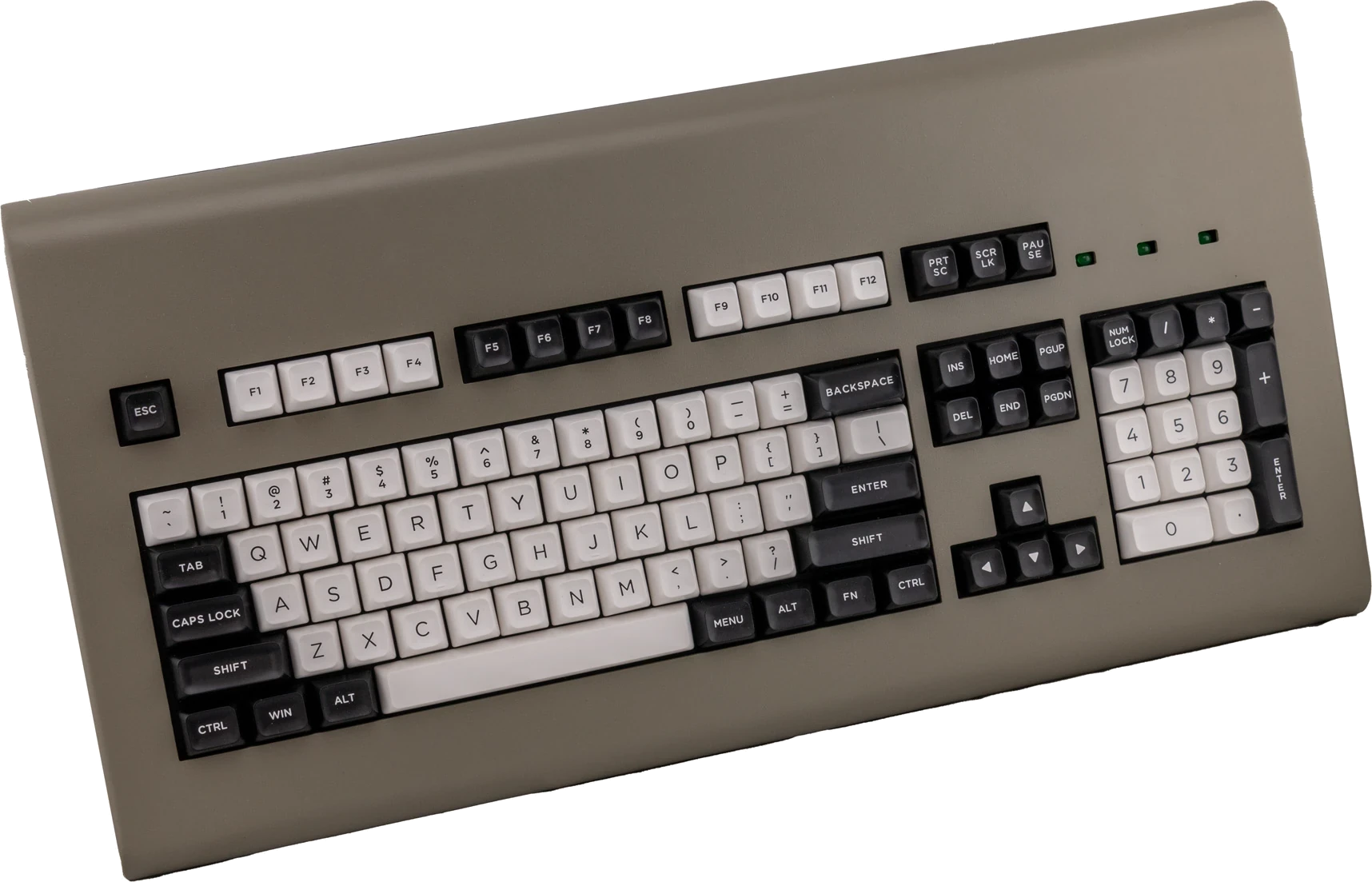
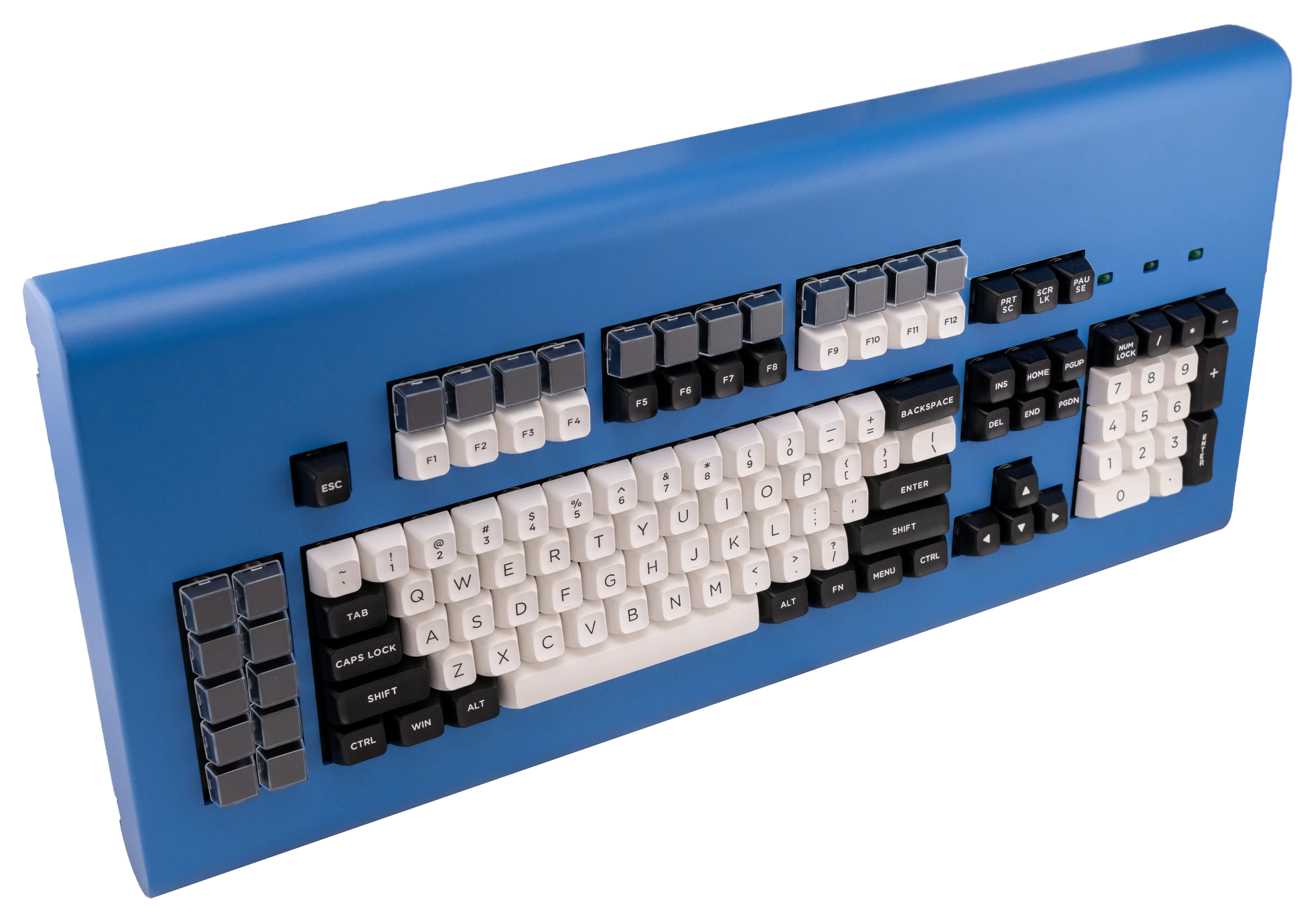
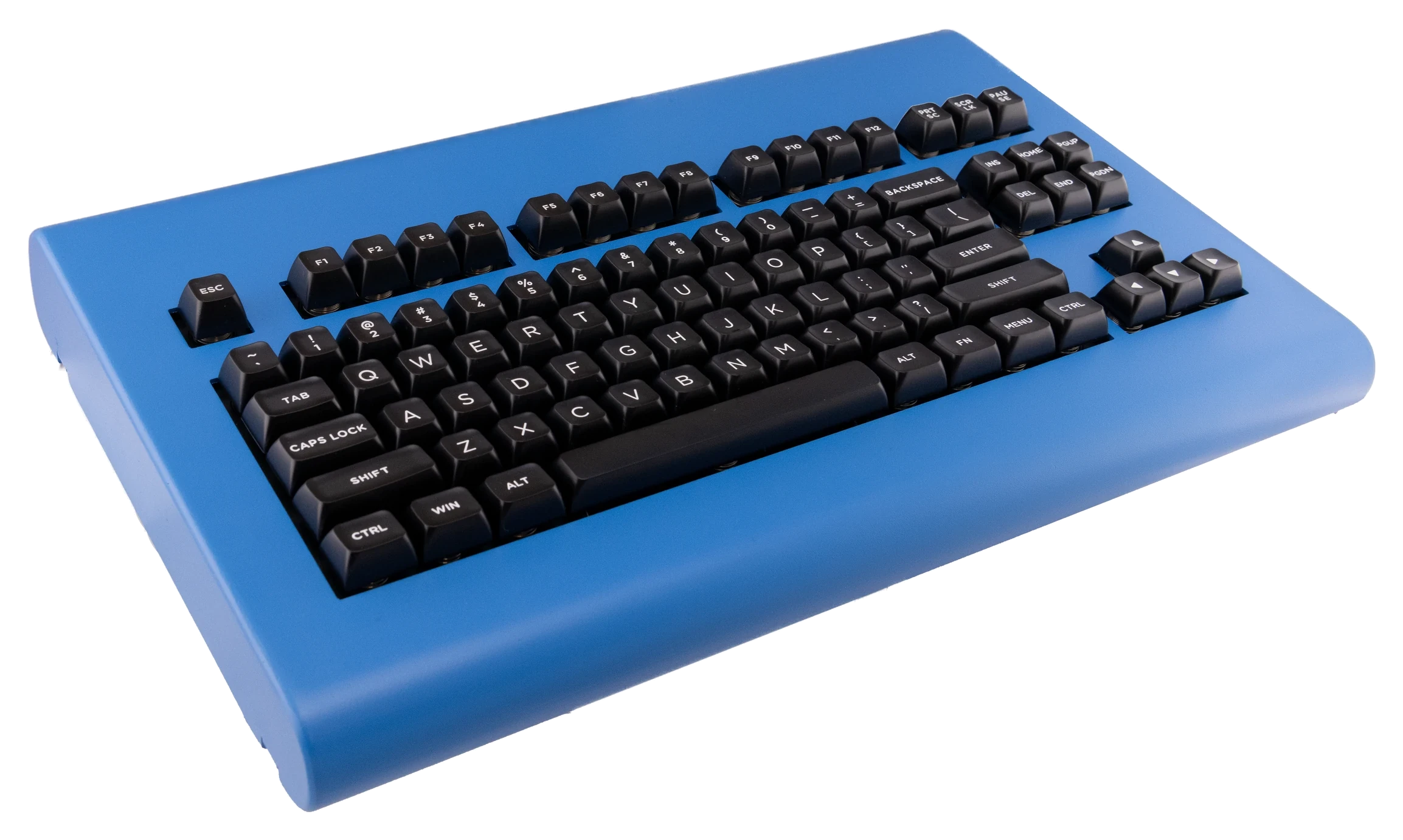

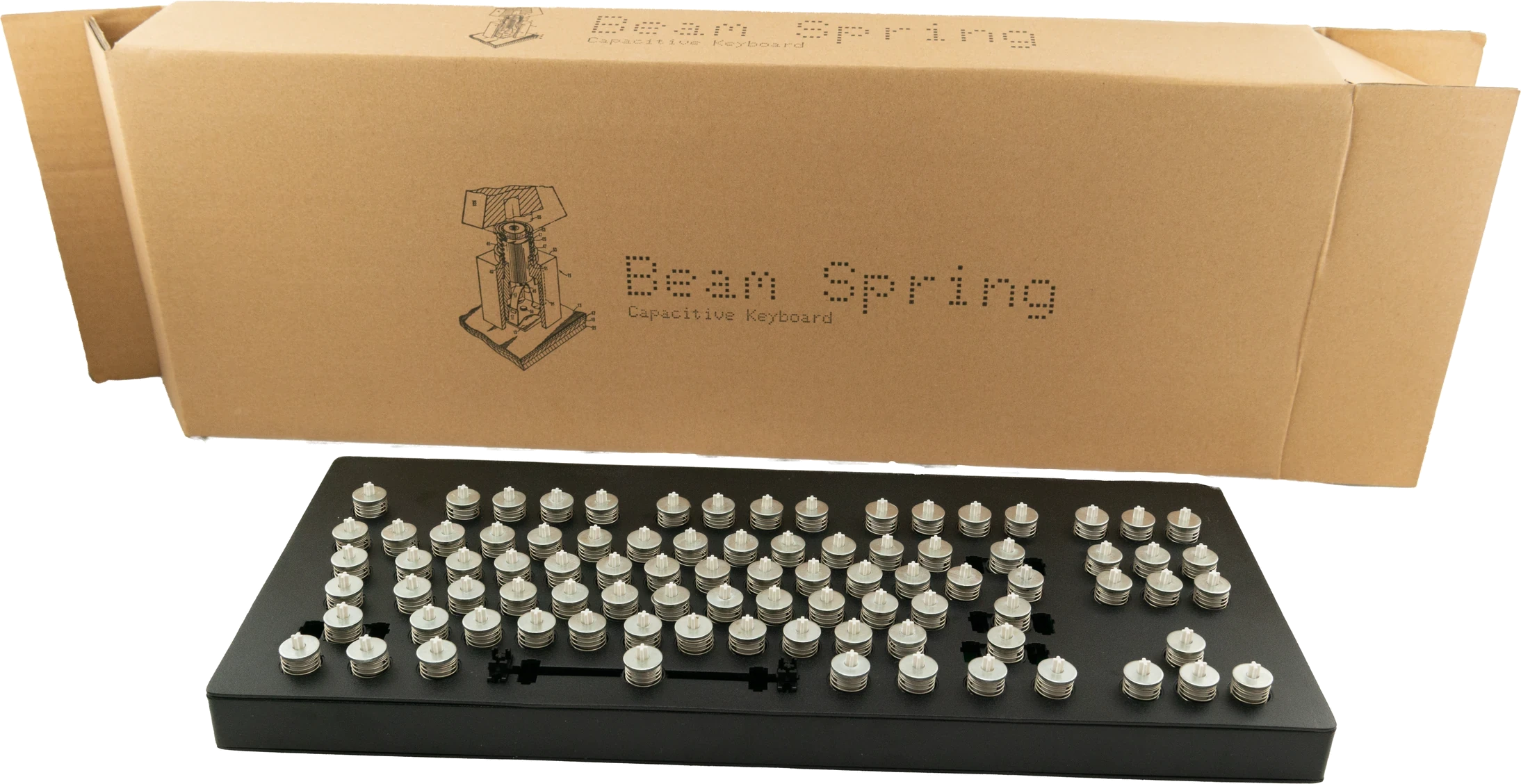
For ease of organization and access, you can view this content in 2 ways: below (all on one page) or on the individual product pages. The content is the same, with one exception: almost all of the images are on the individual pages and not below.
Summary of options
- What’s Included in the Box: Beam Spring Keyboard, MX plate mount spacebar stabilizer, Mini First Aid Kit (4 modules), bumpers/feet, product booklet on green paper. Keys, Solenoids, LED Overlays, and Badges are NOT included with the base model unless selected. Please note site photos show optional add-ons which are not included with the base model. The keyboard comes with a 3 meter braided USB-C to USB-A cable which you can replace and use your own if desired (the controller has a USB-C connector). You could buy a short patch cable if you like to rotate or transport keyboards, for example.
- Top recommended extras, not included: Deluxe First Aid kit (12 modules), solenoid driver with solenoid, MX-compatible PBT double-shot keys, LED overlays, Beam Spring Badge, and spare controllers.
- You are getting a Beam Spring keyboard designed to accept MX-compatible keycaps.
- Key sets: PBT Double-Shot MX-compatible keys. Choice 1: black modifier keycaps with white text, all other keys white with black text. Choice 2: All black keycaps with white text.
- Colors for the metal case keyboards: Dark Blue, Light Blue, Off-White/Beige, Regular Gray, True Red, Black, Industrial Gray.
- Models: B104 (standard layout), BSSK (tenkeyless), B122 (122-key battleship layout), and B62 (compact 60% layout).
- Layouts: ANSI / US and ISO options. HHKB-style split right shift is an option only for the B62 and BSSK. Split Backspace is an option only for the B62.
- Unlike Model F, Beam Spring keyboards cannot have their larger keys split after the fact, and you cannot change between ANSI and ISO. Decide on your layout before ordering.
- Contact me for a discounted international shipping quote if ordering only small items. The shipping rates posted on the store page are accurate for international shipments containing a keyboard. Legal, safety, and limited warranty information for this MODEL F LABS LLC product is available to consumers pre-sale and will be furnished upon request, by writing to the email or mailing address at the bottom of this web page.
Cases
Model F Request: If you are not picky with the Model F case colors, please order a color other than Black, Off-White/Beige, Industrial Gray, or True Red. Those colors were more popular than expected and I want to make sure some are still available in the future for those who are not flexible. Dark Blue, Light Blue, or Silver Gray is my recommendation. If you order Black, Off-White/Beige, Industrial Gray, or True Red, you agree to wait months longer for delivery compared to picking another color.
Beam Spring Request: For fastest delivery: choose the “all black keys with white text” key set and the following case colors. Remember that the B104 Round 2 Off-White/Beige case color is in stock, along with a few remaining True Red, Dark and Light Blue, and Regular Gray. Please pick Off-White/Beige so as to leave the other colors available for those who are less flexible. The remaining B104 colors will arrive by the end of 2026 as they are currently finishing production and assembly. The key set “Black modifier keys with white text, all other keys white with black text” was too popular and is low stock now; if you can be flexible, please do not pick it and instead pick the “all black keys with white text” key set.
How to configure a keyboard: When configuring a keyboard, you can order various recommended and optional add-ons to customize your keyboard. You can also order them separately by going to the Shop page. If you forget to order something or want to change it, you can individually remove it or adjust its quantity directly from the cart. For customized or variable items, you’ll have to delete the item from the cart and add what you want to the cart. For example: if you have added a keyboard and various extras but change your mind about a case color or even want to change the whole keyboard model, you can easily delete only the keyboard without deleting the add-ons you may have ordered at the same time as the keyboard. Remember to change specific extras you may have ordered, such as a first aid kit or spare case for a particular keyboard model.
Material and Finish: The cases are die cast metal (aluminum) with a paint/powder coating finish. All have painted/powder-coated aluminum metal cases, even though they were designed to look like the original IBM Model M cases which were made of plastic. There are no plastic case Brand New Model F keyboards.
Spare Cases, Swapping Cases: You can click the Shop link in the top header to order a spare case in another color if you’d like to switch (pun intended!) things up in the future. LED overlays, feet/bumpers, P clips (for strain relief), and badges are not included with extra cases. To switch between compact and classic cases you’ll need to order the needed bottom inner assembly plate for your new case by ordering 25 units of the store item $1 increments (it’s not included with the case) or a 3d-printed adapter (I’ll send you either the plate or 3d printed part, whichever one I have available; you can’t pick!). Remember you can swap cases between compact and classic F62/F77 but not between compact and classic F104/FSSK and not between original IBM and these new keyboards.
Case Design History: The Classic Model M style F104/FSSK/F122 were designed based on the IBM Model M keyboard, but with adjustments (metal cases instead of PVC plastic, bottom plate is made from stamped metal like the Model F XT keyboard as opposed to die cast plastic). The Classic F62/F77 were designed based on the IBM 4700 Finance Communication System’s line of terminal keyboards used at bank teller windows in the 1980s. While IBM used lighter mixed/”pot” metal, I chose to use pure Zamak zinc which is denser and one reason why the reproductions were heavier than the originals! The Classic Beam Spring Round 2 keyboards were based off the original IBM 3101 Beam Spring case design, with helpful case measurements provided by Chyrosran22. The compact Model F and Beam Spring cases were my own design, with the intention of making the keyboards as small as possible while retaining the original Model F and Beam Spring design requirements.
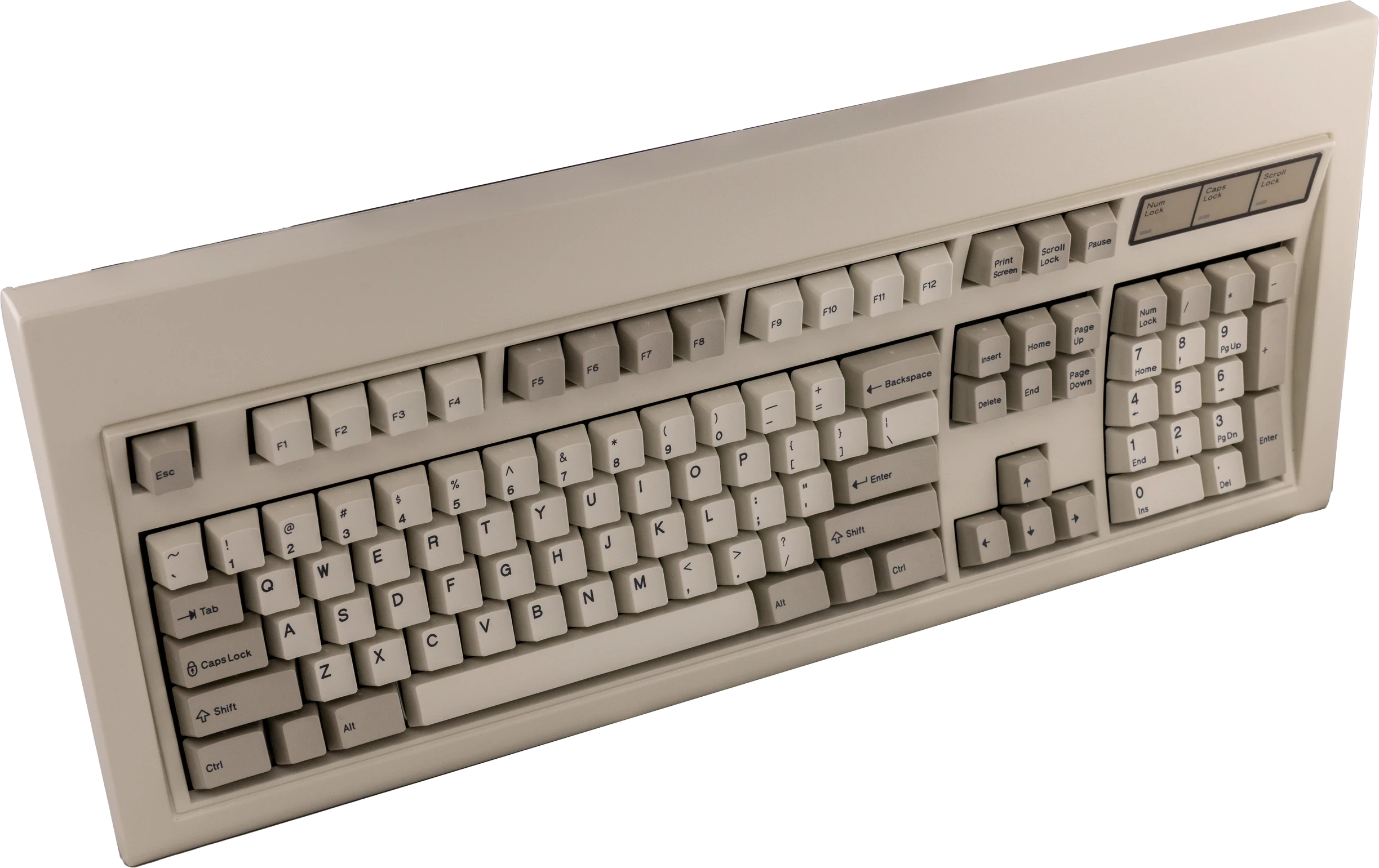
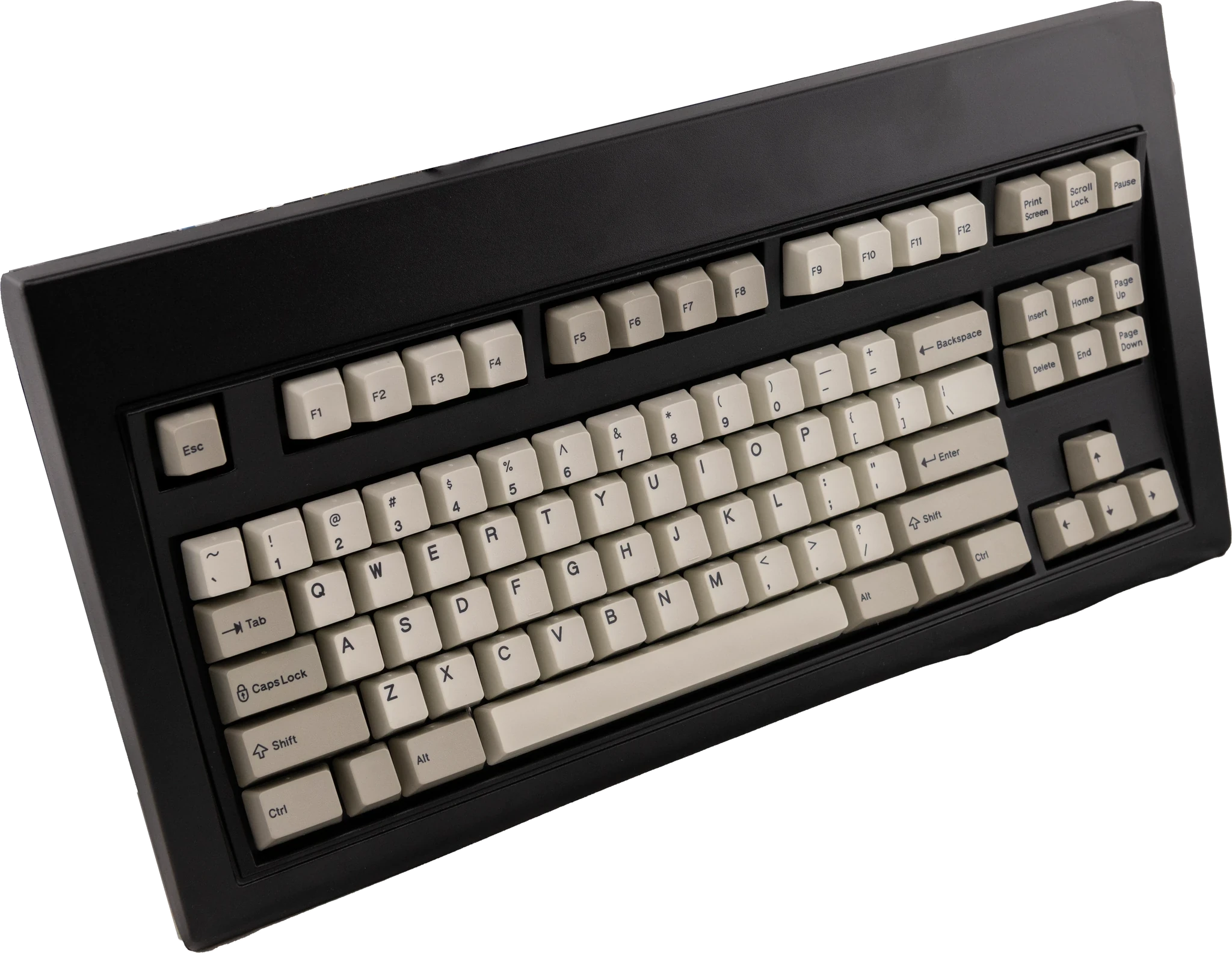
Colors: Off-White/Beige was the standard original IBM color used on the IBM Model M and Model F keyboards and others, while Industrial Gray was used on IBM’s Industrial PC line. If a case’s color cannot be ordered, then it is not available to order (sold out, etc.). The website refers to Silver Gray and Regular Gray interchangeably though the finishes vary: the compact cases have more of a neutral gray while the others are more Silver/Blue Gray.
Colors from left to right: Off-White/Beige, Industrial Gray, Black, Regular Gray, Dark Blue, Light Blue, True Red. Beam Spring cases use the same colors as the Model F cases (pictured below).



Layout
For the B104, B122, and BSSK, you can choose ANSI layout (regular layout for US and several other countries) or ISO layout (vertical extra tall enter key, shorter left shift).
For the B62 and BSSK only, the ANSI layout is available in regular right shift and HHKB-style split right shift.
For the B62 only, you can choose split backspace or regular backspace.
Both of the available key set options will work for both ANSI and ISO layout, with some limitations as described in the keycap section. For ISO layouts specific to your country or language, the key sets are Cherry MX compatible, so feel free to use your own set (email me with international key set recommendations so I can share them!).
PBT Double-Shot Key Sets
Choice of 2 MX-compatible PBT double shot key sets. The key sets are US ANSI but with additional keys so you can make an ISO and/or HHKB style layouts, with one exception: the black ISO Enter key with white text is a separate purchase for all key sets; it is not included in any key set. Beam spring key sets are MX stem key sets so they should work with MX type keyboards as well as the brand new beam spring keyboards. These key sets will not work on Model F or Model M keyboards. Many people just pick both, or order extras of their preferred set, since they may want to change their keys over the coming decades and these were custom ordered with an enormous minimum order quantity that may never be reordered.
• Choice 1: black modifier keycaps with white text, and the rest of the keys white keycaps with black text
• Choice 2: all black keycaps with white text (recommended choice: the other set is more popular than expected so if you are flexible, please order this set)
If you prefer a specific-language or other key set: Since the keyboard is MX compatible, you can order a regular mechanical keyboard MX key set from another store and use that key set on this keyboard. Unlike the Model F which requires buckling spring keycaps, you do not have to use the project’s Beam Spring MX key sets. This is quite normal; many customers prefer this option. To proceed, please order this keyboard without the keys, and then order the keys from another store. Here is a list of key set sellers in Europe. Click the link, then click Europe and click Key Sets: https://kbd.news/vendors/Europe/keycap
Important: you only get the keys pictured, even if you order a Beam 122 key keyboard, or ISO or HHKB style layout, so you will have to make do with these exact keys, order the project’s 22 key transparent relegendable MX key set, or try your own keys. The included keys can make both an ANSI and ISO layout as pictured, though some keys will not have the normal ISO legends or may have a slightly different row profile than the row you intend to install it in. If a key is not pictured in the key set photos, it is not included, even if the key would normally be included with a layout that you want. There may not be enough keys in the included key set to cover the 122 key keyboard the way you want it. For example, the key set with this project does not include switched Caps Lock and Ctrl keys for a HHKB style layout, nor F13-F24 keys for the B122 layout. In the photos, the bottom left row has a few keys that will not be included in the key sets as they were just sample keys: Z A W 8 3.
If you want to use the included set with the ISO layout, I recommend the all black with white text keys because the factory made the < > key next to ISO left shift in black instead of white. If you want ISO, remember to order the black ISO Enter key as it is not included, even though it’s in the photos. Alternatively you could just use the key or use any other 1U key in that position. Since MX keycaps have different profiles/keycap heights for each row, using one of these keysets in ISO will likely have one or two keys with a different row height. The “Choice 1” key set does include a white ISO Enter key as pictured.
Keys are not included with any beam spring keyboard, unless a key set is ordered.
In the interest of full disclosure the keycap photos have had their colors altered to reflect the expected black keys and white keys option (black modifier keycaps with white text, and white keys with black text for the other keys). The other option will be all black keys and white text. The reason is that the factory is custom making the requested colors just for this project and no other customers had requested this before, so our specified colors were not available as a sample.
Solenoid driver and solenoid
Enhance tactility through an extra-hefty solenoid: This is an extremely popular add on, with over 1,000 sold so far. A metal plunger strikes the solenoid housing with each keypress to create a powerful typewriter-style thunk, a physical tap you can feel while typing. This optional add-on has adjustable power and can be toggled on and off by key combination. It adds extra clickiness to the keyboard. It is a click that you can feel and hear, for extra feedback when typing each character.
Remember to order both the solenoid driver and the solenoid, which are two separate store items that are not included with any keyboard (when configuring with a keyboard, they are grouped together but you can buy them individually on the solenoid product page).
About solenoids: IBM has had a long history with solenoids, dating back at least to the late 1970s with their development of the beam spring keyboard. To increase the tactility of the already-tactile beam spring keyboards and make them more in line with their clicky predecessor the IBM Selectric line of typewriters, IBM added a solenoid to various beam spring and Model F keyboards. A solenoid has a metal cylinder (or plunger) that when the surrounding coil receives a current, it moves that cylinder, which then makes contact with the metal enclosure of the solenoid, and then it springs back to its original position, so you can have an audible click and you can feel the tap of the solenoid with each keypress. That is why solenoids are a great way to have even extra feeling while typing. Most folks probably don’t want the solenoid on all the time which is fine: the firmware has a built-in key combination toggle command so that you can switch on and off the solenoid as needed, without having to unplug anything. These solenoids are also a great option as an upgrade to IBM’s original solenoids too (I’d always save the originals of course for the sake of completeness).
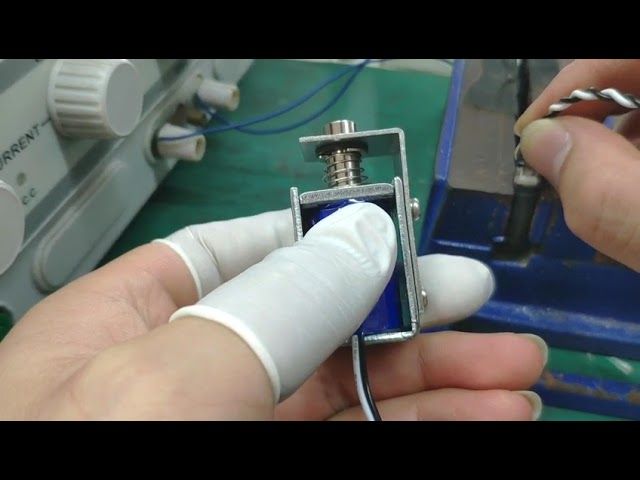
Custom made solenoid specifications: Why pick this solenoid over other solenoids or over IBM’s original solenoids? The new solenoids are far beefier than IBM’s originals, so your solenoid clicking will be even better! It’s a custom design that you can only order here. The specifications are 6v, 40 ohm, 0.15A, 0.9W, adjustable throw factory set to 1mm but with a user-adjustable range of about 0.5mm to 5mm (there are 2 screws that can be loosened to adjust the distance of the strike bar). The factory throw setting allows you to start using this solenoid with no modification (still need to follow xwhatsit’s solenoid installation guide to avoid damage to equipment). This solenoid has the dark blue outer covering, black and white twisted wires and 2.54mm connector like the original IBM solenoids, but with a strike bar so it won’t exactly resemble the IBM solenoid. This solenoid is not the one that’s available on eBay, though it looks similar and the voltage and resistance specs are the same. Also that other model doesn’t have the adjustable throw – you would have to spend time milling the strike bar to modify it for correct usage with the solenoid drivers. If the ebay solenoid’s throw distance isn’t changed, your solenoid will be very sluggish and won’t be able to operate at full typing speed. Also my solenoid is even larger than the eBay solenoid, the 26mm height dimension on eBay is set to be ~29-30mm on my solenoid (the solenoid goes sideways in F62/F77 so it fits) though all the solenoid specs are subject to change. With a larger metal frame, my solenoid should be a little louder than the eBay model and far louder than the original IBM! This is the largest possible solenoid that will fit inside the classic style cases.
Solenoid drivers help you add a solenoid to your keyboard. You need both a solenoid driver and a solenoid; they are not sold together. The solenoid driver does not include the solenoid but it does include the ribbon cable to connect to your controller. The solenoid would go inside your classic case new classic case keyboard, but it has to be installed outside the compact case keyboards. Controllers are not required for your Brand New Model F or Beam Spring keyboard – they are included and preinstalled. When installing the solenoid, because the screw that secures the solenoid is at the bottom of the keyboard as shown in the manual, order any of the slightly taller bumpers for the back of the keyboard (i.e., any option except the cork bumpers unless you double up and stack two of the cork bumpers, one on top of the other). So if you want to use cork, buy an extra set so it is tall enough – you may want to pick up some additional bumpers so you can add some height to the bumpers, by either putting two cork bumpers on top of each other or using one of the other bumpers which are thicker; otherwise the solenoid screw may contact your desk.
The solenoid driver and solenoid are very easy to install, fully assembled with the components factory soldered. Installation takes a few minutes, by following the step by step guide in the manual, but if you prefer for me to install this, you can order the solenoid driver and solenoid as well as 39 units of the store item $1 increments with an order note for me to install it. Do not forget the order note; if you forget it then I will not know to install the solenoid for you. You do not have to solder to install the solenoid; you are just connecting the plug-in cable on the solenoid driver to the controller, and then plugging in the solenoid cable to the solenoid driver. The only exception is the round 1 Beam Spring B104 keyboard which used an older xwhatsit controller with 30 instead of 33 pins; it did not have those 3 additional pins for LED and solenoid wiring at the same time (see the manual for details).
If you want to reuse your previously received solenoid driver and solenoid with your Round 2 beam spring keyboard, order the beam spring solenoid add-on kit containing additional needed parts. It should be included if your solenoid is shipping with a beam spring keyboard. If ordering a solenoid driver and solenoid in the future to use with your new beam spring keyboard, you can request these parts to be included at no extra cost if you add an order note. For this reason, the pictured bolts and other small parts included in each solenoid kit may vary and you may not receive everything pictured, so an order note will be helpful to me so I know what to send you. Here is a review of the solenoid explaining why it is highly recommended for these keyboards.
What to order to have a solenoid in your original IBM Beam Spring keyboard: Solenoid driver, solenoid, and beam spring controller. These are three separate store items so please do add all three to your cart!
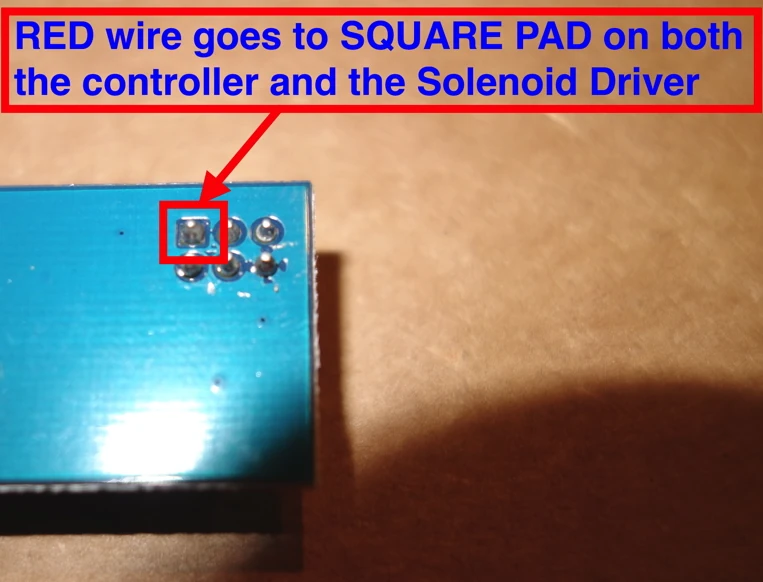
Warning: you may destroy your controller, solenoid driver, and/or solenoid by not following the solenoid driver instructions as well as the other instructions in the manual at modelfkeyboards.com/manual Most important is to match the square on both sides of the ribbon cable connector, so that you connect the squares (voltage line) to each other. The position is different from what is pictured online, from other xwhatsit controllers, and from the photo below. If you install the cable the wrong way you will destroy your equipment. If unsure, do not connect it! For the solenoid drivers: see the images below for the general installation procedure of solenoid drivers inside Brand New Model F Keyboards. The solenoid driver you receive will be either the xwhatsit original design solenoid driver or the version updated by forum member pandrew. Both are confirmed working fine with my solenoids and with the IBM original solenoids.

First Aid Kit
Included in the Deluxe Beam Spring First Aid Kits: 12 beam spring modules. Unlike the Model F first aid kits, the Beam Spring First Aid Kits do not include the recommended spare inner foam. Please pick the Round 1 first aid kit for the Ultra Compact B104 or Ultra Compact BSSK, and please pick the Round 2 first aid kit if you have the classic style beam spring keyboards (B62, BSSK, B104, or B122).
Importance of the add-on Deluxe First Aid Beam Spring Kit: The first aid kit that is included with each keyboard is just 4 modules, designed for initial fixing of modules broken in shipping or otherwise damaged. The “real” first aid kit folks pay for in the product add-on has 12 modules. If the modules fail many years from now, it is strongly recommended to have spent the extra $4 per module to have enough modules to last you the life of the keyboard, since modules won’t be available after this project shuts down and ends production. I think I saw some original beam spring modules going for $50 individually since the supply dried up, and I don’t want that to happen with these.
Expectations: In my experience all but 1 or 2 of the beam modules can be adjusted so that they are fully functional without needing replacement. The expectation is that up to 4 beam modules may be replaced with ones from the included first aid kit (of course if more than 4 are non-repairable following the setup video, the limited warranty usually provides for free replacements of these additional modules beyond the first 4; see below for details). You will not receive 4 additional modules by mail if 4 are broken initially or after some usage, for example; those 4 free modules are meant to serve as advance replacements. In other words, you are not guaranteed to receive all of the modules as fully functional and the included mini first aid kit permits you to replace up to 4 damaged modules yourself. If additional modules are broken, you will receive a partial replacement “Part B” that you will have to assemble – you won’t receive a fully assembled module ready to install.
Beam Spring Modules & Parts
Beam Modules: I definitely recommend getting extra beam modules even beyond the few that are included in the first aid kit, as these parts are most prone to accidental damage/breakage/liquid spillage. Many pick up 12 additional modules or one additional deluxe first aid kit (same quantity and price). Everyone is offered the bulk pricing of $4 each, no matter how many you order. You can order the Round 1 or Round 2 (the Round 2 modules have a 1mm taller circular “lip” on top to accommodate the added inner foam between the module tops and below the top inner assembly plates. All modules available here are the new production design which is smaller than the IBM originals; they are not compatible with original IBM beam spring keyboards. These are the same modules and at the same pricing as what you can order with the deluxe first aid kits.
Clear transparent relegendable MX key cap and stem: these only work on MX-type keyboards like the Beam Spring keyboards; there is a separate relegendable key product in the shop for Model F keyboards. As noted in the manual, my recommendation is to install all transparent relegendable keys with a piece of tape between key and stem so that you do not have to worry about it falling out. The worst that can happen is that the key won’t be able to be pressed down all the way because the key is already tight – in that instance, just remove the tape and install the key normally. Due to the variations of tolerances between key stems and keys, occasionally a key may fit so loosely that it falls off easily. I have not seen this issue at all with the project’s full key set but it may happen with other MX key sets. I have also seen this with the transparent relegendable MX keys being sold with the project since their tolerances to not appear to be as tight. This means that if you purchased these relegendable keys or other manufacturers’ keys, it is possible that some keys will fall off if you hold the keyboard upside down or while typing. There are various safe fixes for this, such as putting a piece of paper or scotch tape between the key cap and the beam spring module’s stem, which you may need to do as you set up this keyboard. These fixes will completely stop any loose keys from falling out.
Beam springs will work on original IBM and new keyboards. The new keyboards use springs that are the same specifications as the originals.
Beam Spring Badge: Badges are the same size as the IBM originals and can fit most original Model M or Model F keyboards with a recessed badge spot, except for the IBM XT and AT boards that use a larger badge. These badges are 2cm x 2cm. The F122 is the only new production board that has a recessed spot for the badge but you can stick the badges anywhere on any of the Brand New Model F or Brand New Beam Spring keyboard cases! The badges are rendered images; see the Setups tab to see real images of the badges as installed on users’ keyboards. The F122 recessed area measures about 21-22mm tall by 20mm wide, so you will have to center the 20mm badge and there will be about 0.5mm to 1mm space below and above the badge in the recessed area. Be sure to remove the transparent plastic protective film from the top side of the badge before installing.
MX Plate Mount Stabilizers: I only have the non-spacebar stabilizer units available. But I strongly recommend getting them as spares for your spacebar since you can quickly change out the broken plastic stabilizer parts on the longer spacebar metal part so that you can use these spares with the spacebar on your new Beam Spring keyboard. While they aren’t included for the other keys besides the spacebar and I don’t recommend them, some people prefer them. Order 7 for a full size board and order 4 for the smaller boards like B62 and BSSK.
Beam Inner Foam: Recommended. Important to note that the foam is not included in the deluxe first aid kits, unlike the Model F first aid kits which do include the foam. For the Round 2 boards, one foam goes between the top inner assembly and the tops of the modules, just like on the IBM originals and another foam goes between the PCB and bottom inner assembly plate (both foam add some sound dampening). Important note that this product only includes the bottom foam for the Round 1 boards since they did not have top inner foam.
Beam Spring Solenoid Add On Kit: the 3 custom countersunk bolts (2 M3 6mm for the solenoid and 1 6-32 3/8 inch for the solenoid PCB), 6-32 nut, and rubber spacer (to install below the solenoid PCB) needed to use a solenoid with the Round 2 beam spring cases. These 5 parts can be ordered as part of the beam spring solenoid kit if you want to reuse your previously received solenoid driver and solenoid, and should be included if your solenoid is shipping with a beam spring keyboard. If ordering a solenoid driver and solenoid in the future to use with your new beam spring keyboard, you can request these parts to be included at no extra cost if you add an order note with the solenoid order.
Key Cap Puller
A special wire key puller recommended for use with Model F, Beam Spring, and Model M keyboards. I use a key cap puller for all these keyboards. While supplies/pricing last. The key cap puller may have another brand name or the color/appearance may vary based on product availability.
Keyboard Feet / Bumpers
What are bumpers? These are the small adhesive or screw-on feet that attach to the bottom of your keyboard.
Why order them? Most folks get a couple more options to adjust and personalize the angle / height of their keyboard. If you prefer setting different heights to your keyboard (e.g. raise the whole keyboard up, tilt the front side or back end), you can pick from these bumpers.
Bumper heights (approx.): cork = 1/16 inch (1.6 mm). 4 square = 1/8 inch (3.2 mm). cylindrical = 1/4 inch (6.4 mm). dome (both adhesive and “medium with threads and nut”) = 1/2 inch (12.7 mm). large with screw and nut = just under 1 inch (21.4 mm)
Which are included by default? 4 cork-rubber bumpers/pads are included for each full classic case keyboard ordered. 4 square rubber bumpers are included by default for each ultra compact case keyboard ordered.
Recommendations: For a Model M style angle without the feet flipped out, I would recommend bumpers of equal height, such as 4 cork, 4 dome, 2 medium threaded + 2 dome, or 4 square. For a Model M style angle with feet flipped outwards, I would recommend the “2 medium threaded + 2 square” option. However if you prefer a keyboard to be a little higher up, a popular option is the 2 large and 2 dome. Please be sure to order 2 sets of the cork bumpers for the compact case Model F keyboards so you can double stack each one (these cases have screws that stick out of the bottom of the case so you want to double stack the cork bumpers because they are not too tall). Installing only one set of cork bumpers would be done at your own risk of scratching something. The half-inch tall bumpers with threaded stud built in is one of the most popular options for a secure attachment. This bumper does have an 8-32 thread so it is not recommended if you have the F62 or F77 and also ordered the solenoid whose mounting gear uses 6-32 threads, though you can use both if you drill another hole in the bottom of the zinc case. You can use M4 nuts instead of 8-32; they are slightly looser.
Compatibility and important terms: The classic style case F62 and F77 keyboards have two holes on the bottom that can accept a threaded bumper or a bumper with a screw. The other keyboards have 4 holes. Obviously split keyboards have 4 holes for each half, so you’d want to get two sets of 4 bumpers per set. You can’t mix and match sets, so if you want 4 threaded bumpers then you’ll have to order 2 sets. The 1″ and half inch threaded stud bumpers have a grayish-black appearance which is normal for the SBR material. As noted on the McMaster-Carr web site, this material is not certified as non-marking (generally this means don’t put your keyboard on top of a paper document, for example, the same recommendation for the IBM original keyboards with rubber feet). Bumpers may vary in appearance and design from what is shown on this product page.
Controllers
Spare controllers are one of the most popular extras. The controllers contain all of the custom electronics in the keyboard, so if the keyboard stops working long after the project has shut down and spare parts are no longer available, you can switch it out with the spare so your keyboard will continue working. No need to pick the controller; you’ll get the one that works with your keyboard unless you specify otherwise.
Pick “Leyden Jar” if you have a B122, B104, or F122. Pick “xwhatsit USB-C” if you have any other new Model F or Beam Spring keyboard.
To choose the correct option that you need, please see below. Note: All controllers offered here have USB-C! This is the only place to purchase all of these controllers as no one else manufactures them. When on the keyboard configurator page, the correct controller option compatible with your keyboard will be the only available choice.
Controller models available for the new production keyboards: There are two main offerings: xwhatsit USB-C and the Leyden Jar controller.
xwhatsit USB-C is used for many new Model F and new Beam Spring keyboards, other than the models below which use the Leyden Jar controller. All new F and Beam keyboards use these controllers; none of them use the controllers with the blue card edge connectors (those are only used with some IBM originals).
Leyden Jar controllers is for the F122, B122, and B104 because their capacitive PCBs are 18 column designs (support is planned for all other models as well, so you can order a spare Leyden Jar controller for futureproofing). This is an open source RP2040-based controller that you can also use to make your own keyboard.
Both controllers have the same usability and real-world performance, though the Leyden Jar is the latest and greatest, with support for 18 columns instead of 16 and other improvements. To be honest you won’t notice much of a difference in normal usage so don’t worry about getting one versus the other.
Some quick notes on flashing firmware: you must follow the steps in the manual to flash firmware. Spare controllers not sold inside a keyboard do not come pre-flashed; they will not be detected on the computer without following the steps in the manual so you might think they are broken when in fact they just need to be set up. While all of these keyboards work fine with Windows 11 among many other operating systems including Mac and Linux, due to increased security on Windows 11, for flashing Atmega controllers (i.e. all controllers except the Leyden Jar) you may need to use a computer running another operating system such as Windows 10, or try going to Windows Security > Core isolation and toggle “Memory integrity” OFF, then restart the computer, though this is not a confirmed fix as of now. I’ve had no issues flashing on my copy of Windows 11. Free programs like Rufus allow you to make a “Windows To Go” Windows 10 USB memory key using a freely downloaded trial iso of Windows 10, which will allow flashing. If you refuse to use something other than Windows 11 and you cannot change the aforementioned setting, you will be unable to flash firmware which may be required to use the controller and fix bugs and other vulnerabilities.
I have an original Model F. Should I replace the controller? For models that can use Soarer’s Converter, I do not recommend replacing the original controller unless it does not work reliably. Soarer’s Teensy/Pro Micro 5V ATMEGA32U4-based converter (XT, AT, F122, Unsaver, etc.) plugs into the original controller. Removing the original controller is not a good idea as the traces are at risk of damage during the desoldering process and it is completely unnecessary for the F122 which has a reliable original controller. Instead, just order the aforementioned Pro Micro and follow the setup instructions. For the 4704 style models (F62 Kishsaver, F77, F104, F50), I recommend replacing the controller with the latest and newest 4704 USB-C controller. Just pick the 4704 option. The main benefits of the new controllers are the USB-C connection and the ability to replace the pro micro brains of the controller with another one in case it fails, instead of having to replace the entire controller. They are two separate parts that you would solder together using the included header pins. You also get the benefits of the new QMK firmware (binning, autocalibration) with the new board. Only if you want to use a solenoid, if your original IBM board has failed, or if you want to replace it, I recommend getting the right controller for your keyboard. Here are some helpful Soarer’s Converter files (provided AS IS, no support offered, use at your own risk) that I gathered from various sources.
Which beam spring controller to order for your original IBM keyboard:
Displaywriter beam spring controller (if you have a displaywriter keyboard – Google to confirm if you are not sure)
Beamspring USB-C (for IBM Models) – for various IBM beam spring keyboards except the non-displaywriter beam spring controller – examples include but are not limited to IBM 3278 Beam Spring Keyboard, 5251, 3279, 3276, and 4978
Some beam spring keyboards (3277, 3741) have a non-detachable controller – you may need to order a replacement capacitive PCB as well (I do not offer these)
5253/5254: Note that no controllers are compatible with the 5253/5254 which appear to resemble displaywriters but use a nonstandard 5 rows and 23 columns. No known controller supports this output; you would have to modify the open source xwhatsit beamspring controller design and keymap in the firmware.
What to order if you have an original IBM F122 / F104 Unsaver / PC AT / 3178 Blue Switch Keyboard:
F122/Unsaver/3178/AT Controller (note: this pandrew controller includes the USB-C Pro Micro. You have to solder the pro micro to the controller): Solenoid Driver, Solenoid, USB-C cable
What to order if you have an original IBM F107 / F77 Unsaver / F62 Kishsaver / F50 Keyboard:
4704 Controller (note: this pandrew controller includes the USB-C Pro Micro. You have to solder the pro micro to the controller)
USB cables: Model F custom USB cables are not included – please order one in the shop.
Important terms: Please note that for all PCBs and controllers that specifications and functionality may change over time, so I cannot guarantee compatibility or availability of each feature on these products. Product hardware and firmware revisions may change or be updated in the future, so your PCB may not match exactly what is pictured. The ribbon cable is not pre-soldered to the controller as depicted in some photos. Please note that you have to read the manual and head over to the geekhack mechanical keyboard forum for support as no one on one technical support is offered. In addition to reviewing the manual on this web site, please also review xwhatsit’s original instructions here: https://static.wongcornall.com/ibm-capsense-usb/
A note on USB-C: the USB-C standard allows for extra movement in the connector compared with other USB receptacles like USB-B. For original IBM keyboards, ensure that the USB cable is internally strain relieved so that pulling on the cable will in no way cause cable movement on the other side of the strain relief. By ordering a controller you agree to accept this extra movement and the need for strain relief to ensure a reliable connection. In other words, you must expect that the controller may disconnect if the USB cable is pulled while connected to the controller’s USB-C connector, if not properly strain relieved. I have found that gently squeezing the connector with your fingers to compress the metal USB-C connector housing helps reduce the normal looseness.
For the pandrew controllers for original IBM keyboards: be sure to solder the Pro Micro controller on the correct side! It always goes on the side without the chips and other components. The pandrew controllers are always installed so that the factory assembled components are visible when viewing the bottom case as shown below; in other words they should be placed so that when you are looking at the keyboard in its normal position, the controllers should be oriented as per the first two images below. The third image below shows the keyboard upside down, with the components side visible. Images credit: pandrew

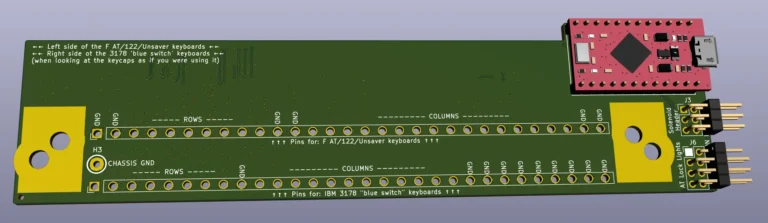
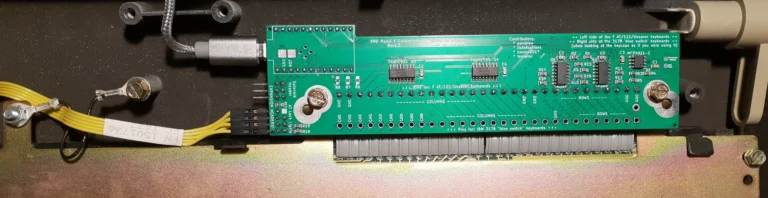
LED Overlays
LED overlays offer a beautiful retro-style way of covering the 3 LED lock indicators for Num Lock, Caps Lock, and Scroll Lock. They are the same size as the IBM originals and can fit most Model M or Model F keyboards with LEDs. They also are highly recommended for the Brand New Beam Spring keyboards, because LED overlays are not included.
Option 1 is the standard IBM Model M type option that most people get. Note: not all boards have LEDs.
This product allows you to specify which overlay you’d like to receive; a random overlay will be included with your F122 or F104. All other boards including B104 and B122 do not come with an overlay. Only 104 and 122 keyboards have LED lock lights; but overlays are offered with all keyboards because all controllers support adding lock LEDs.
ISO 9995 is a terrific symbols-only LED overlay option to consider. Overlays 3, 7, and 11 have a light gray appearance. I have also done a special order of 5 of each of these 3 overlays with a more white appearance, available at additional cost.
For the fellow detail-oriented folks out there, the overlay numbers are not contiguous as there were originally some additional suggested offerings that did not end up being produced.
Spare 3 meter USB-C cable
Available in various colors. These USB cables have been custom made for the Brand New Model F and Beam Spring Keyboards projects with an extra narrow connector to fit the compact cases (not all USB cables will fit). USB-C cables made in recent years do not last too long in my experience so a spare is recommended.
Length: 3 meters (9.8 feet)
Important terms: These USB cables and are not recommended for other purposes. As with all cables, Strangulation Hazard, Keep Out of Reach of Children.
I want to help
Custom/Low Serial Number: Choose this option to jump ahead in line by up to several hundred spots! Also a great way to support the project a little more and request your own serial number and/or production date. Serials can be up to 7 numerical digits only – no letters or other special characters. Important note: click this link to see details on available serials, especially for single digit serials.
Likewise, you can choose to support the project through the other options in this section. Feel free to add this on to a previous order to upgrade it (you can choose free shipping on this order if it’s just for this upgrade).
Thank you for supporting the project a little extra – it is much appreciated to help cover the tens of thousands of dollars of project cost overruns and get your keyboard far faster.
Which serials are available? See below for which serials you can pick with each level of support. With all levels of support, you can also pick higher numbers and/or custom production dates, subject to availability.
I usually ship in sequence of order date (generally first come first served) unless you order a single digit serial or low serial number. Single significant digit serials (less than 0000010) will be one of the very first to ship, and low serial numbers will be among the earliest to ship.
What are the different upgrade levels? There are different levels of low serial, ranging from single digit serials, to double digit range of serials, to other low serials 100 and higher. The standard $29 option allows for some requests. Other options can be selected by picking the single, double, or triple digit serial options. It is ok to upgrade from the $29 option you may have ordered already to the $99 option using the store item $1 increments to make up the difference.
Custom dates: All low/custom serial options allow the option to request a custom date / year that will go on the product label. A birthday, birthdate (with birth year!), or anniversary are all possibilities to consider. You can send a list of preferred serials in priority order, up to 7 digits (numbers only and they must be non-negative). Many other serials (3 to 7 significant digits) are also available but not listed below. The list is not updated constantly and if you order any low serial option I cannot guarantee you will receive your requested serial; you may be assigned an available serial.
Important terms: this store item does not guarantee a requested serial number. If your requested serials are not available, another serial will be assigned to you; it may be a “lower tier” serial and you agree not to receive a refund for the cost difference as the primary purpose of this item is to expedite shipping by skipping the line as well as getting something that can match a particular date. Ordering a low serial does not guarantee shipment within a certain amount of time. It only guarantees that when each shipment arrives, your order will be one of the first to ship if it is all in stock. I personally inspect and ship each keyboard. Under no circumstances can you add conditions of purchase such as requiring a refund if a certain serial or date is unavailable. Many serial numbers have already been reserved, especially for the F62 and F77; the main benefit of this product add-on is to support the project a little more in exchange for skipping the line, not to have a serial close to number 1. The low serial upgrade does not make your keyboard arrive any faster from the factory, but it allows you to skip the backlog as soon as the keyboard arrives and is in stock. You are not purchasing an exclusive license for one serial or production date; others may have the same serial or date as you (for example, someone with a Model M style F104 and an Ultra Compact F104, or two of the same model if I mistakenly duplicate serials). For example, outside of the premium low serial options, the standard low serial for the F77 is now in the low thousands. Please feel free to check with me before purchase if you need a certain number or date. A reminder that while the skip the line option lets you move ahead in the backlog by dozens and dozens of spots, there is still a quality control and order preparation process that needs to happen, so it will still take time for your order to ship, but you may get your order a month (or more) earlier. As I note on the update blog posts: “In terms of the timeline from here, I cannot estimate the timeline for any specific order, so please do not email me asking for a personalized update on when your order will ship. You will receive an email with a tracking number once your order is all done.”
Serial Levels:
The Model M case style Model F keyboards (Classic F104/FSSK/F122) and classic Beam Spring Keyboards:
Single Digit Serials: 0-9
Premium Serials: 10 through 99
Regular Low Serials: 100 and up
Beam Spring Round 1 and the newly announced anodized case Model F keyboards (Compact F104/FSSK/F50/F15 Split/Split Ortho):
Single Digit Serials: 0-9 (only a few remaining!)
Premium Serials: 10 through 50
Regular Low Serials: 51 through 99
With other models out for years that have most of their small numbers already taken (F62, F77, etc.), the next lowest serials will be offered.
Click to view available serials (Check with me – this page is not updated often and these serials may be gone by now – last updated 8/4/26):
CLASSIC B104
Single Digit Serials: 1, 5, 7-9
Premium Serials: 11, 12, 14-49, 59-99
Regular Low Serials: 107-299
CLASSIC B122
Single Digit Serials: Sold Out
Premium Serials: 11, 12, 14-49, 55-86, 88-99
Regular Low Serials: 100-400
CLASSIC B62
Single Digit Serials: 0-9
Premium Serials: 12-54, 56-99
Regular Low Serials: 100-400
CLASSIC BSSK
Single Digit Serials: 0-9
Premium Serials: 10-49, 52-64, 66-99
Regular Low Serials: 100-400
CLASSIC F104
Single Digit Serials: 7
Premium Serials: 28-99
Regular Low Serials: 145-299
CLASSIC F122
Single Digit Serials: Sold Out
Premium Serials: 25, 27-41, 43-68, 70-99
Regular Low Serials: 135-299
CLASSIC F62
Single Digit Serials: 7
Supreme Serial Level: 150, 151, 153-167, 169-179, 181-195
Premium Serial Level: Available, no pre-set range
Regular Low Serials (1101-1200): 1116-1200
CLASSIC F77
Single Digit Serials: Sold Out
Supreme Serial Level: Available, no pre-set range
Premium Serial Level: Available, no pre-set range
Regular Low Serials (2701-2800): 2701-2800
CLASSIC FSSK
Single Digit Serials: 1, 3-7, 9
Premium Serials: 12-17, 19-68, 70-99
Regular Low Serials: 128-212, 214-299
COMPACT B104
Single Digit Serials: 1, 4-9
Premium Serials: 10-20, 22-49
Regular Low Serials: 58-83, 85-99, 237-400
COMPACT BSSK
Single Digit Serials: 1, 6, 7, 9
Premium Serials: 10-50
Regular Low Serials: 51, 52, 54-99, 210-400
COMPACT F62
Single Digit Serials: 1
Premium Serials: 13, 14, 18-20, 27, 43-48, 50
Regular Low Serials: 70-85, 87-99, 102-200, 203, 385-394, 398, 399
COMPACT F77
Single Digit Serials: 1, 8
Premium Serials: 15, 17, 18, 20
Regular Low Serials: 75-85, 87-98, 100, 108-131, 133-165, 167-169, 172-189
COMPACT FSSK
Single Digit Serials: 0-9
Premium Serials: 10-17, 20-50
Regular Low Serials: 65-100, 291-400
FAQ / Terms / Limited Warranty
In this section you can read some Frequently Asked Questions and view important information and terms and conditions about store policies and other requirements. Never assume anything! Before purchasing, please review the additional terms and conditions below. Ordering indicates your acceptance of all terms and conditions.
Some important notes to start with
Need help ordering? Please feel free to email me directly and I will help you! The email address is at the bottom of the page. Do not be overwhelmed by all the choices!
Contact me for a discounted international shipping quote if ordering only small items. The shipping rates posted on the store page are accurate for international shipments containing a keyboard.
Always check the latest blog update post for production status, order lead times, etc. If you are emailing me, I normally reply within 1-2 business days; if I do not reply to a question of yours, please note that I may not have received your email and you should try emailing me from an alternative email address. When your order ships, you will receive an email with tracking information.
Please note that you are not buying from inventory for selected variations and models of keyboards. They are in production and are expected to ship to you over the coming months. All orders are subject to a backlog, even if something is in stock; see the Updates page for the latest information. The backlog for in-stock items is normally a month or two, which includes a quality control process for each individual keyboard (thank you for your patience; I am a one-person operation). You will receive an email with the tracking number once it ships; email updates on your order status and how long your specific order will take cannot feasibly be provided; instead all updates are available by going to the Updates page. Please note that photos may include items with premium options not included with the base keyboard order, such as custom LED overlays and solenoids. You have to purchase them separately if you want them.
Stock and production status: Don’t assume everything is in stock. All keyboard models are in stock with many available colors and languages to choose from, as opposed to the “made to order” nature of prior rounds, except for most of the Round 2 Beam Spring keyboards (first batch of R2 B104 in stock; B122/BSSK/B62 will arrive later this year; you can still order a Round 2 board as of now) and some specific color and layout variations which are being made to order for arrival later this year. For more details and if you have questions about your order status, see the updates page linked above.
A general note: this site is a work in progress. There may be inaccuracies in content and pricing. Content is provided on an “as-is” basis. See the site terms for full details.
What is the Beam Spring keyboard and why is it so good?
Beam spring keyboards are new to most people. Before the Model F keyboard was the Beam Spring keyboard, designed to be like the IBM Selectric electric typewriters but made to work with IBM’s mainframe terminals. Originals regularly sell for over $1,000 to $2,000 but now you can get one in various modern layouts and color options for a fraction of that cost. One of the best Beam Spring videos was put together by Geekhack forum member and YouTuber Chyrosran22 – click here to watch. They were built up to a standard, not down to a price point.
The reproduction Round 1 beam spring keyboards started shipping in late 2022 so many of them have been in use for years now. The Round 2 boards started shipping in early 2026 and the feedback has been excellent so far (see the User Reviews tab).
Where can I see reviews?
More than 7,000 new Model F and Beam Spring keyboards have shipped since 2019 and many who picked up a keyboard years ago have liked it enough to order another keyboard, whether as a spare to the one they have or one of the newer models. Check out the User Reviews and News pages to see all of the in-depth keyboard reviews and news media articles, including reviews from Chyrosran22, Level1Techs, Linus Tech Tips ShortCircuit, Lazy Game Reviews, PC World, Cult of Mac, Eurogamer, and others. The page also links to news postings from Ars Technica, The Register, Popular Mechanics, NPR, Slashdot, Hacker News, The New Yorker, Techspot, Wired, Extremetech, Pin Report, Tech Report, PC Magazine, Tom’s Hardware, Hot Hardware, and others.
How much does shipping cost?
Shipping is free within the continental US, $48.92 for Canada, international worldwide shipping is $74.69, and $25 for the non-continental US. Do not be scared by the shipping cost; these keyboards cost more to ship than the typical plastic 2 pound mechanical keyboards because they are made of ultra high quality materials and a lot of metal. The shipping weight of orders is typically as much as 12 pounds (6 kg) per keyboard, which means it costs a lot more to ship because it is so much heavier. I can also ship to US-based freight forwarders if you prefer to combine shipping to save cost.
Will this work with my computer?
All Brand New Model F and Beam Spring Keyboards are fully functional with Mac, PC, Linux, and Android! While ordering any of the recommended add-ons, please review the individual product pages to see the details of what you are getting.
Do these keyboards come assembled?
Yes, everything is assembled by the factory except for the keys which you would install when you are following the step-by-step setup video to get your keyboard up and running for the first time, and also any add-ons or accessories you order such as LED Overlay stickers and solenoids which often take a few minutes to install. You will also need a Torx T8 screwdriver to adjust modules. You also install any of the extras that you order, such as LED overlays, badges, solenoids, etc. Remember that you are required to make physical adjustments to the keyboard to get it working and maintain it; usually this just means reattaching some of the flyplates that separated inside the beam module as these boxes are bounced around during shipping. See the manual for everything that’s required of you. In other words, do not assume you are just putting on keys and starting to use the keyboard right away. Nothing worth having comes easy!
What is the difference between Beam Spring Round 1 and Round 2?
Which one to get: if you want the least amount of work to get it up and running, pick Round 2. If you like the compact style of Round 1, get that one as it’s not being made again and there are only a small number of units remaining. If you want a layout other than ANSI B104/ANSI BSSK, and various case colors to choose from, pick Round 2.
Round 2 is the full deluxe version of this keyboard that is most similar to the original IBM design philosophy, with your choice of a powdercoated case color, inner assembly plates, additional foam dampening sheet sitting on top of the modules and below the top inner assembly plate. The main Round 1 issues are related to quality control, specifically with the two plastic parts that make up each beam module and the factory’s mistake with overly bending some of the beam metal parts during assembly. Most can be bent back into shape while some can’t and will need to have their Part B’s replaced, which is covered under the limited warranty (see details below). The beam module design and parts are fully functional, but round 1 folks will need to pay extra attention. For the round 2, new molds and tooling have been ordered to fix this problem. This part has been redesigned a little for round 2 and will have better tolerances, though the main reason for the redesign was to make the modules a little taller to accommodate the additional sound dampening foam added in round 2, going in between the top inner assembly and the tops of the beam modules. Round 1 modules will not be compatible with round 2 keyboards. Some key modules may get stuck and require adjustment – please see the videos in the manual where I walk through a full setup of a keyboard from start to finish.
Comparison of the sound: Watch the typing test video on the Overview page to get an idea of the sound of the Round 1, Round 2, and original IBM keyboard. The Round 1 sound is not like an original IBM beam spring keyboard, though round 2 is far closer to the originals than round 1. The sound of the prototype Round 2 beam spring keyboard is not guaranteed to be representative of the production units. Please do not order this keyboard expecting the sound and feel to match an original IBM beam spring. My focus on the first round was to reproduce the weighting and feel of the originals as close as possible, but not to reproduce the sound. Due to the ultra compact case and the goal to be as compact as possible (with no additional sound dampening and plates as with the Round 2 boards), I would describe the sound as more reverberant and less high-pitched/sharp. These boards are not designed to be exact replacements of specific Beam Spring keyboards; instead these are designed to offer beam spring keyboards in “normal” layouts while getting as close as possible to the originals. The levels of snappiness and smoothness may differ between specific original keyboards and the reproductions.
Can I split larger keys?
Unlike with Model F keyboards, beam spring keyboards cannot have their larger keys split and you can’t change between ANSI and ISO layout, so please decide on the layout you want before ordering.
Is this type of keyboard right for me? What should I expect?
Do not be scared to learn how to set them up and maintain them! If you like Model F keyboards then you’ll definitely want to consider a beam spring keyboard, either as an upgrade or to add it to your rotation of keyboards. Though both are capacitive keyboards with springs, beam spring keyboards are very different from Model F keyboards, so even if you are familiar with Model F’s you will need to watch a setup video. Otherwise, you will think that the product is defective because everything will not 100% work out of the box. It is well worth an hour or more of your time to be able to use such a great keyboard. Every keyboard ships with a free first aid kit (4 spare modules) so you are empowered to adjust or replace broken shipping parts on your own.
More than 7,000 new Model F and Beam Spring keyboards have shipped to fans around the world in the past decade, but what am I really getting into here? Why would any keyboard require setup and maintenance? Am I willing to sacrifice some of my time to setup and maintain a keyboard that people have believed is worth maintaining for over 40 years, unlike nearly every other computer product that has come and gone?
Project Philosophy: Buy It For Life
Just as people have been doing for the past four decades with these keyboards on their own, for most things that come up you are expected to fix them. I am well aware this is not the standard attitude of manufacturers which sell you a short warranty, prevent you from maintaining your products afterwards, and want you to keep buying their products every few years after the previous one stops working due to planned obsolescence. My goal with this product is that you buy it for life, tell your friends/family/coworkers about the project, and buy spare repair parts so if the project disappeared tomorrow you could still maintain and repair your keyboard 10 or 20 years from now.
To keep the cost of these keyboards as low as possible for people all around the world (so far to more than 70 countries!), and to avoid the need to charge everyone a lot more to pay for frequent mail-in repair service as with other products (think those $300 to $500 in-home or mail-in service warranties for prebuilt computer systems), this project has an old-fashioned philosophy which empowers the end user to take responsibility. The good thing is that this is probably the most repairable mainstream, industrial-quality keyboard out there in widespread use. To read more about the project philosophy and repairability, see the manual.
Setup & The Manual
This is not a hobbyist or kit project; the keyboard is fully assembled and every key position is tested, but there’s an exception: these products will come not completely working out of the box. The user has to follow the step-by-step instructions to put on the keycaps and adjust any parts that are not perfect and exactly in place, including keys and springs. A key or spring not working? Take out your key puller!
The manual should not scare anyone; it includes every possible issue that could come up with the keyboard and the step-by-step way to fix it, geared towards complete beginners. It may take longer to go through the manual than to do the actual setup!
- What if I am nervous? It is ok to not be confident about some parts of the manual especially if these types of keyboards are new to you, but once you learn it all becomes quite easy and it may only take you seconds or minutes to fix something in the future. No experience is needed. Over the years people have told me exactly this, so you should not worry, as long as you can follow along a guide while being able to use a screwdriver, tweezers, pliers, and a key puller. It’s not as difficult as programming the VCR, I promise!
Self-Sufficiency & Terms of Service
By ordering any item from this site you agree to abide by the project’s terms and conditions at the bottom of the home page and during checkout. You need to be self-sufficient and follow the manual instead of trying to do things another way or coming up with creative solutions.
- What attitude should I avoid? You can’t have the attitude “I won’t do what’s in the manual and I expect you to take it back and do the work for me.” Do not have false expectations that you will get all the benefits of a Model F / Beam Spring keyboard and have to do little to no work because everything will be done for you.
You don’t get to send everything back for someone else to do the work because it won’t work right away out of the box. It’s expected not to work; you have to set it up. If someone else is doing this work for you, you won’t become confident enough to maintain the board in the future and it will end up in a landfill, which is what I don’t want. If you’re unwilling to do what’s in the manual then you’ll have to ask a friend or family member for help. The project doesn’t have the resources to hire folks to walk everyone through the manual on a one-on-one basis, and I am extremely busy coordinating the project and mailing out the order backlog (I’ve QCed and mailed out 7,000 keyboards and thousands of parts orders!).
You won’t be left with a non-working keyboard; just follow each step in the manual which addresses every possibility, including the last step that you need to email me, as a last resort.
Cosmetic Expectations
Cosmetic damage: just like computer monitors are often not sold as cosmetically perfect products and having several dead and stuck pixels is considered acceptable, and just like with the IBM original keyboards, 100% of the powdercoated cases and other parts for this project have minor, but noticeable cosmetic damage. This includes scratches, scuffs, bumps, small case gaps, lost paint, and surface variations for die cast and injection molded parts.
- The cases were designed to reproduce the old matte powdercoating paint style IBM approved in the 1970s and 80s when beam spring and their Model F successor keyboards were designed. No super-shiny automotive-style or anodized finishes here! Painted products with zero protective coatings will have defects and will wear down over time with usage, just like a professor’s well-worn briefcase is carried as a badge of honor for a long career. That Indiana Jones quote “It’s not the years, it’s the mileage” might equally apply to these keyboards 🙂
- Everyone is required to accept the terms and conditions at checkout indicating that they agree that all products are subject to cosmetic damage without the ability to receive a replacement. The limited warranty covers neither cosmetic damage upon arrival nor wear from usage over time. You will have to live with an imperfect keyboard or touch up the keyboard with a can of sample paint.
- The original classic F62 and F77 cases have a vintage-style paint formulation that wears more quickly than all of the other cases for this project; if that bothers you, for the most durable coating you can purchase any keyboard other than the classic F62 and F77. These other cases use standard modernized powdercoating formulations.
The reason is I don’t want to have to raise costs for everyone in order to placate the more picky customers whose expectations are not in line with the products being offered. The attitude for this project is that the end user should teach themselves how to maintain the keyboard and be confident enough to fix little problems themselves such as lost paint, so that these keyboards can remain as affordable as possible.
I have other questions/hesitations or want to learn how these keyboards work. Where can I go?
See the manual page, which includes detailed descriptions of everything you need to know. There is also a comprehensive step-by-step setup video that you will be following once your new keyboard arrives. Please note that there are differences between Round 1 compact and Round 2 classic beam spring keyboards and many of the features and details only apply to Round 2; see the Explanation of Options page for full details and a comparison between models.
What are the powdercoated (painted) case color options?
As noted in the cases product details, the silver gray and regular gray are interchangeable on the site and the color tends to vary from a regular neutral gray to a blue-ish silver gray color.

Dark Blue (top) and Light Blue:
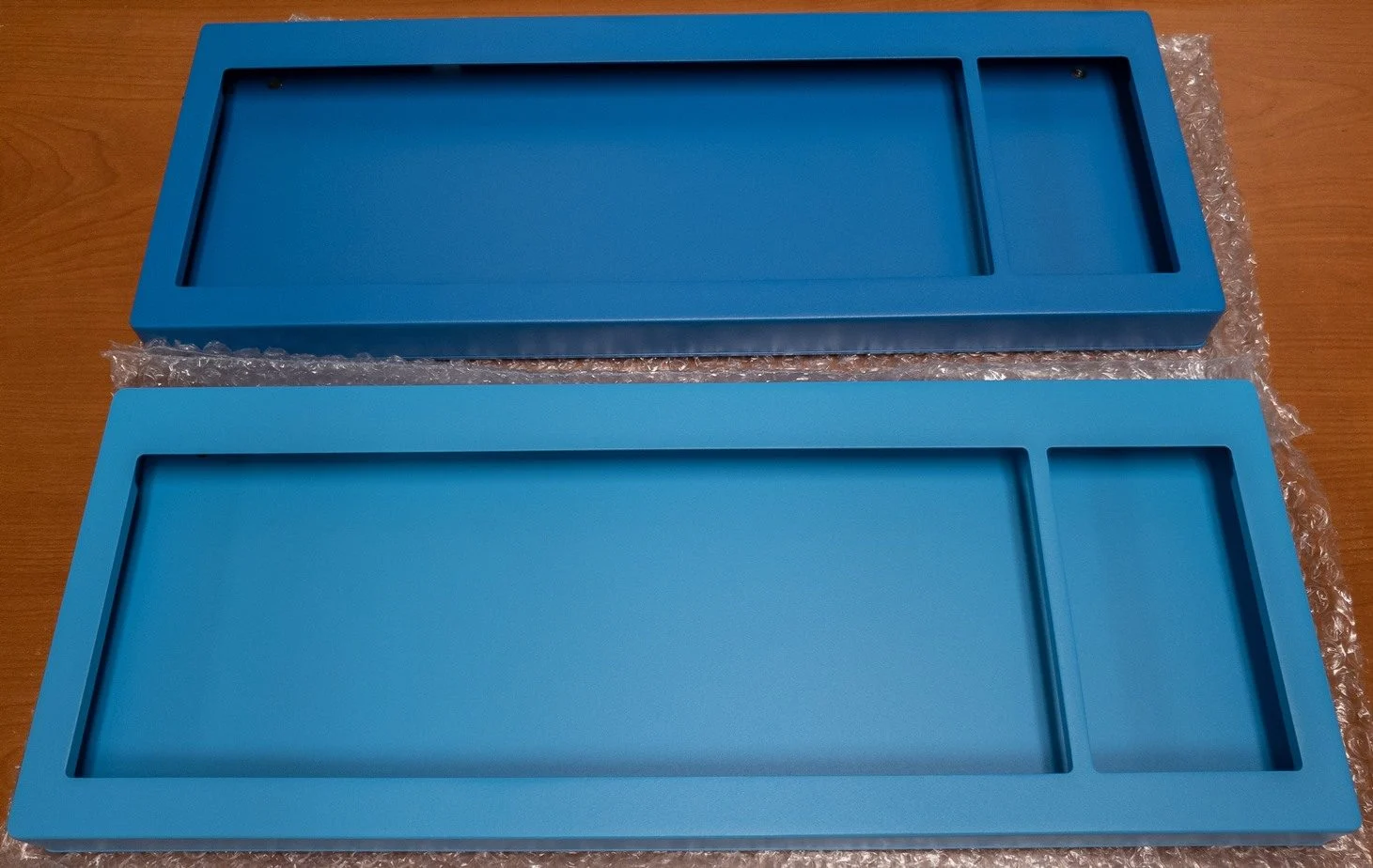
Important reading: delivery time and other disclosures, Limited Warranty information
1-Year Limited Parts Warranty
- For the Beam Spring, we offer a 1-year limited parts warranty covering defects in material and workmanship under normal use.
- If a part is broken in shipping from me to you, a replacement part will be mailed at my expense. The included 4-module mini-first aid kit exists to serve as “advance replacement” for up to 4 modules broken in transit. If 4 modules are broken for example, your kit covers these modules and you don’t get to ask for 4 replacement modules. In other words, if 5 modules are broken, you get 1 free replacement.
- If additional modules are broken during the limited warranty period, you will receive a partial replacement “Part B” that you will have to assemble – you won’t receive a fully assembled module ready to install or an entire replacement keyboard. As part of the warranty, you are required to take apart the module to replace the Part B (see the manual; no tools are required once you take the module out of the keyboard thanks to the press fit washer design update). See the Overview page and manual for photos but Part B is that white part inside the module with the MX top cross and the attached thin metal part.
- The warranty explicitly does not cover cosmetic defects (like minor scratches, scuffs, bumps, and lost paint on the powdercoated finishes) and subjective preferences such as the relative feel, snappiness, or smoothness of your reproduction keyboard compared to the originals or to any other keyboard.
- For a full explanation and plain-English summary of the limited warranty, see below.
- Use other cherry MX keycap sets at your own risk. Use the project’s keys as they were tested. So far other sets have not had any issues (including the well-known sets like MT3) but this statement is just made from a liability perspective as Model F Labs cannot be held liable for damage to or by other company’s products.
By placing an order you agree with the terms and conditions, limited warranty, and privacy policy. You are buying a “SPECIAL ORDER” made-to-order product that will take an extended amount of time to produce and deliver to you. For the purposes of full disclosure at the time of sale, all goods are considered made to order and will take longer than 30 days to deliver. All sales are final. In general, most in stock items (items made to order from in-stock parts) have a normal backlog of about a month or two, but sometimes longer. Many items in the shop are made to order at the factory and disclosed as such; these items do not ship in a month or two but instead are subject to the production timelines specified.
Model F Labs goods are subject to the safety and legal warnings noted here and may be covered by the below limited warranties, divided into Model F and Beam Spring goods. Legal, safety, and limited warranty information for this MODEL F LABS LLC product is available by clicking the links below. These printed booklets on green paper are also included with your order and are the same as what is attached here.
Download: Model F Limited Warranty
Download: Beam Spring Limited Warranty
Plain-English Summary & Legal Disclaimer
Please Read: Convenience Summary vs. Legal Terms
We have provided a plain-English summary of our policies below so you know exactly what to expect when ordering a Model F or Beam Spring keyboard. However, this summary (and my various writings and postings on the internet) is for your convenience only and is not a substitute for the full legal terms. In the event of any conflict, discrepancy, or dispute, the full Terms and Conditions text in the linked pages and files shall strictly govern and control.
As many of you know, managing a multi-year effort to bring the classic Model F and Beam Spring keyboards back to life is an immense undertaking. Because I am a one-man operation, my time is heavily stretched between factory coordination, customer communication, quality control, and preparing and shipping thousands of keyboards and parts all over the world. To protect the business, balance my time, and ensure I am able to supply these fantastic keyboards and parts, I must establish formal legal policies.
Why is a warranty limited? Is that normal?
Yes. Colloquially we just call them warranties, but for legal reasons you’ll often see it is in fact a limited warranty. Just about every product you buy has a Limited Warranty and most of these products are not paying any labor charges to fix items; they are just replacing the parts, same as what the keyboard project is doing. If your computer monitor or motherboard breaks, a repair professional is not likely to spend a few hours to try to repair it. These things aren’t built to be as repairable as IBM’s keyboards. Nowadays products are “value engineered” so that they perform flawlessly for the length of the warranty, with zero user work required, but often fail soon after and can’t be repaired economically (look up value engineering examples like sealed plastic drums on washing machines, linear compressors on refrigerators, molded plastic tubs instead of metal for dishwashers, and plastic gears on inkjet printers). One customer support rep for a well-known mechanical keyboard company allegedly admitted in writing that their products aren’t expected to last more than 2-3 years.
This project takes a different approach: the user puts some time into learning how to set up and maintain their keyboard and is actively encouraged to pick up spare parts now so their keyboard is truly theirs to own for decades to come, not to effectively “rent” until it breaks a few months after the warranty and then buy the newer model. The project’s limited warranty does not mean that it won’t last past it, like those value engineered products, but instead that outside of immediate shipping damage you are most likely never to need to use the warranty and you may never have to buy another keyboard again if you put a small amount of time relative to the decades of expected service.
This philosophy was ingrained from my hobbies of collecting and restoring IBM Model F keyboards, Telechron electric clocks, and Western Electric rotary phones, all of which had the same decades-long service record, history of easy field-repairability, and availability of low-cost replacement parts even decades later. Even today you can often easily get a Telechron working again by replacing a universal mass-produced motor (called a “rotor”) that worked for many models, and sometimes by replacing the power cord; the same idea with replacing the various parts of a WE 300-series phone, for example. Not saying your keyboard has to become a hobby for you; most people spend a few minutes per year adjusting a couple springs or keys and that is it. Intricately assembled goods that are not designed to be disposable quite often need occasional care and maintenance for a long life. Better than throwing a 3 pound “gamer” keyboard in a landfill every few years when the FPC connection fails.
If I were to offer an unlimited, labor-inclusive warranty, the logistics would be impossible. Shipping a heavy, 8-to-10 pound metal keyboard back and forth across the world is incredibly expensive and actively invites unnecessary transit damage. More importantly, the sheer time sink of performing minor shop repairs would quickly bankrupt a solo operation and halt mailing out the backlog of orders for everyone else patiently waiting.
These keyboards are built to be heirloom quality, using buckling spring and capacitive designs that can be fully disassembled and repaired with common tools like screwdrivers and pliers. This design is inherently meant for easy self-maintenance. You can see online examples (including my 1/1/26 blog post) of IBM’s history of well-built products through their repair history log tags, a testament to a long-term focus and commitment not often seen today. Establishing these boundaries ensures the project remains financially sustainable. Ultimately, setting these limits is the only way to guarantee the business can survive.
I have expectations that all project supporters share my DIY attitude because I’m not some enormous company that can afford to hire staff for personalized support or write off and mail entire order replacements and extra round-trip shipping costs because profits are so high and the item costs are so low or so unrepairable that it’s not worth trying to fix them. This doesn’t mean that you have to spend all your time assembling a keyboard: these boards come fully assembled, except for the keys and extras; this is quite normal for high end keyboards. The reason is that there are already hundreds of variations and if you multiply that by the dozens of key sets, there is no way to predict all of that especially when some variations without installed key sets might only have a few units produced and a couple dozen possible key sets to choose from. And as a one-man operation I don’t have time to set up every person’s order.
While legal boundaries are necessary to protect the project from unmanageable labor costs and unreasonable liabilities, they are also highly beneficial for your consumer rights. Clear policies mean transparency: you know what to expect for the order backlog and shipping timeframe, when your keyboard arrives, what safety guidelines to follow, and the exact steps for getting help if something goes wrong. It eliminates the guesswork and ensures a fair, consistent standard for everyone. I have to set expectations for my customers and for that reason the warranty has to be limited.
Here is the plain-English breakdown of the terms found in the booklet:
The “DIY” Culture of these Keyboards
- These keyboards are professional-grade mechanical assemblies delivered in a pre-setup state, and it is entirely expected that a few keys or springs will not function right away straight out of the box.
- As a mandatory condition of final assembly, you must review the manual completely and perform physical adjustments yourself.
- This includes following vital advice found in the manual, such as holding the keyboard vertically with the space bar side up when installing keys.
- The design of the Model F allows for easy self-adjustment, meaning most issues (like a non-functioning key) can be easily fixed by re-seating a spring after watching a tutorial video. Similar thing with the Beam Spring keyboards: modules can be easily disassembled after watching a video and reviewing the manual.
- Because self-adjustment avoids the risk, cost, and time of shipping the keyboard back, our warranty will not cover items that are considered user-fixable, nor will we accept support requests until you have followed all setup and troubleshooting steps.
- Any tools required for these adjustments, such as pliers, a key puller, or a screwdriver, are to be purchased at the user’s expense.
1-Year Limited Parts Warranty
- We offer a 1-year limited parts warranty covering defects in material and workmanship under normal use.
- If a part is broken in shipping from me to you, a replacement part will be mailed at my expense. See the manual for the documentation and (if required) troubleshooting steps for emailing me.
- This warranty applies only to the original purchaser who bought directly from MODEL F LABS LLC; it immediately terminates if the keyboard is sold or transferred to someone else.
- There are two major reasons why this is strictly a PARTS-ONLY warranty, meaning labor is not included.
- The first reason is because my labor time is incredibly limited as a one-man operation coordinating production with the factory, assembling and shipping orders, responding to inquiries, and a million other things. That is why there is an extensive manual which puts the user in control of setup and maintenance adjustments.
- The second reason is because of my project goals. I want to emphasize the importance of Buy It For Life and the responsibility to repair (not only the right to repair). I also want to make these keyboards as affordable as possible while maximizing the reach of these keyboards all around the world. If I had to pay international round-trip shipping ($150 to $200) to fix every single normal adjustment described in the manual, I would be forced to pass along these expected shipping and labor costs to every customer. If people had to pay $600 to $700 instead of $400 and I took care of everything, yes those few customers who could afford to pay double would be happier but the project would have failed in its goal to make as many keyboards at as low a cost as possible while maintaining full quality standards. I believe that the demand curve is highly elastic for mechanical keyboards: the required percent increases in price would be far outweighed by a much larger percent drop in demand.
- I do not perform labor for a service fee but disclose such a rate in the booklet for legal protection.
- The warranty explicitly does not cover cosmetic defects (like flaking paint, scratches, or dents), key legend alignment, or subjective preferences like the level of sound and tactile feedback.
- Any problems caused by user negligence, improper installation, natural disasters, alterations, or normal wear and tear are not covered.
Shipping and Transit Damage
- If your keyboard sustains visible, non-cosmetic damage during shipping, you must report it to us within 72 hours of delivery. Failure to report transit damage within this 72-hour window means you accept the physical condition of the goods. This provision is there because shipping carriers require prompt damage reporting for insurance claims.
- For warranty replacements, the customer is responsible for paying return shipping charges and assumes all risk of loss or damage while the item is in transit. This provision is understood to be for mailing large items like keyboards back to me; I’m not asking you to return a broken keycap.
- You must chat with me over email to get approval before returning any product or warranty replacements; unsolicited returns will not be accepted.
Important Safety Warnings
- Very Heavy: These keyboards can cause bodily injury or property damage if dropped on a hand, foot, or glass desk.
- Choking & Safety Hazards: Keep keyboards, bags, and small parts away from children to prevent choking, and replace frayed cables as they present a strangulation and tripping hazard.
- Health Risks: Like any computer input device, use may contribute to health issues such as carpal tunnel syndrome, and some internal metal components may feature sharp edges that can cut skin.
- Prop 65: These products contain chemicals (like chromium) known to the State of California to cause cancer or reproductive harm, which we are legally obligated to disclose.
- FCC Compliance: The equipment complies with Class B digital device limits, but changes or modifications without approval could void your authority to operate the equipment.
Legal Limitations (The Fine Print)
MODEL F LABS LLC is not liable for incidental, indirect, or consequential damages, including time lost, lost wages, downtime, or damage to your computer equipment.
These keyboards are intended for their original purpose only: typing indoors at a desk.
Using the product unreasonably voids the warranty.
All claims and terms are governed by and enforced in accordance with the internal laws of the State of New York.
Weight:
Classic Case F77 8.3 lbs. and F62 7.5 lbs.
Compact Case F77 4.4 lbs. and F62 3.2 lbs.
Classic F104 7.7 lbs., F122 8.7 lbs., and FSSK 6.6 lbs.
Classic B104: 8.8 lbs., BSSK 7.0 lbs., B122 10.0 lbs., B62 5.2 lbs.
Classic Case F77 3.8 kg and F62 3.4 kg
Compact Case F77 2.0 kg and F62 1.5 kg
Classic F104 3.5 kg, F122 3.9 kg, and FSSK 3.0 kg
Classic B104: 4.0 kg, BSSK 3.2 kg, B122 4.5 kg, B62 2.4 kg
Primary metal parts:
Case (zinc for the original F62/F77 style; aluminum for the other cases)
Top and bottom inner assembly plates and springs (steel)
Cases and top inner assembly:
Powder-coated finish
Product Dimensions:
19.1×8.3×0.9-1.6in (Classic F104)
15.8×8.3×0.9-1.6in (Classic FSSK)
21.1×8.3×0.9-2.2in (Classic F122)
14.1×7.0x1.1in (F62)
16.7×7.0x1.1in (F77)
12.4×5.7×1.0in (F62 compact)
15.0×5.7×1.0in (F77 compact)
18.4×7.4×0.9-1.2in (Compact F104)
15.0×7.4×0.9-1.2in (Compact FSSK)
8.0×7.3×0.9-1.2in (F15)
13.4 x 8.3in (B62)
16 x 9.8in (BSSK)
19.3 x 9.8in (B104)
21 x 9.8 in (B122)
(All Round 2 beam spring case heights are 1.5in in the front to 1.9in in the back)
486x210x22-40mm (Classic F104)
400x210x22-40mm (Classic FSSK)
535x210x22-55mm (Classic F122)
357x178x29mm (F62)
423x178x29mm (F77)
315x145x25mm (F62 compact)
382x145x25mm (F77 compact)
467x187x23-30mm (Compact F104)
381x187x23-30mm (Compact FSSK)
203x185x23-30mm (F15)
341 x 210mm (B62)
406 x 248mm (BSSK)
491 x 248mm (B104)
535 x 248mm (B122)
(All Round 2 beam spring case heights are 39mm in the front to 49mm in the back)
Firmware compatibility:
Vial (GUI version of QMK, open source)
Keycaps:
Model F/M style PBT caps with dye-sublimated legends Beam Spring: PBT double shot MX-compatible
Keyboard technology:
Model F capacitive buckling spring
Capacitive beam spring
Controller Interface:
USB-C
Microcontroller:
ATmega32U2 (xwhatsit) or RP2040 (Leyden Jar)
xwhatsit used on all keyboards except F122/B104/B122
OS Compatibility:
Windows, OS X, Linux, Android, iOS
Screws – regular philips head (+) and T8 screws
Note: Specifications are approximate and subject to change. Refer to the manual for additional requirements and setup tips (example: some underpowered ports, unpowered usb hubs, or KVM switches may not work as expected).
“In 3 days, the Model F Labs F62 has destroyed my ability to tolerate anything else.”
— reddit review
Why People Love Our Keyboards
See important disclosures below regarding the selected reviews and testimonials on this page. Reviews on this page are either quoted (if the content is in quotation marks) or summarized (all content not in quotation marks is paraphrased; click the link for the full review where available (reviews without links were sent to me directly). If you would like to send me a review, kindly send me an email! It would be much appreciated.
Model M Style FSSK
Round 2 B104 Beam Spring with Industrial Gray case
Round 2 B104 feedback compared to the IBM original Selectric typewriters
Classic FSSK in Industrial Gray - kind words from Alix S.
F122 with Black Case
Classic F104 - Jan in the Netherlands
F104 and FSSK user
Round 2 B104 feedback
Nash, a long-time user
F62
Compact FSSK (Round 1) from Jason in New Zealand
Important disclosures: Reviews pertain to all keyboards sold here, not just one specific type or model. Regarding the selected reviews and testimonials I have collected on this page, why some are direct quotes and some are paraphrased highlights: I often receive very positive and kind reviews over email and recently started asking for permission to share these anonymously (please do continue emailing me your feedback!). For all other reviews, instead of showing direct quotes I may link directly to the publicly shared original postings of these reviews on other websites. All items not in quotations are AI-generated summaries of verified public reviews, with links to the original user’s post available immediately below each summary. Items without links were sent to me privately so there is no public link. The summaries are provided as is to help direct everyone to reviews of a particular aspect or feature that may interest you and are not verified for accuracy; always check the original review and don’t take the summary as being accurate. I never offer payments, free stuff, commission links, or discounts in exchange for this. And as is common for physical goods reviewers, professional content creators may receive discounted or free of charge review samples upon request (depending on their review policies). If you would prefer I remove the link to your review, please email me and establish that you are the account holder.
Cult of Mac | Ars Technica | Hacker News frontpage | ExtremeTech | PC World | Linus Tech Tips
Eurogamer | PC Magazine | Tom’s Hardware | Slashdot | TechSpot | Hot Hardware | Digital Trends
Level1Techs | Chyrosran22 | Linus Tech Tips | LTT Short Circuit
Lazy Game Reviews | Tech Bytes | Gaming Retro | WordTech
“The Best Keyboard Ever Is Back” — Popular Mechanics
“It somehow improves on IBM’s classic” “Best old-school mechanical keyboard” — PC World
“IBM’s Model F keyboards are prized among keyboard enthusiasts…the grandfather of mechanical switches.” — Ars Technica
“The new Model F Keyboard is the best Mac keyboard I’ve tried.” — Cult of Mac
“aficionados also now have the option of purchasing a brand new version of the IBM Model F board from the 1980s.” — PCMag
“Old school geeks alike will argue that the venerable IBM Model F…was the best mechanical keyboard ever made…a deliciously clicky sound that modern day mechanical keyboards have all tried and failed to perfectly replicate.” — Hot Hardware
“The second coming of the high-quality Model F (not to be confused with its more affordable plastic successor, the Model M) isn’t a throwback attention grab from IBM, nor a nostalgia play from Big Keyboard. Instead, it’s the longtime work of a historian in love with the retro keyboard’s unparalleled sound and feel, but frustrated by the limitations of actual decades-old tech.” — HardOCP
“The Model F is considered by many people to be the best keyboard ever. IBM stopped making it in the ’90s and the patent expired. But the keyboard is having another moment.” — NPR
“The Model F is not exactly the mechanical keyboard that started it all, but it may as well be. What’s more, the keyboard and its switches were discontinued decades ago, so if you wanted to put your paws on the legend, you needed to either dig one up in a junk pile or build a time machine. Now, though, you can order one” — Tom’s Hardware
“It was the soundtrack of the Eighties-era office: the clickety-clack of the computer keyboard. More often than not, the instrument at hand was an IBM Model F (or its cheaper cousin, the Model M)—a keyboard that lives in legend among vintage hardware aficionados as the finest ever designed.” — Cornell Alumni Magazine
“IBM rated the switches in the Model F for 100 million strokes per key, about four times the rating for the ones aboard the Model M. That sort of endurance is so long that it practically means “forever,” but in combination with the slightly lower actuation force and the meatier key feel, it means that keyboard aficionados widely prefer the Model F over the Model M.” — The Tech Report
“You can buy a mechanical keyboard right now that has fancy LEDs, various custom key switches, and wireless connectivity. However, some keyboard enthusiasts would tell you that the mechanical keyboard actually reached perfection in the early 1980s. That’s when IBM started producing the Model F keyboard.” — ExtremeTech
“Just like the mechanic who will only buy a specific brand of wrenches, the engineer who has a favorite pair of tweezers, or the amateur woodworker who uses a hand plane made 150 years ago, some people who use keyboards eight or twelve hours a day have realized the older tools of the trade are better. Old keyboards, or at least ones with mechanical switches, aren’t gummy, they’re precise, you don’t have to hammer on them to type, and they’re more ergonomic. They sound better.” — Hackaday
Important note: Reviews pertain to all keyboards sold here (various Model F and Beam Spring keyboards), not just one specific type or model.
Hear the Buckling and Beam Springs in Action
Level1Techs Classic FSSK
Model M style case. A deep dive into the exceptional heavy-duty construction and modern conveniences of these classic boards, proving why they are a lifetime investment.

Chyrosran22 F122 Review
The ultimate vintage keyboard authority reviews the reproduction accuracy, typing feel, and acoustics of the brand new Model F.

Chyrosran22 F104 Review
Classic Model M case style F104 in Industrial Gray

Linus Tech Tips ShortCircuit
A look at the Ultra Compact F104 keyboard
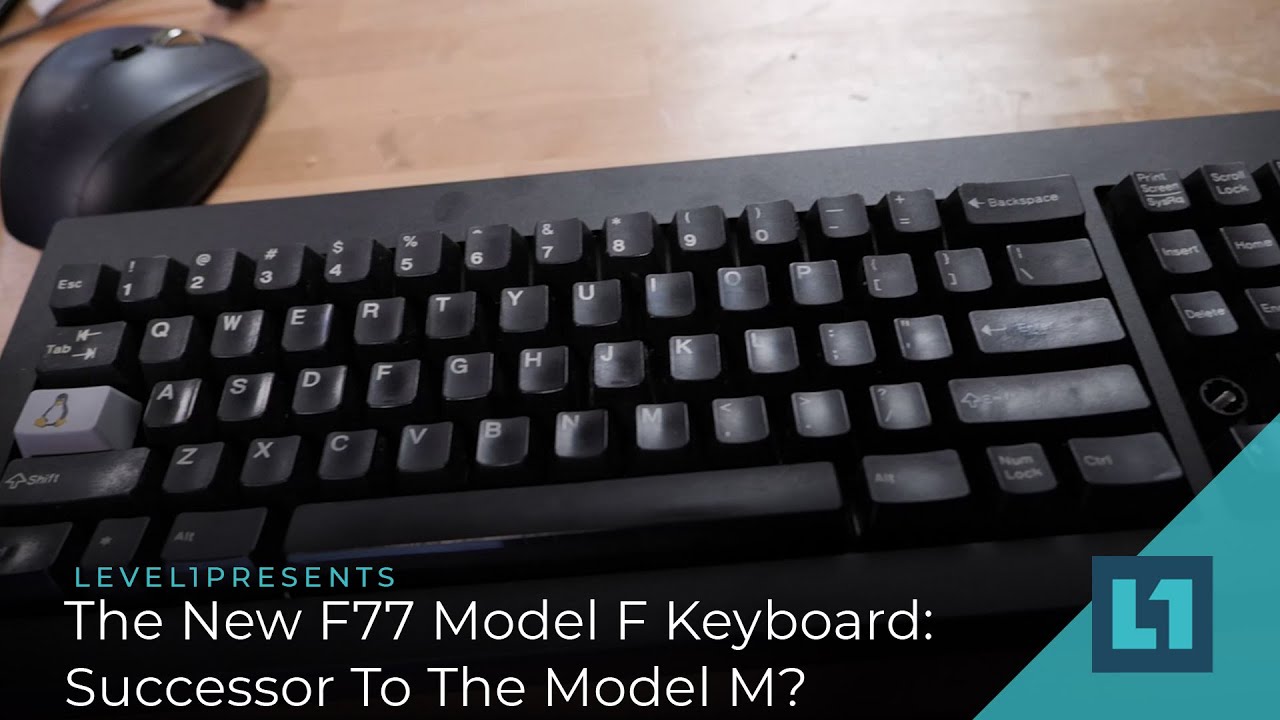
Level1Techs F77
Ultra Compact F77 keyboard

Linus Tech Tips (tech upgrade)
Linus and Alex from Linus Tech Tips, F104
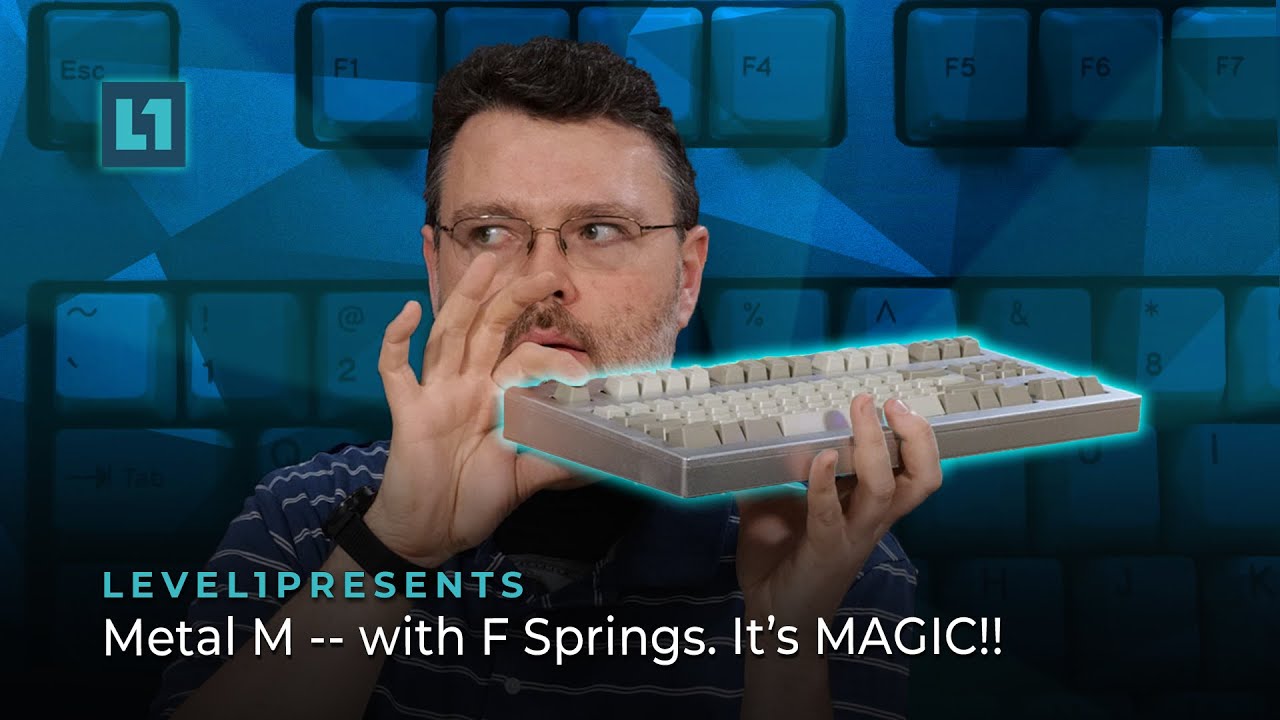
Level1Techs Compact FSSK
Ultra Compact FSSK (Round 1) keyboard

Chyrosran22 F122 Unboxing
An excellent detailed typing experience and unboxing process video for this new Model M style keyboard.

Level1Techs Beam Spring BSSK
Compact Beam Spring BSSK (aka Round 1 BSSK)

1 Year Usage Update
The Takeaway: A long-term review showing how the keyboard holds up flawlessly after an entire year of daily driving.
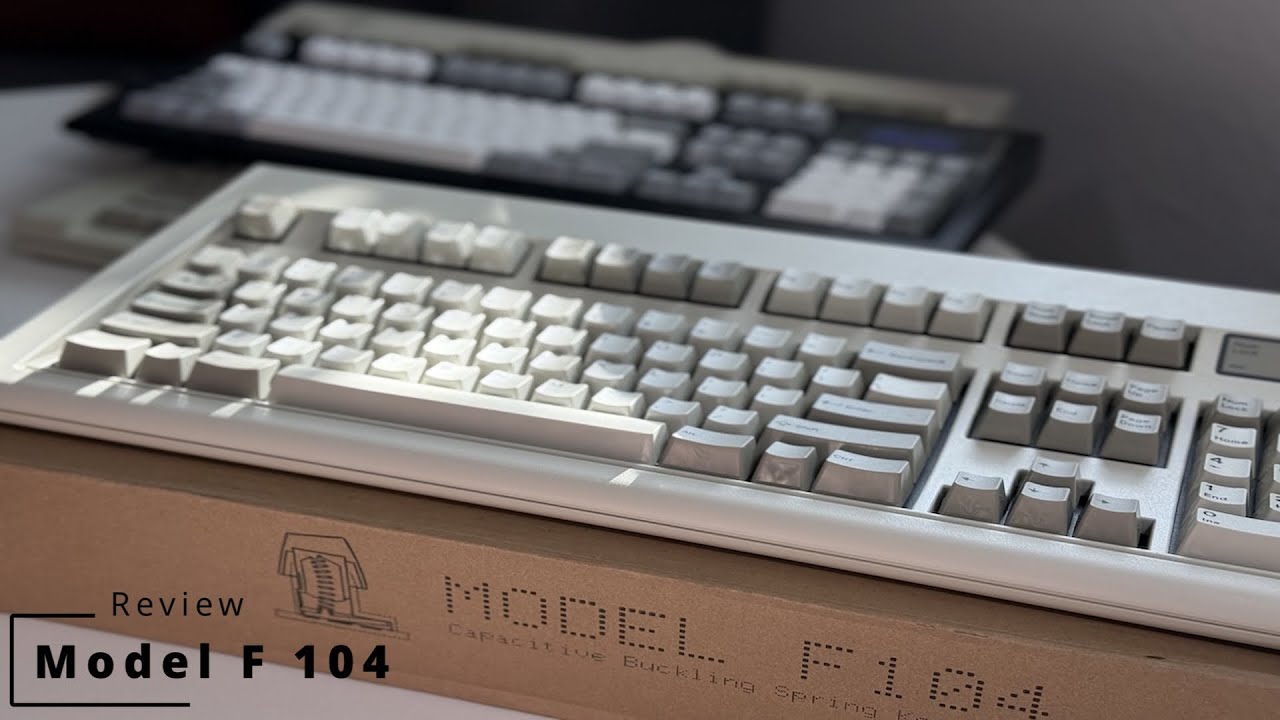
Tech Bytes F104
“The New King of the Buckling Springs”
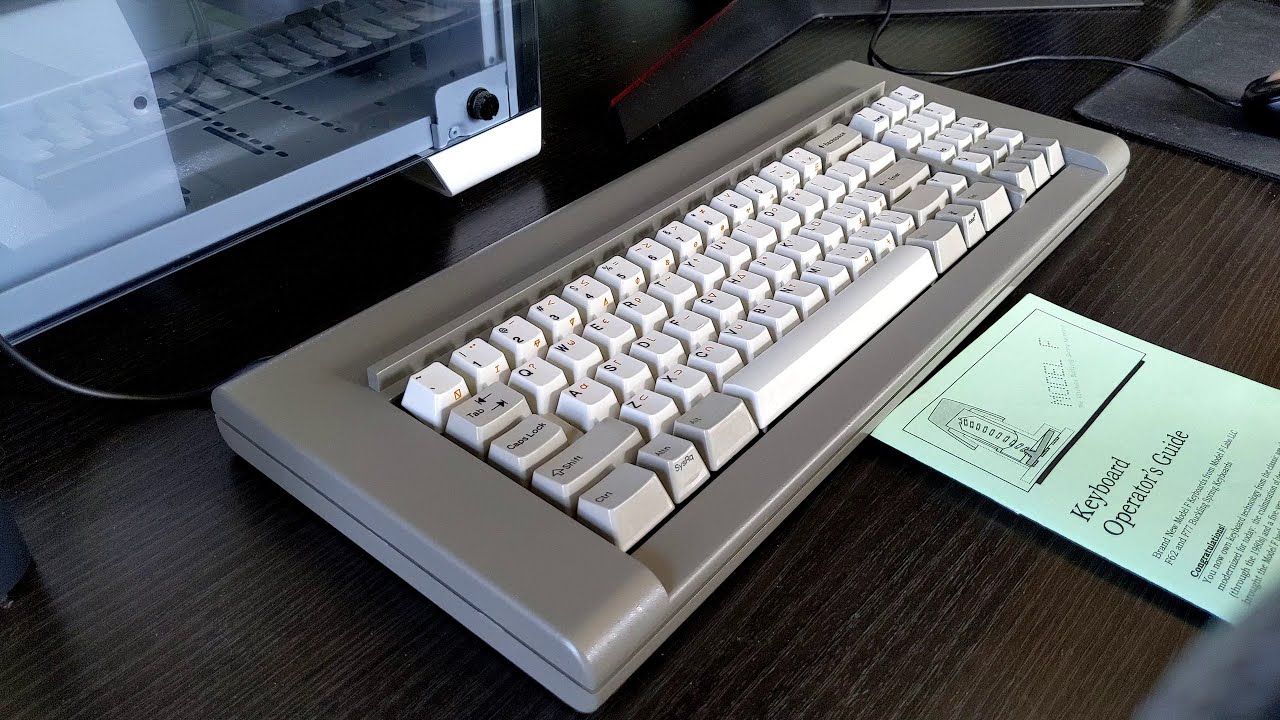
Sound Test
Hear the unmistakable, crisp click of the zinc case Brand New Model F F77 in this pure typing test.

Lazy Game Reviews F77
Classic F77 with heavy zinc Industrial Gray case

Chyrosran22 F77 Review
Classic F77 with heavy zinc Off-White/Beige case

Unboxing and key installation
Typing test of F62 vs. Model M vs. Cherry MX Blue

Tech Bytes Classic F77
A thorough breakdown of the F77, focusing on the acoustics and the legendary buckling springs.

Sharpnel Trading Classic F77
“Vintage IBM Feel, Modern Build”
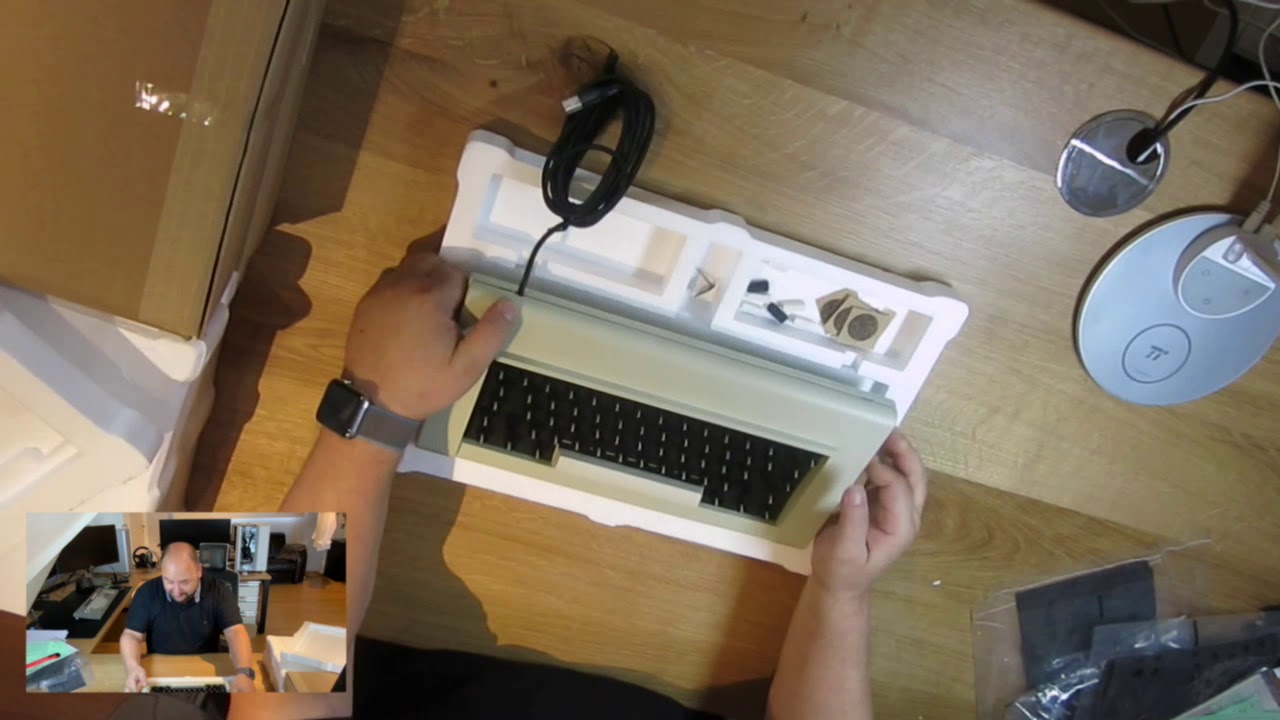
New Model F Unboxing
Classic F62 with heavy zinc Off-White/Beige case

Chyrosran22 F77 Trailer
Classic F77 with heavy zinc Off-White/Beige case
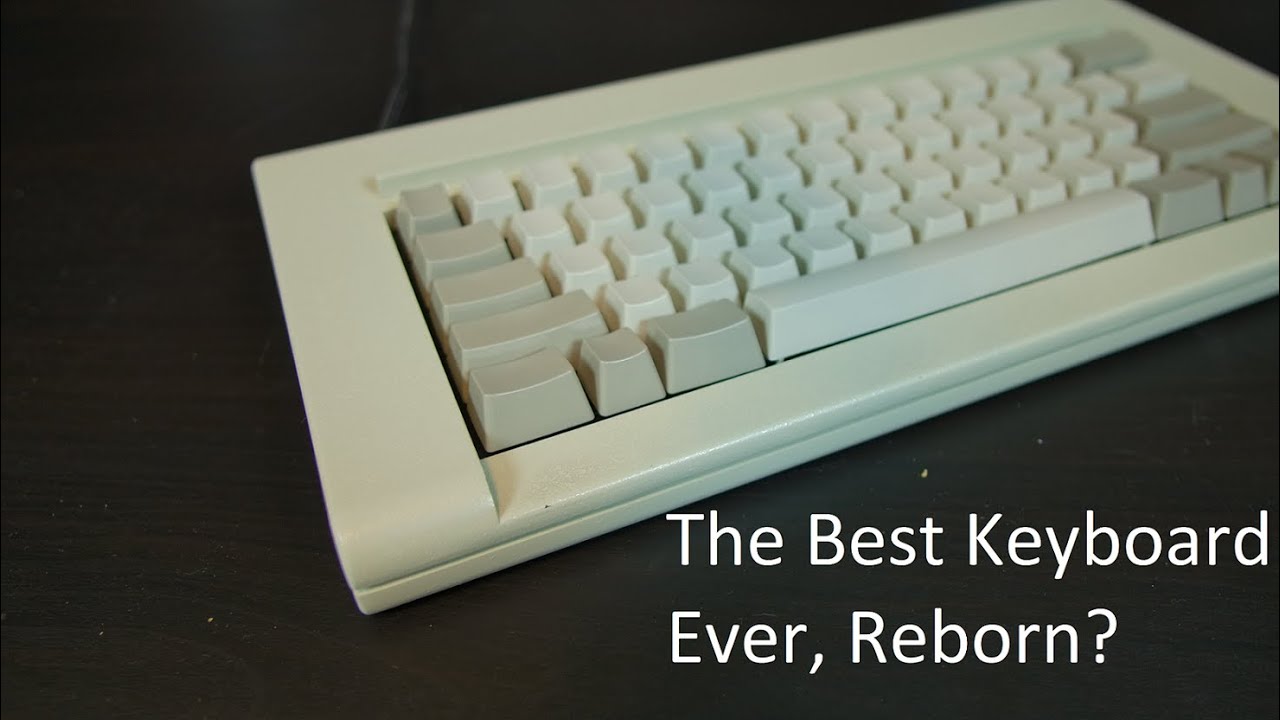
WordTech F62 Review
Classic F62 with heavy zinc Off-White/Beige case
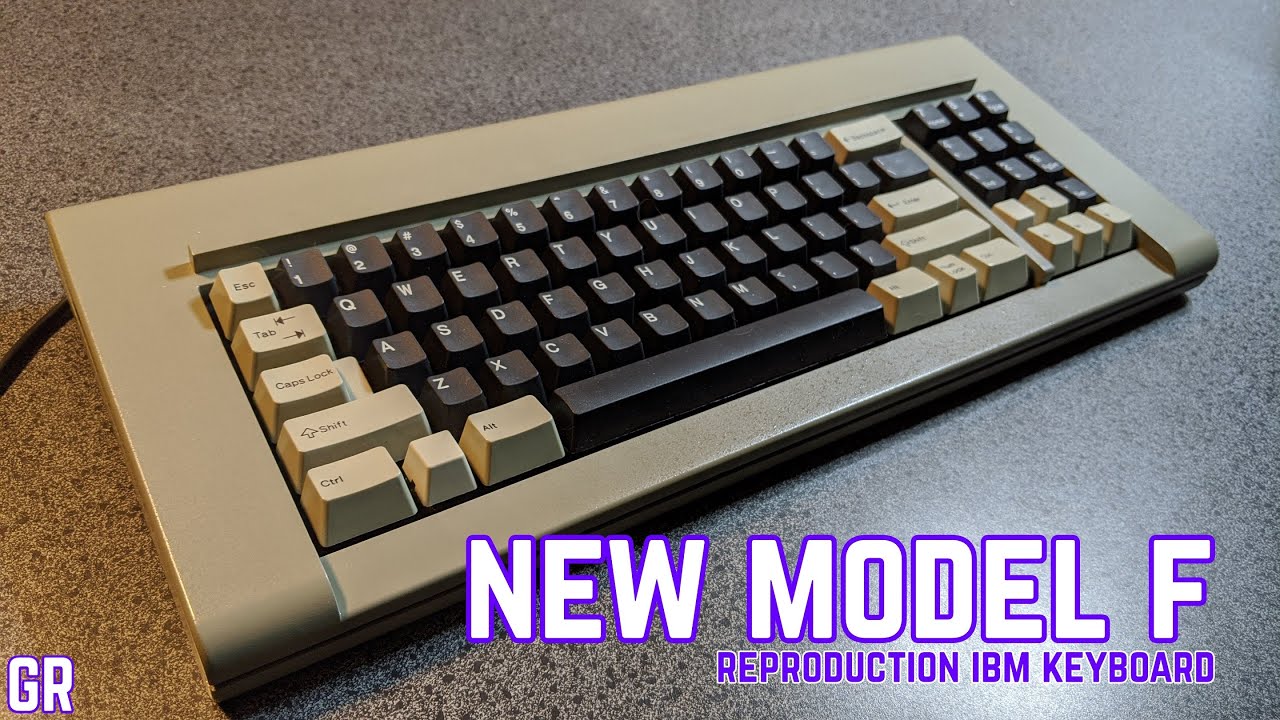
Gaming Retro Classic F77
“The Best Keyboard Money Can Buy?”
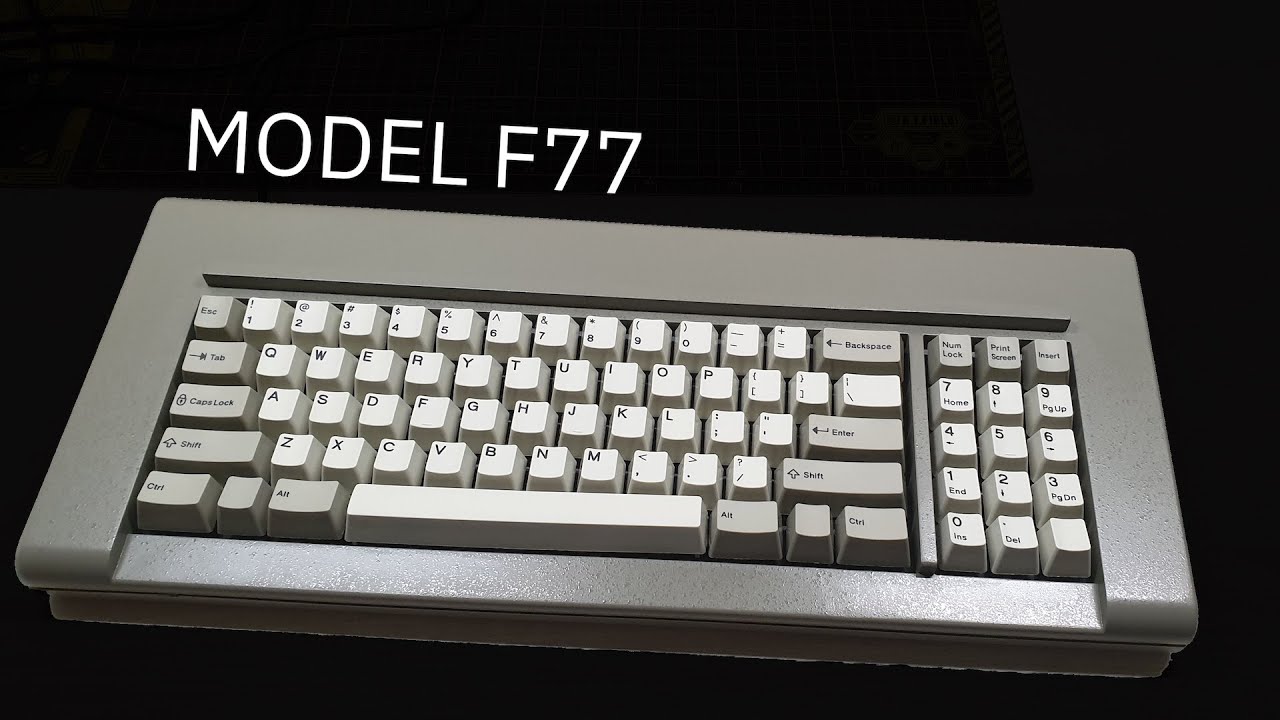
Chinese language review
Classic F77 with Industrial Gray case

HP Handheld Conference
Presentation “Something About Keyboards”

Floss Mod Classic F77
Sound Test

Chad’s Reviews F62
Classic F62 with Off-White/Beige case

Typing test, vintage solenoid
Classic F77 with Industrial Gray case

F62 Typing Test
Sound Test

Typing comparison test
Typing test of F62 vs. Model M vs. Cherry MX Blue

Typing test F62
Classic F62 with Industrial Gray case

Typing test Beam Spring B104
Round 2 Beam Spring B104 classic case style
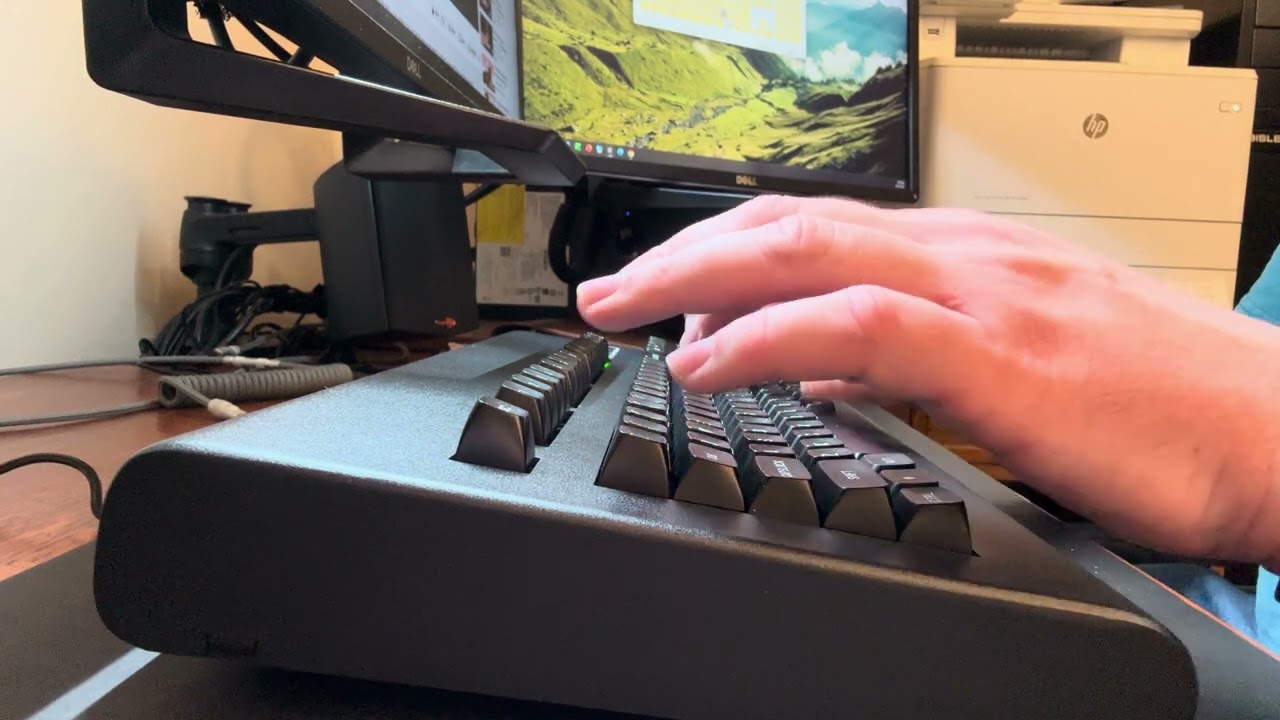
Typing test Beam Spring B104
Round 2 B104 without solenoid
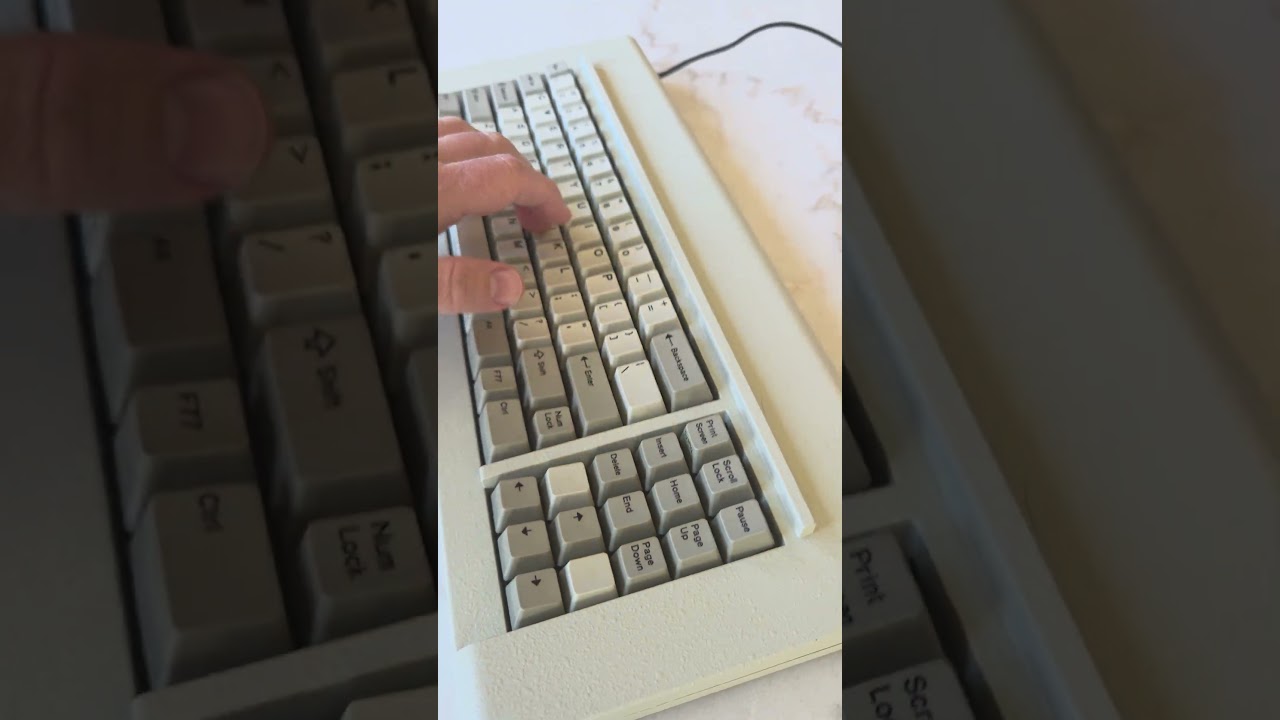
“10lb Beast with Pinball Solenoid?! It’s loud!”
Classic F77 with solenoid
In The News
Adafruit Blog (Beam Spring; 2026)
Hacker News frontpage (Model F)
Hacker News frontpage (Beam Spring; 2026)
Wired (2023; Italian language article)
Ars Technica (2024 2nd mention)
Yourtopia.fr (2023; French and English language article)
BGR: 10 Cool Retro Keyboards (2026)
Keychatter: Mechanical Keyboard News, Reviews, and More
NotebookCheck (German language article)
NL Hardware.info (2023 Dutch language article)
NL Hardware.Info (2017 Dutch language article)
xataka (Spanish language article)
Sweclockers (Swedish language article)
TECMUNDO (Portuguese language article)
Feber (Swedish language article)
Bug Online (Croatian language article)
Macitynet.it (Italian language article)
Tweakers.net (Dutch language article)
instalki (Polish language article)
PC Building GR (Greek language article)
PCLab (Polish language article)
CódigoEspagueti (Spanish language article)
Expansión (Spanish language article)
MuyComputer (Spanish language article)
Olhar Digital (Portuguese language article)
ComputerBase (German language article)
PC Games Hardware.de (German language article)
Mecha-Blog.de (German language article)
UnicornStorm.de (German language article)
TPHOLIC.COM (Korean language article)
Chip Online (Turkish language article)
Tistory.com (Korean language article)
Take a look at some real user images and workspace setups from new Model F and Beam Spring users. These consist of photos that users sent me and allowed me to share; there are many hundreds more that were posted directly on various forums (see the Updates blog posts and the User Reviews tab). Please do email me photos of your new Model F or Beam Spring setup and allow me to share them! Note that images may not show stock configurations; they may include customizations and optional add-on parts.
F104
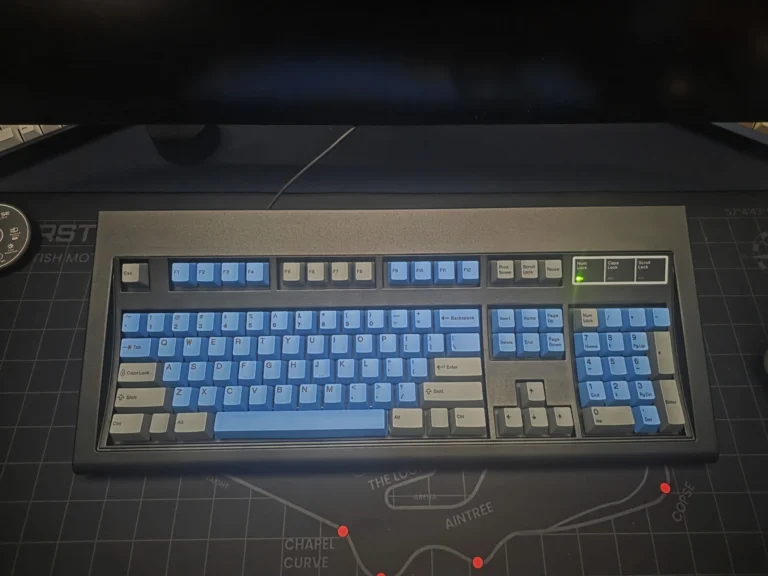

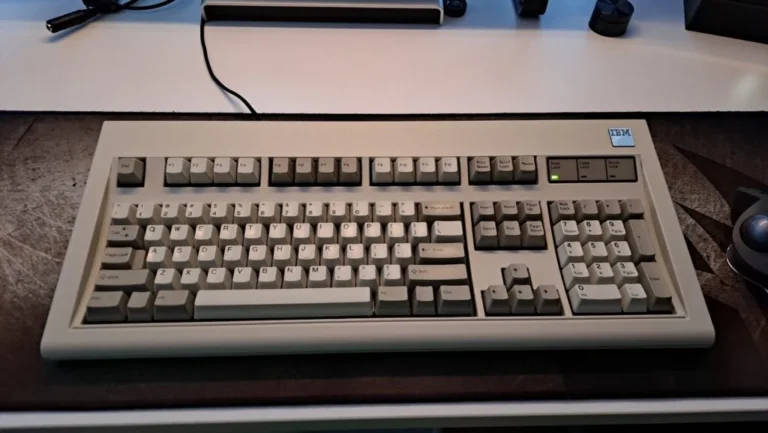
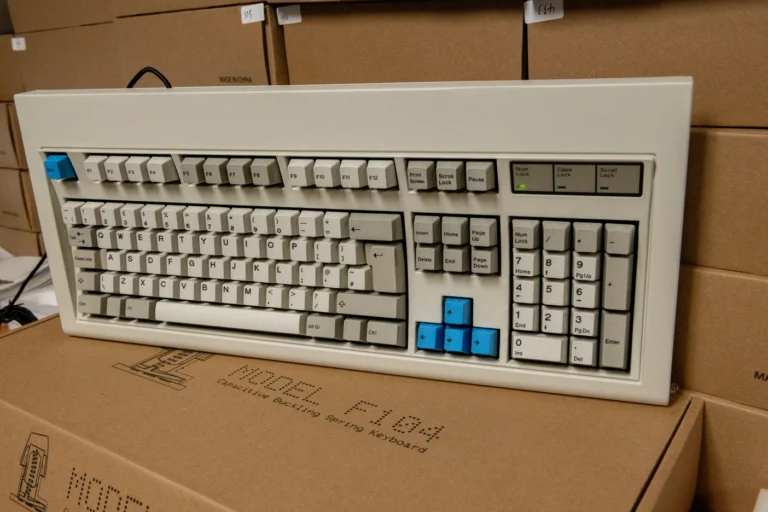
An exception – I took this photo! Customized for Chyrosran22’s review.

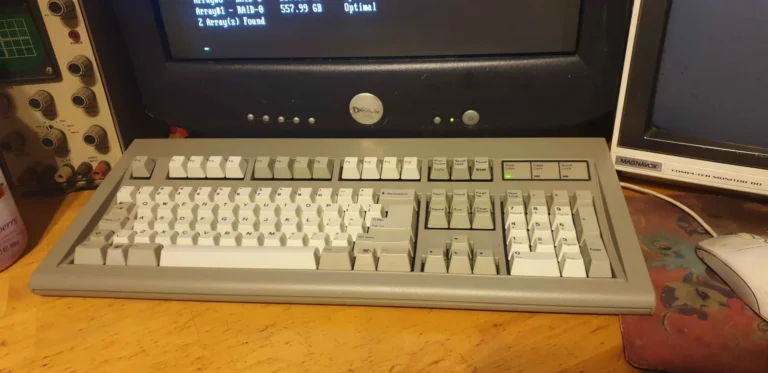
FSSK


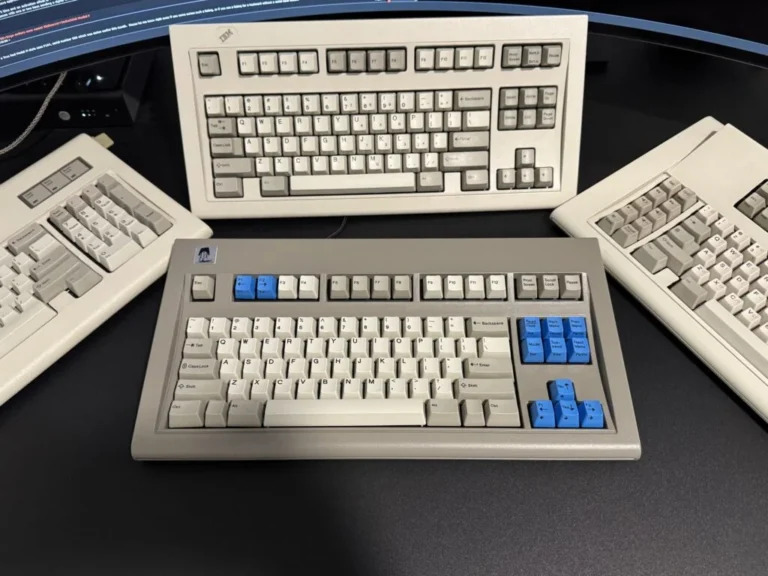

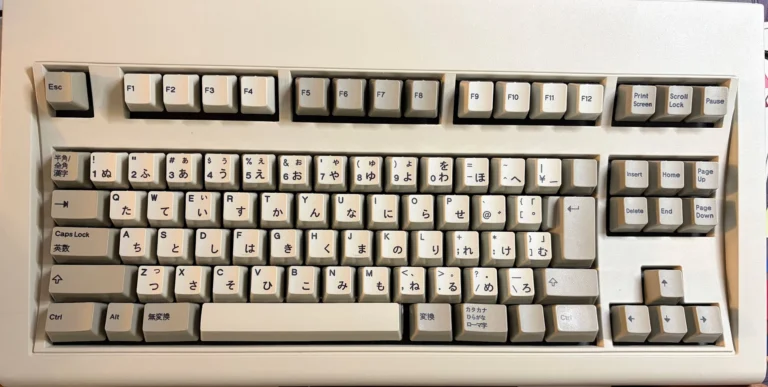
F122
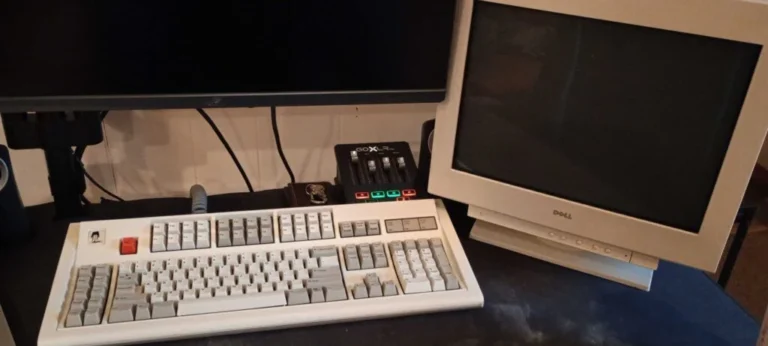

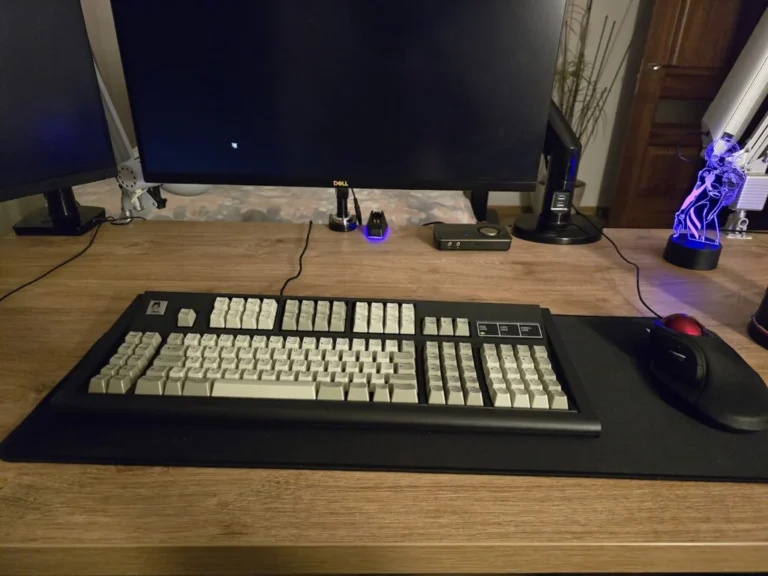


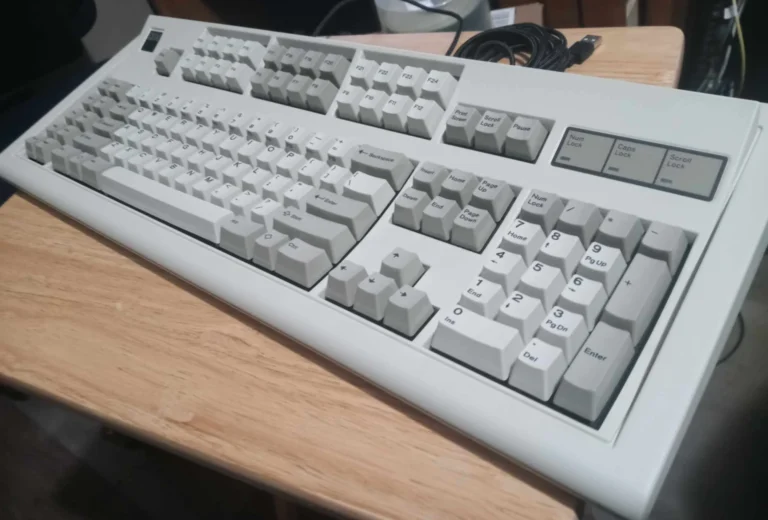

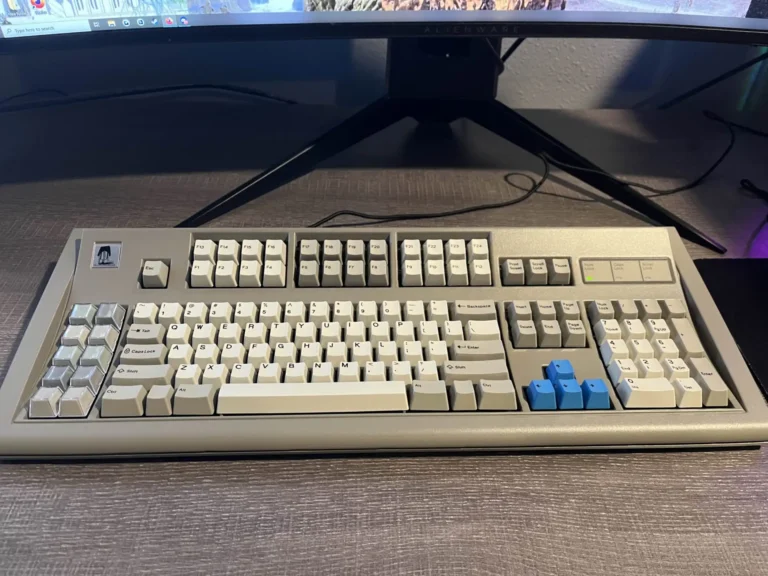
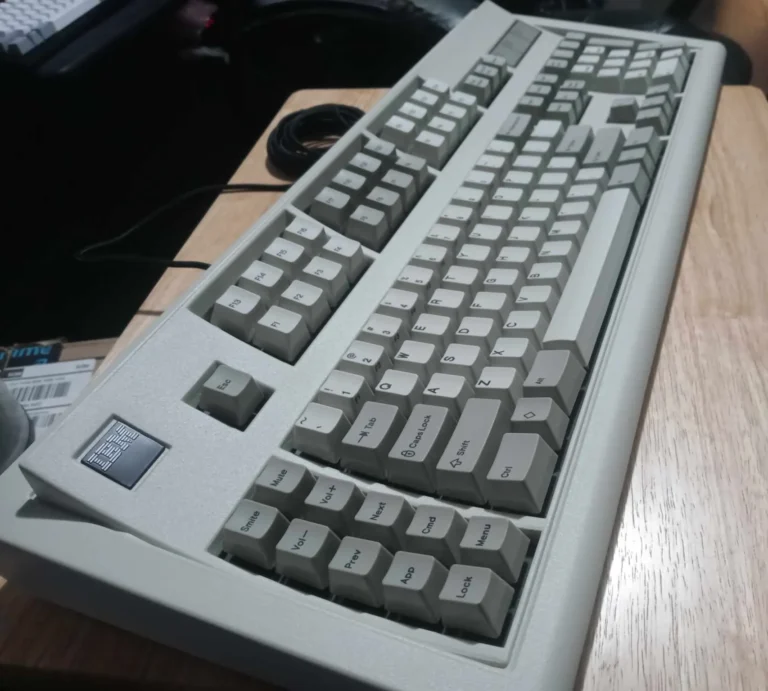


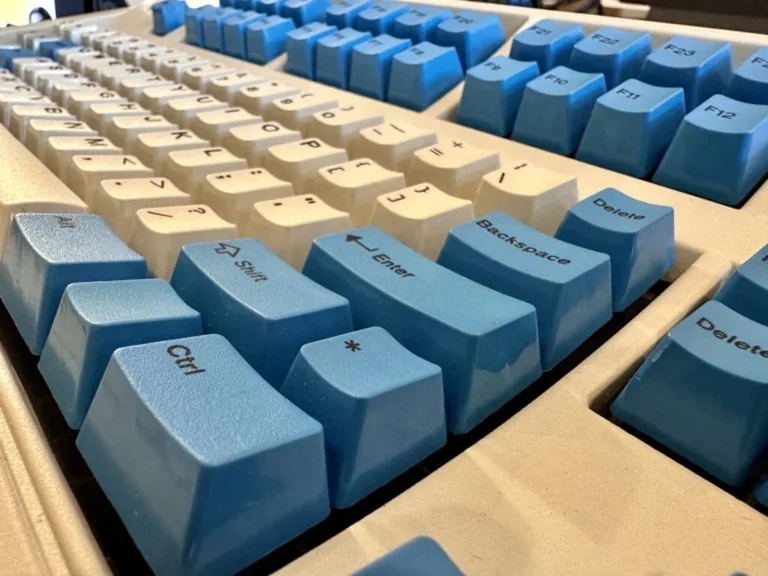


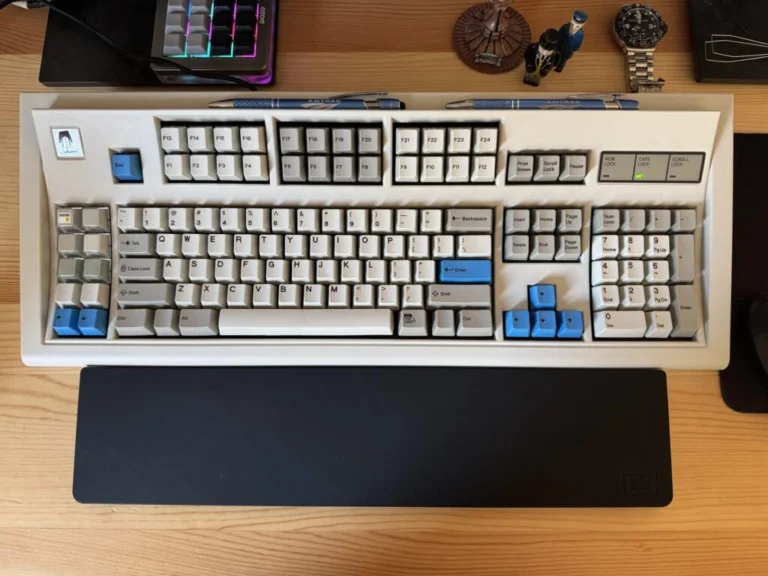
B104


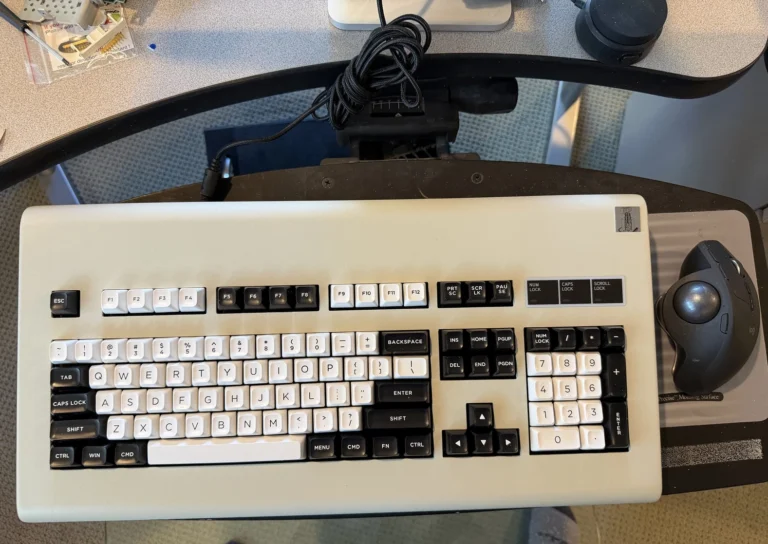


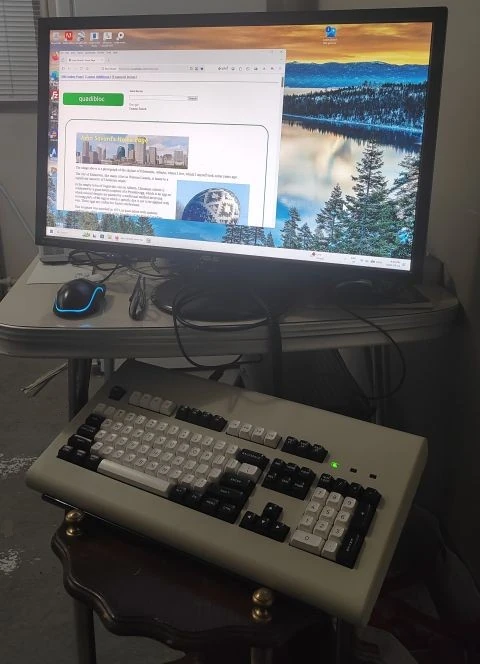
F77
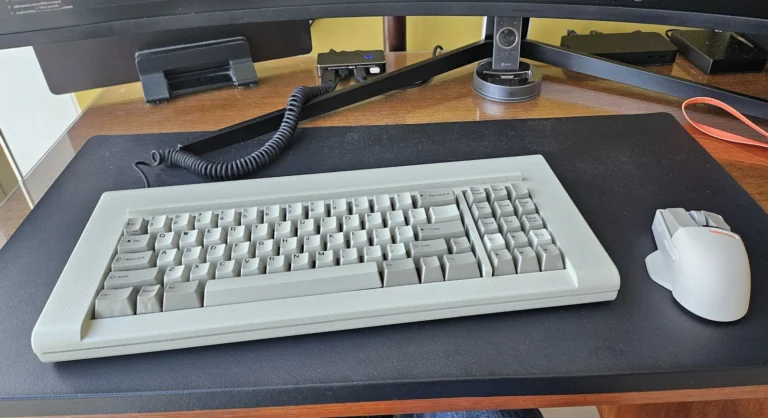
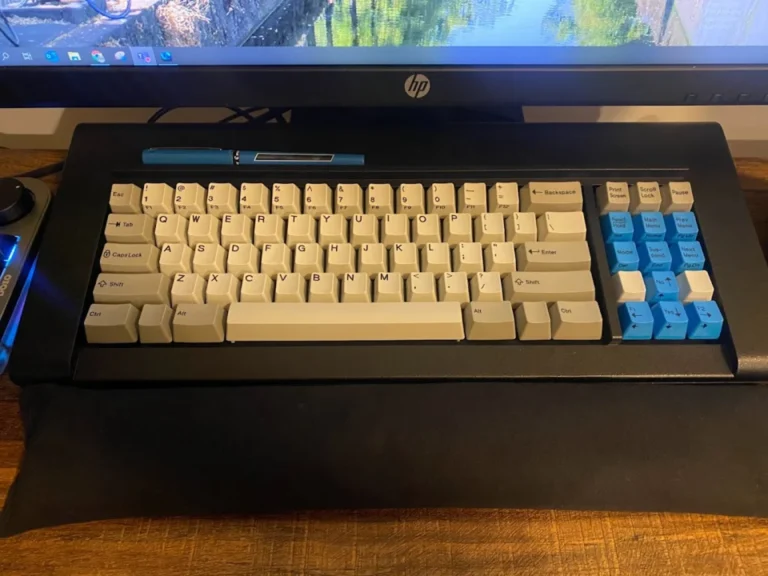


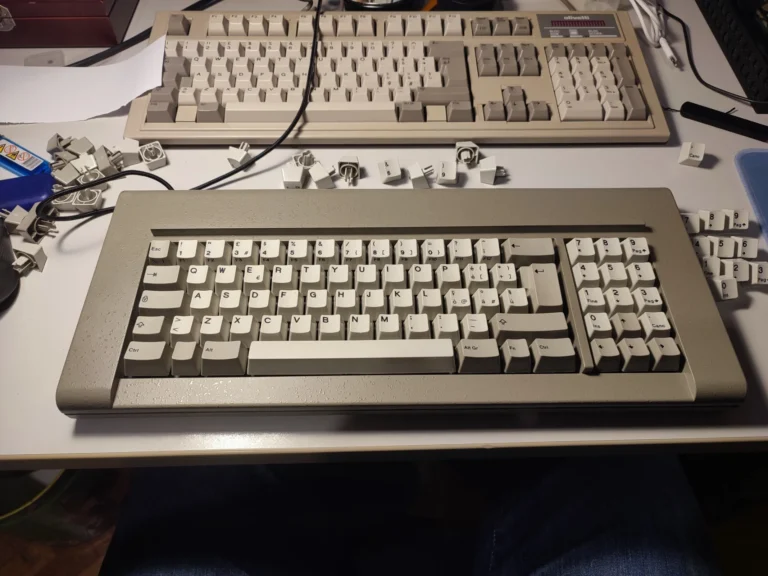
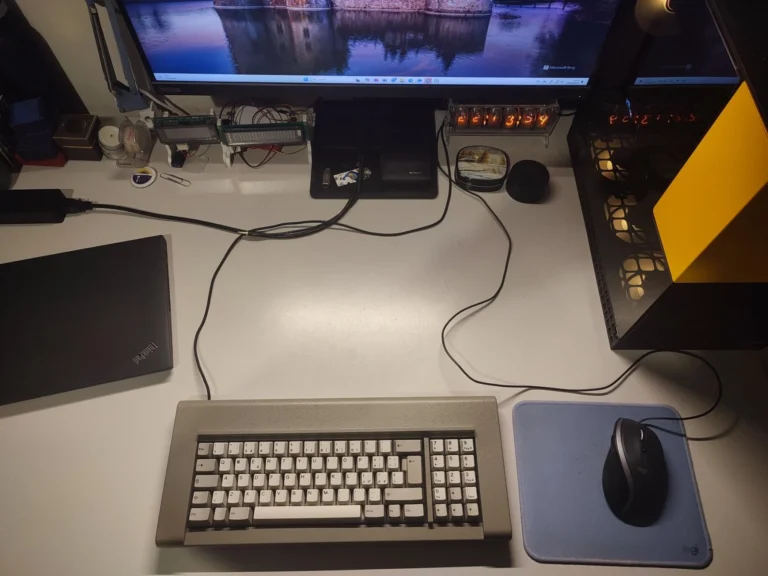
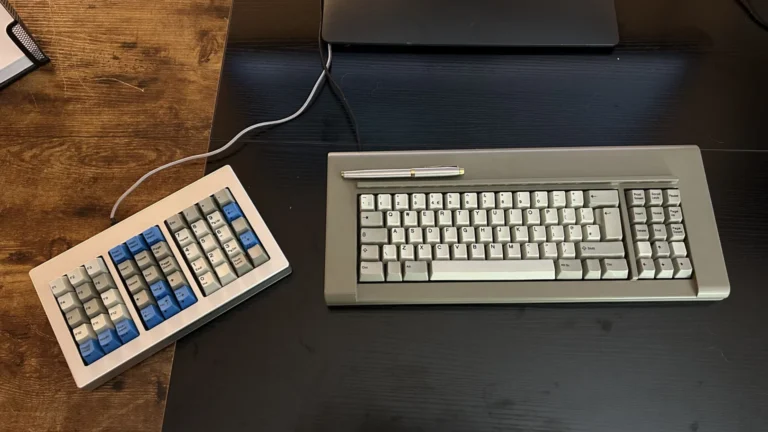

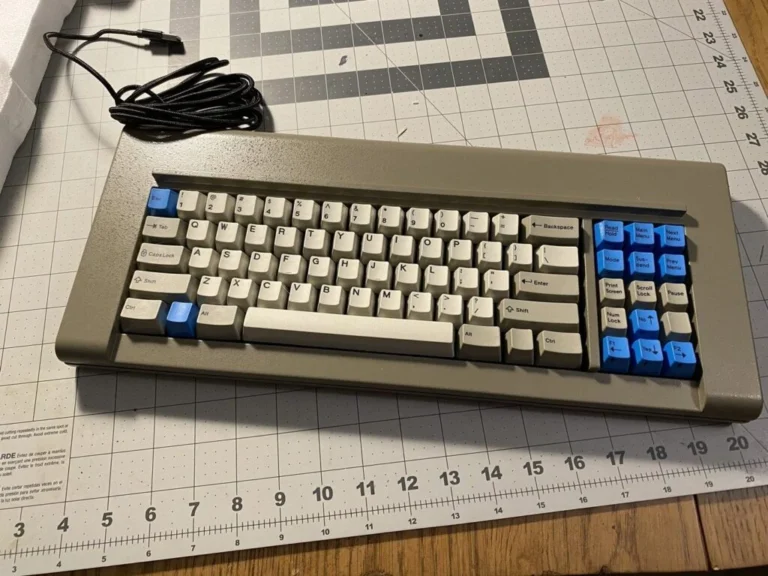

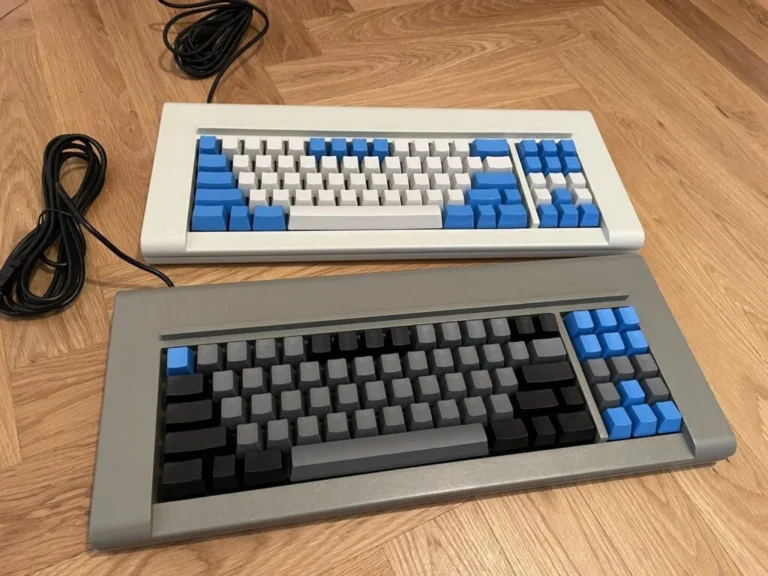
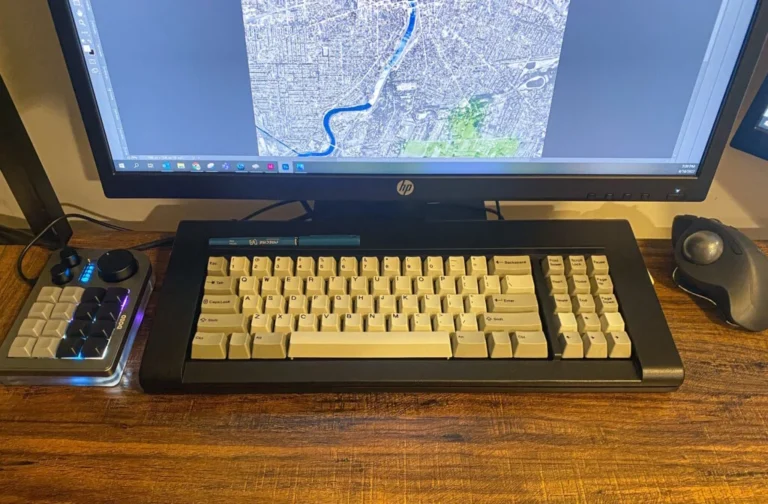


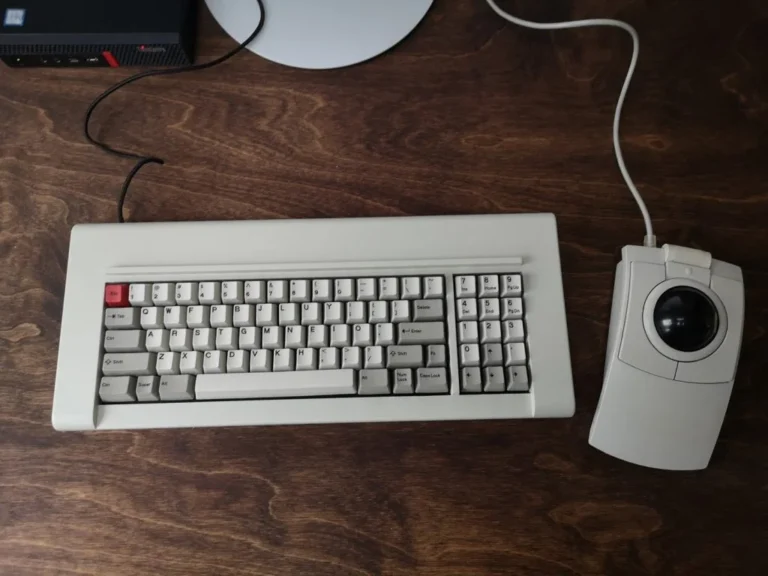
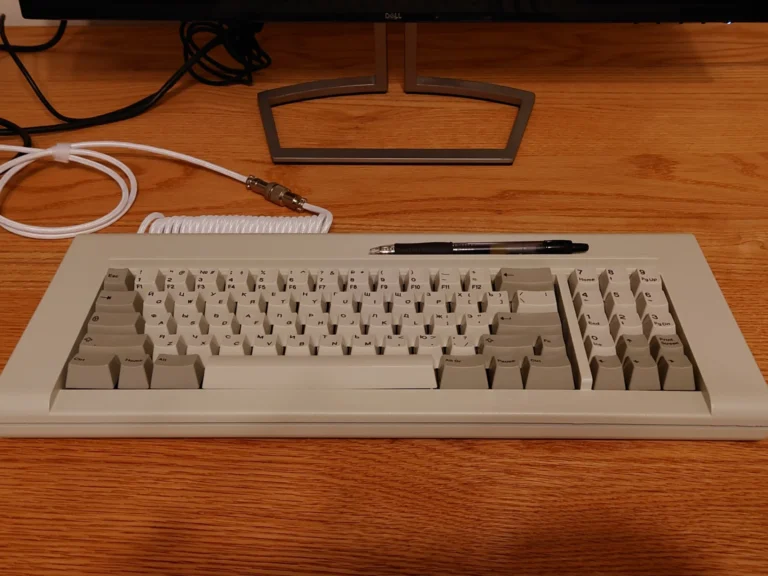
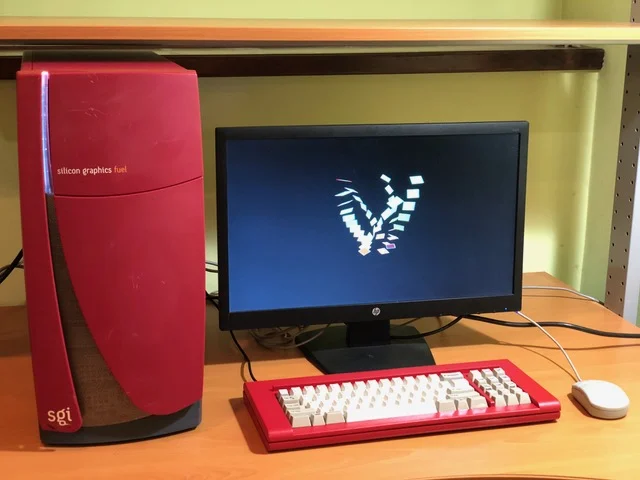
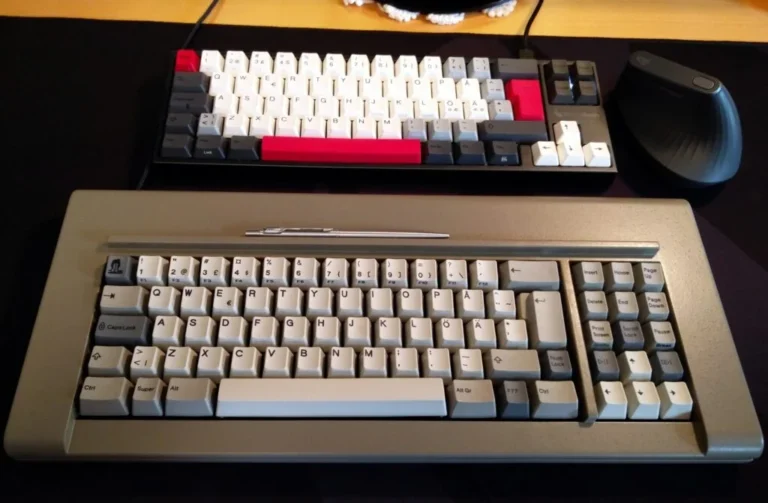
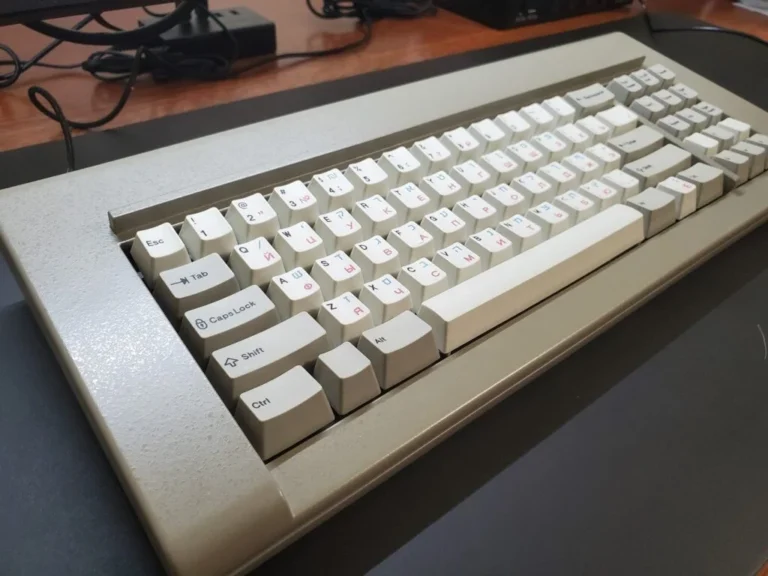


F62

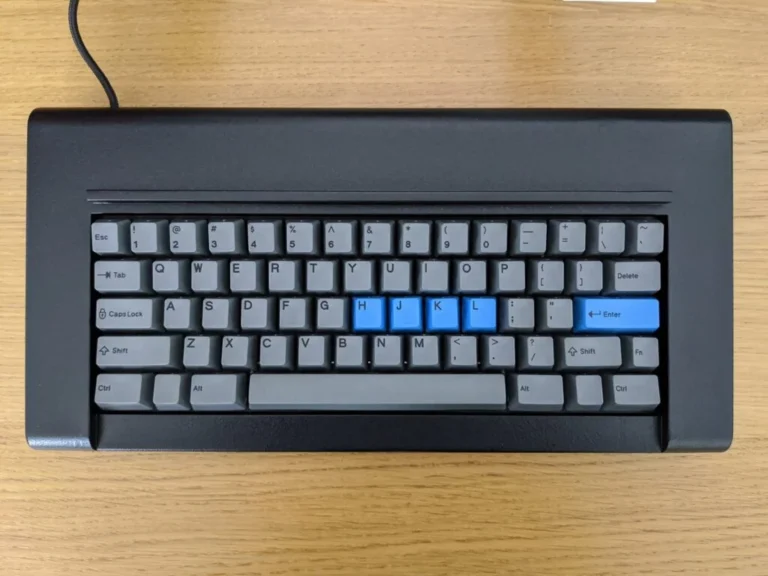
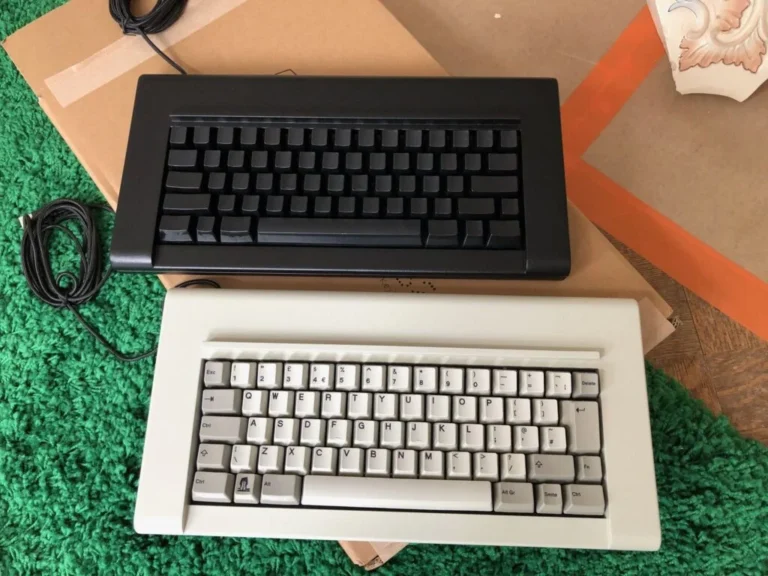


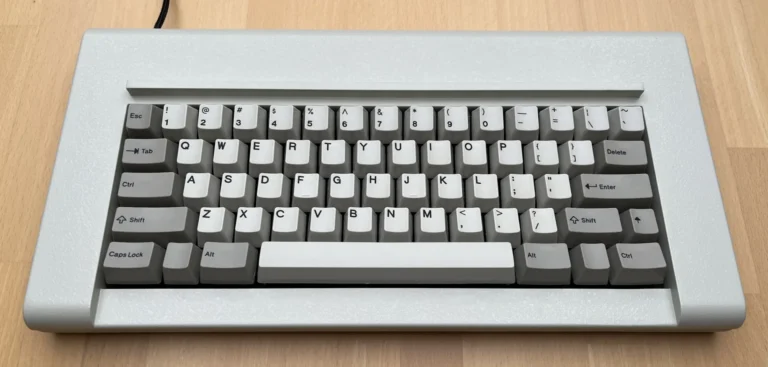

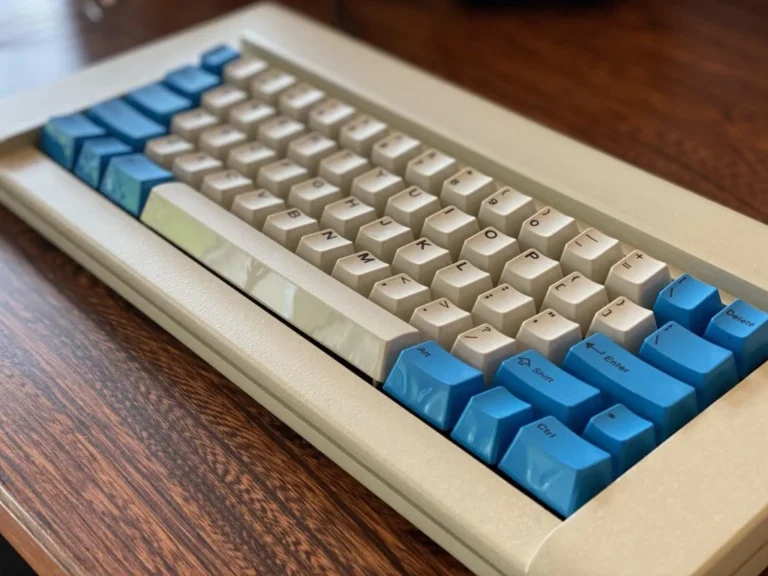
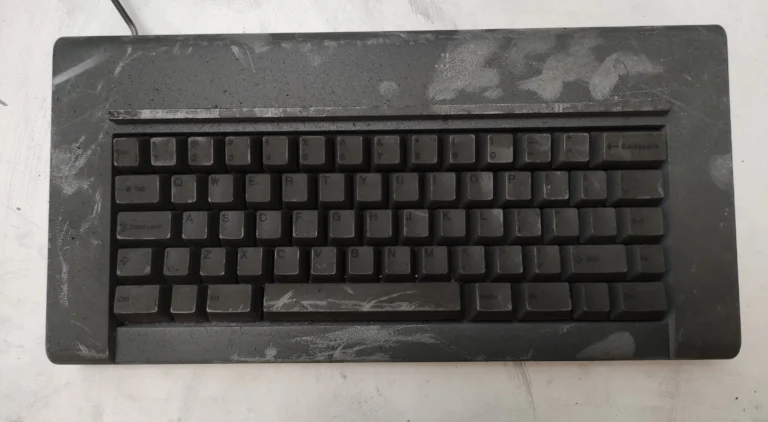
This model F62 survived a house fire and worked fine afterwards. Just needed some cleanup and replacing a few flippers.
Compact F77
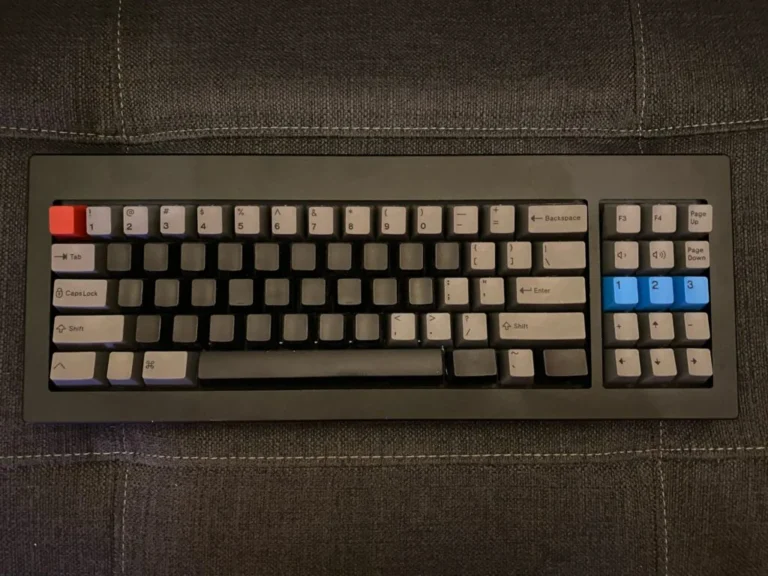

Compact F62

Compact FSSK

F15


F50


How This Project Came About
The Goal: A Perfect, Working Reproduction
So many products that people purchase today develop issues within months or years – no surprise, since they were designed for disposal. It is great to have the chance to buy something made for real-world use today that will be just as usable and enjoyable ten, twenty or thirty years from now. That has been my unchanging hope and goal for this Brand New Model F project.
To make this possible, I have not wanted to compromise the project by lowering standards and cutting corners to produce a reproduction inferior to the original. Just like you, I want to use a new Model F that is on par with, or better than, the original Model F keyboards that I use daily.
This was why I have ordered hundreds of thousands of dollars in brand new molds and materials matched to production processes that meet or exceed original standards and tolerances. Lots of metal in these keyboards!
The Inspiration of the “Kishsaver”
I am a big fan and collector of the IBM buckling spring keyboards; below is a short clip of me with the first keyboard I ever typed on – the IBM Model F.
My very first keyboard was a Model F. The first family computer was an IBM PC (5150) or IBM PC XT 5160 (not sure of the exact model) with its IBM Model F XT keyboard. From a young age I have had a great interest in computers and technology. At age 4 I was taking computer lessons at FutureKids.
Like so many, I have tried both Cherry MX mechanical keyboards as well as various rubber dome keyboards. They just do not compare in quality or feel to IBM buckling spring keyboards. Naturally, over time, I became a big fan and collector of the IBM buckling spring keyboards including incredibly rare models like the F122, F107, F104 Unsaver, F77, F50, PC XT, PC AT, Industrial SSK, 3278 Beam Spring, and Industrial Black Square IBM Logo 101-key Model M. I started collecting original IBM buckling spring keyboards in 2013, learning how to take them apart and clean them so they can be up and running like new again. Photos of my collection are linked here – more than 2,000 views of these Flickr photos so far.
In 2014, I made the 122 key Model F keyboard my daily driver, thanks to Soarer’s great Teensy-based USB converter and Fohat’s guide to refurbishing and adjusting the F122 layout to conform more closely to a 1391401 Model M ANSI layout. Also in 2014 I was able to acquire some IBM beam spring and Model F keyboards from the network of IT recycler contacts I had developed over the past year while growing my collection. These included 50-key, 77-key, and 107-key models from the IBM 4700 Finance Communications Systems used by tellers at various bank branches beginning in the 1980s (and impressively still operational in a few very small regional banks with a few branches, as of when this project began!). Thankfully a geekhack contributor named xwhatsit had just finished developing the first fully programmable replacement controllers for the old IBM keyboards, including PCB hardware, GUI configuration software, and firmware because some old IBM beam spring and Model F keyboards could neither run natively on modern-day computers nor work with Soarer’s converter.
In Fall 2014, having secured a number of IBM F107 keyboards needing these new controllers so they would be usable, I was the first to work with xwhatsit to bring his Model F keyboard controllers (launched just months earlier) to mass factory production and assembly (all of 50 units!) at a significantly lower cost. Alongside other passionate keyboard hobbyists, I continued to search for 62- and 77-key Kishsaver models. Despite my finds of other IBM models, I could never acquire one of the coveted 62-key Kishsaver models. “Kishsaver” is a nickname that has stuck to describe a rare, compact IBM Model F keyboard type that forum member kishy reintroduced to the public some years ago and described in detail on his website. Seeing an ever-growing demand for these keyboards against a non-existent supply and knowing that a modern USB controller was now available, I began looking into the manufacturing challenges and costs required to bring these great metal keyboards back into production. Was it possible? If possible, was it feasible?
Since you’re here you might be interested in the full overview of the journey to bring back the Model F; please see my Tech Talk at Google NYC below.
Taking computer lessons at FutureKids in 1992 (not on an IBM PC!)
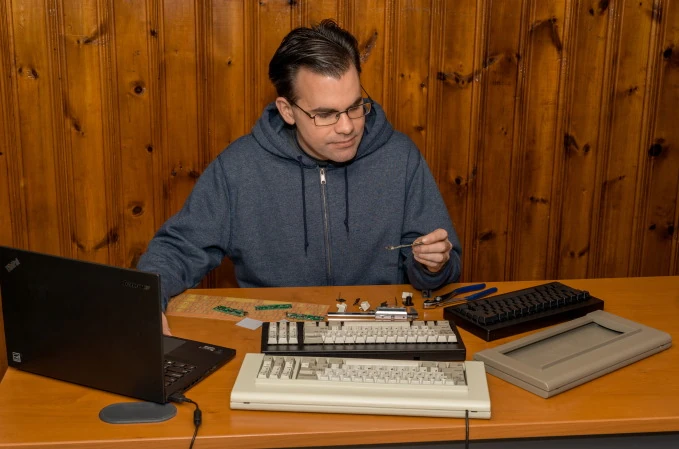
Working on the Brand New Model F project. Photo taken for an article in the Cornell Alumni Magazine on the project

A Team Effort
My work has become known as the Brand New Model F Keyboards Project and Brand New Beam Spring Keyboards Project, with keyboard model names chosen to reflect the original key counts of these compact keyboards, but this has been far from a one-man show. The enthusiasm of others for the Kishsaver keyboards has inspired me at all points. From the start, work on CAD files included lively discussion with some of the smartest professional engineers, PCB designers and product designers on the planet – many who have contributed greatly to the DT/GH/reddit forums on mechanical keyboards.
The crucial contribution of xwhatsit’s invention of a reliable capacitive controller replacement for Model F keyboards is well-known, but others whom I have not yet approached about public recognition have also contributed in unique ways. Along the way, thanks to them, I have learned a lot about manufacturing, PCBs, materials, micrometer measurement, CAD (computer aided design) and, most of all, about the specifications for producing top-notch Model F keyboards.
Meeting the Engineering Challenge
This is a unique project – the first-ever that has brought back Model F buckling spring technology into real-world use, twenty-five years after mainstream production was halted by IBM. And also unique is the Beam Spring project, which was the first to bring back the Model F’s predecessor.
While the original buckling spring patent expired long ago, opening the door to “generics,” no projects to make brand-new buckling spring keyboards from 100% new stock had been attempted beforehand. No original tooling could help us. I had to pay for all the tooling, CNC milling and molds in the hope that the designs, schematics and materials processes would prove sound. Another forum member pointed out that other custom keyboard projects based on Cherry MX switches begin with lower production costs and reduced end-goal risks, since the individual key mechanisms come pre-manufactured – unlike our conceptually ‘old’, yet newly-conceived and manufactured Model F components.
To come as close as I can to meet my goal of delivering perfectly working reproductions, I have been testing every component of my Model F keyboards as they have entered production. Of course, I still apply the same rigorous testing to the fully-assembled Model F keyboards to make sure they live up to the originals and to my quality standards.
After all, the intention of the project has been to faithfully recreate the 77-key and 62-key Model F keyboards (and later, other layouts and models) without tinkering or altering a keyboard design that has long been regarded as the best ever placed into widespread production. Changing things around would have brought both positive and negative feedback without the chance for either myself or respected critics to prove who was taking the right approach. This would also have greatly increased the costs of making and testing prototypes.
From a young age I have had a great interest in computers and have done a lot of typing on Model F keyboards. I have taken them apart and repaired/restored a number of them. Still, I am not a professional programmer or CAD person. I studied business in college and have a Bachelor of Science degree from Cornell University in Applied Economics and Management. The professional and/or enthusiast-level background of those who have helped me with this project include programmers, PCB/hardware designers, engineers, product designers/inventors, and other Model F keyboard fans. In fact, I taught myself CAD for this project. Reproducing the great work of the past, aided by other professionals and keyboard enthusiasts, has been an amply ambitious goal.
A Word About Keycaps
When the project began, I expected to source keycaps from old IBM keyboards (Model M as well as Model F) and from Unicomp for those who wanted new keys. Tooling and quality control for keycaps seemed beyond-budget and outside the acceptable time frame for producing usable keyboards.
Early-on, I recommended that hobbyists search for keycaps approaching the standard set by the original IBM PC XT keyboard. This meant hunting for the best surviving keycaps; the use of deep/black/bold dye sublimated legends and, finally, an integrated cap-and-stem one-piece design instead of the two piece Model M design. No easy task!
While some purchasers will ‘bring their own keys’ with them, I am very happy that the generous investment of the community made it possible for me to spec and plan production of brand new key molds that have produced keys that meet or exceed the IBM PC XT standard-of-excellence and of which several hundred thousand newly made keycaps have shipped.
Open Source Code
A few years ago an extraordinary programmer, engineer, circuit designer, and IBM keyboard enthusiast, known on the forums as xwhatsit, wanted to replace the controller on some of his old IBM keyboards with a modern, NKRO-capable, USB native controller that could be completely customized with custom key values, layouts, and layers. In 2014 xwhatsit achieved his vision and released his project with an open source GPL3 license. The xwhatsit project single-handedly made it possible to use some of the older IBM keyboards as well as made it possible for these new Model F keyboards to exist. Forum member wcass redesigned xwhatsit’s controller to update and miniaturize it; wcass also designed the project’s beautiful large capacitive PCBs for each layout, following IBM design guidelines based on examining their old PCBs.
Starting in 2020, QMK keyboard firmware was ported to the xwhatsit Model F controllers thanks to programming and testing by forum members pandrew and tentator. The advantages of this controller include simpler web-based programmability, automatic threshold adjustment, and some reports of perfect stability where the xwhatsit firmware was not 100% stable. The downside is there is no offline adjustability of the layout by standalone GUI software with QMK – only the web-based GUI. Both xwhatsit and Leyden Jar controllers now run Vial thanks to efforts by forum members NathanA and Rico over the past few years. Vial is an open-source GUI-based firmware that allows easy changes to the keymappings and function layers.
Starting in 2025, some models started shipping with the RP2040-based Leyden Jar controller, an open-source effort by forum member Rico, designed to replace the ATMega-based xwhatsit controller. The plan is for the Leyden Jar to support all existing new Model F and new beam spring keyboards in the future, to help keep these keyboards alive long after the project has shut down.
The open source code, GUI software, PCB designs, and firmware can all be freely downloaded (links are in the manual).
Pricing and “Thank You”
I have never stopped looking for those willing and able to lend a hand with the many dimensions of the Model F Keyboard project. Please free free to PM me on the Geekhack forum. My user name is Ellipse. I am also on reddit with the user name 1954bertonespyder. Registration on the forums is free and they are all great communities to be a part of.
The Model F Keyboard project’s original price was finalized early on and has held up well across some early and unpredictable project phases. Happily, the progress made to-date has allowed me to offer a small but increased set of Model F Keyboard types (introducing the “ultra compact case” models and the HHKB style split right shift layout offerings, none of which were originally offered), as well as a variety of keycaps and other extras (including a “first aid kit”) to support many years of reliable use. Consult the website store page for more information.
In closing, I want to express once again my deep appreciation to the remarkable professionals and hobbyists who have shown steadfast support even when unexpected challenges and unavoidable factory delays might have raised doubts. I feel more confident than ever that my original goal is achievable – to manufacture, again, the best keyboard ever conceived, meeting the quality standard that IBM defined and achieved more than four decades ago.
Anyway, the entire project itself is only preparation for what comes after. The end-point will be our shared pleasure across the years as we type on a keyboard beautifully matched to expressing ourselves in countless ways in the 21st century.